


AmsterdamI live and work here, at Rappit since May 2026.
Product designer · Amsterdam
Complex dashboards, mobile apps, sales tools and websites, made simple to use.
Ten years of SaaS dashboards, ERP systems and mobile apps: tools people open every morning and shouldn’t have to think about. Today I design at Rappit in Amsterdam; in the evenings I build my own apps.
Right now
My CV
Serhii Kha, CVPDF on Google Drive
Download CVOn repeat
 ListeningThe Dark ForestMuse
ReadingThe Effective Product DesignerArtiom Dashinsky
Law of UX
What I do
- 01Product design and UX
Research, flows and every screen state, for complex products people use all day.
- 02Design systems
One set of tokens and components, in Figma and in code.
- 03Engineering
Front end, back end and AI features, shipped to production.
Selected work
-
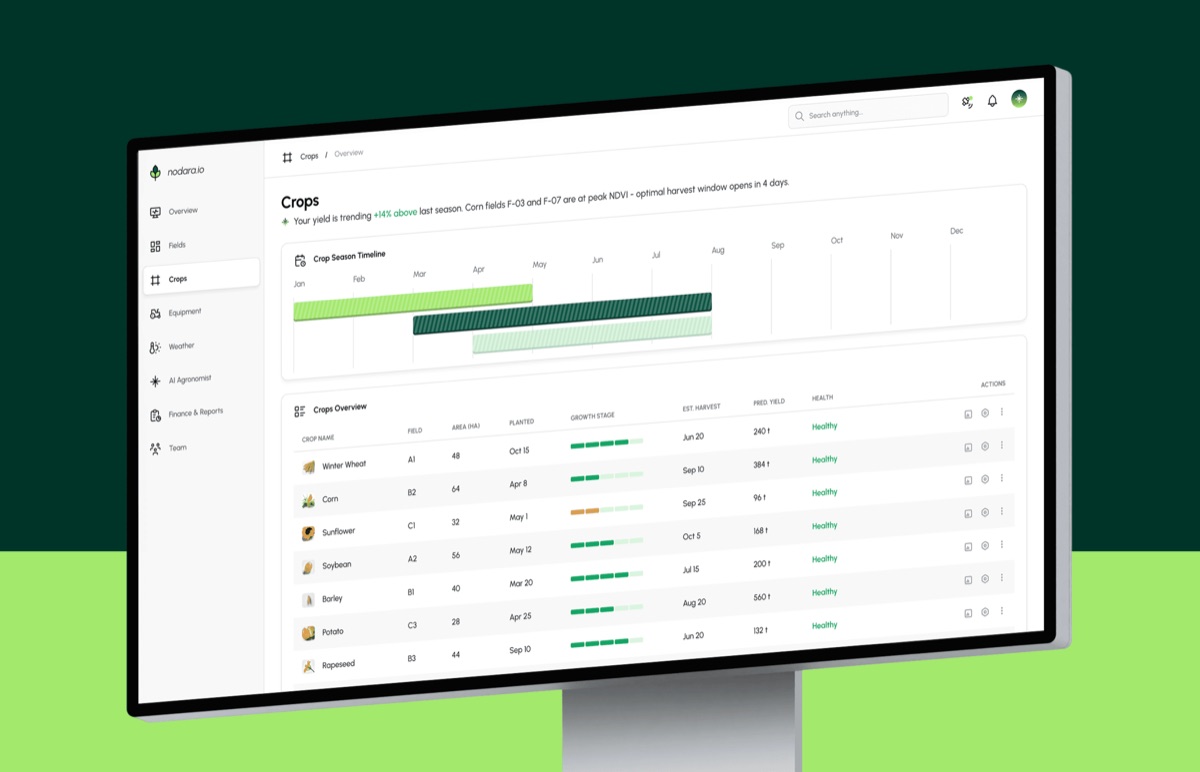
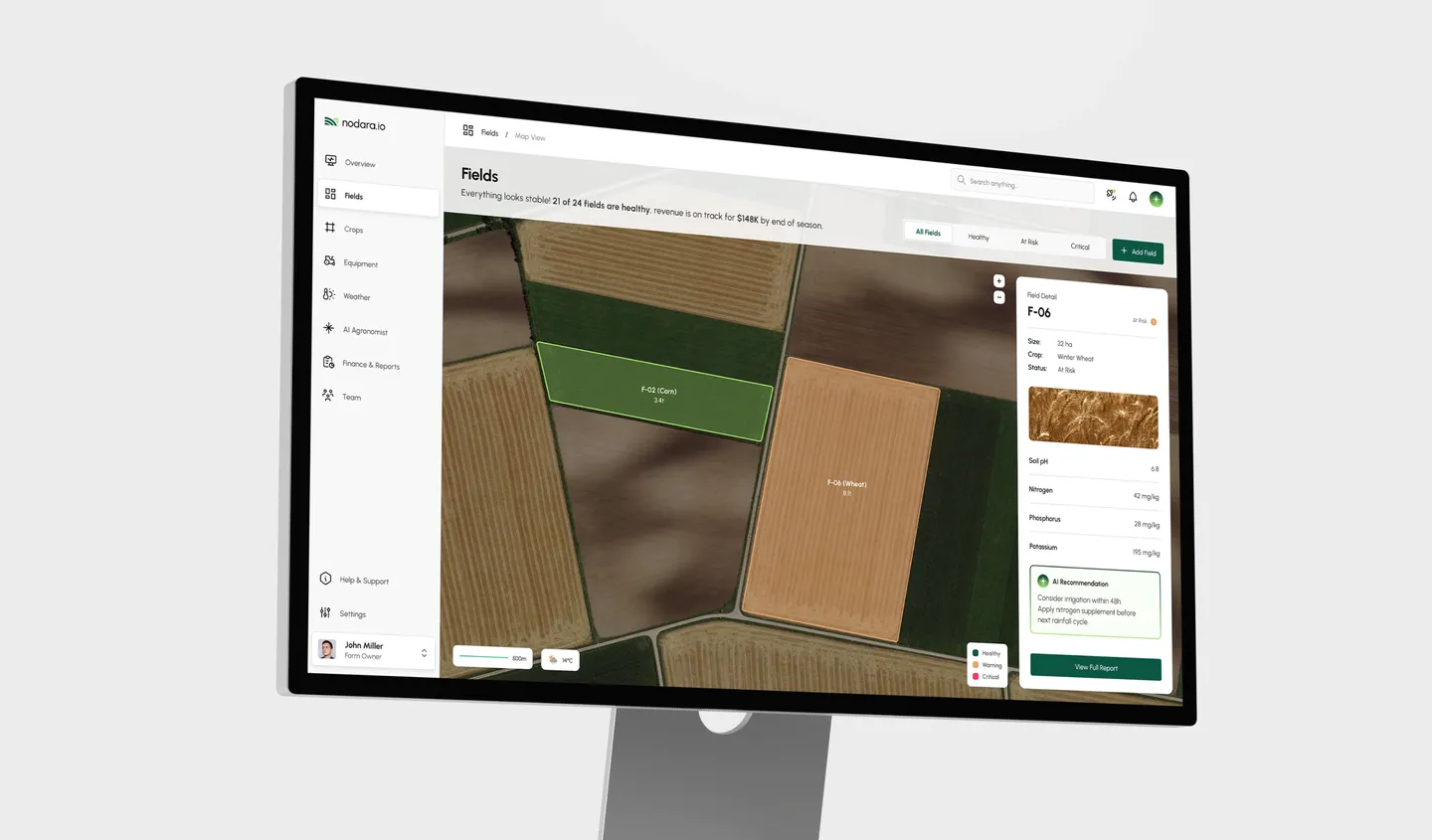
NodaraB2B SaaS dashboard / 2026
-
WearCastMobile app / 2026

-
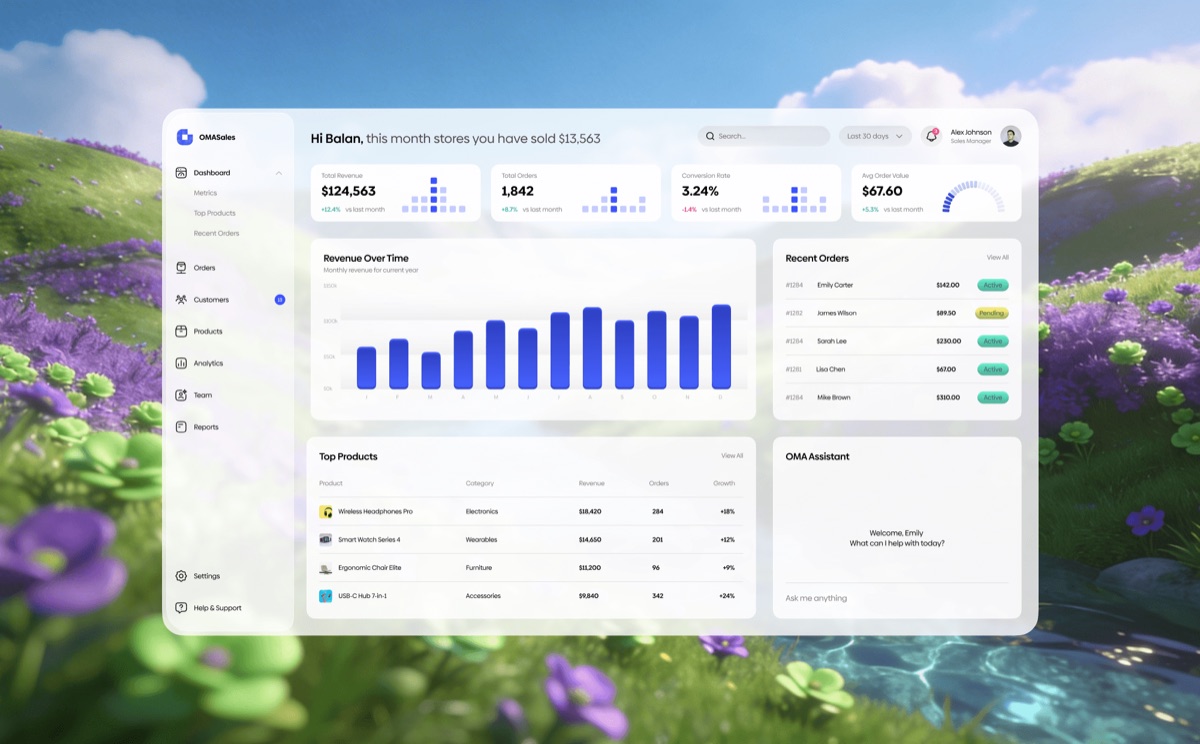
OMA SalesSaaS web app / 2025
-
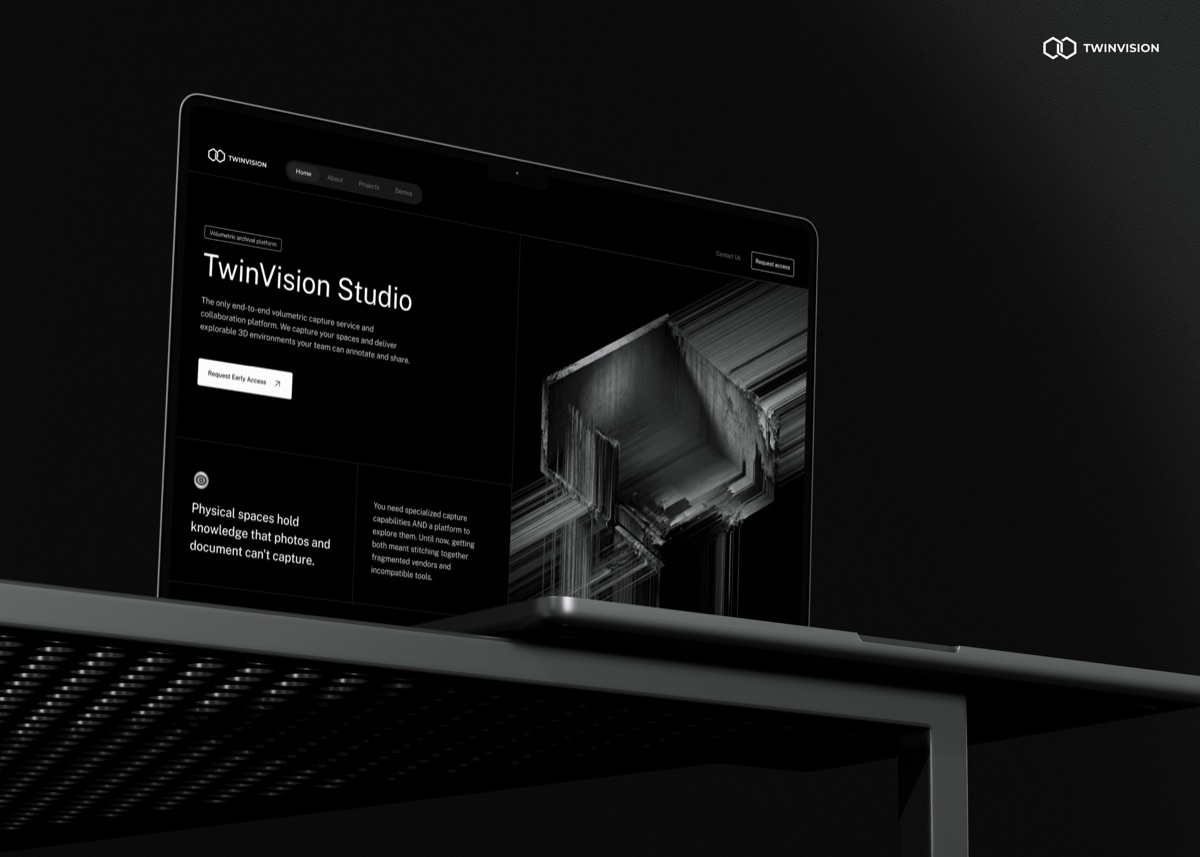
TwinVision StudioWebsite / 2026
Two ways to work with me
- For teams
A product designer who also owns the design system and writes the code. Fewer handoffs, and the design survives the build.
See the case studies - For businesses
Your own software, designed and built end to end: an ERP for your projects and crews, a client portal, an AI agent that handles the busywork. You get a live product and the code.
How a build works
My own products
I build apps for myself too. It keeps me honest about the whole job: design, code, release notes and support emails.
Get in touch
Have a product to talk through?
Tell me about it in five short questions. I reply within two working days with questions, not a sales pitch.
Work
Case studies
Four projects from the last two years. Each case is short on purpose: the problem, what I did and how it turned out. The full versions are on Behance.
-
B2B SaaS dashboard2026
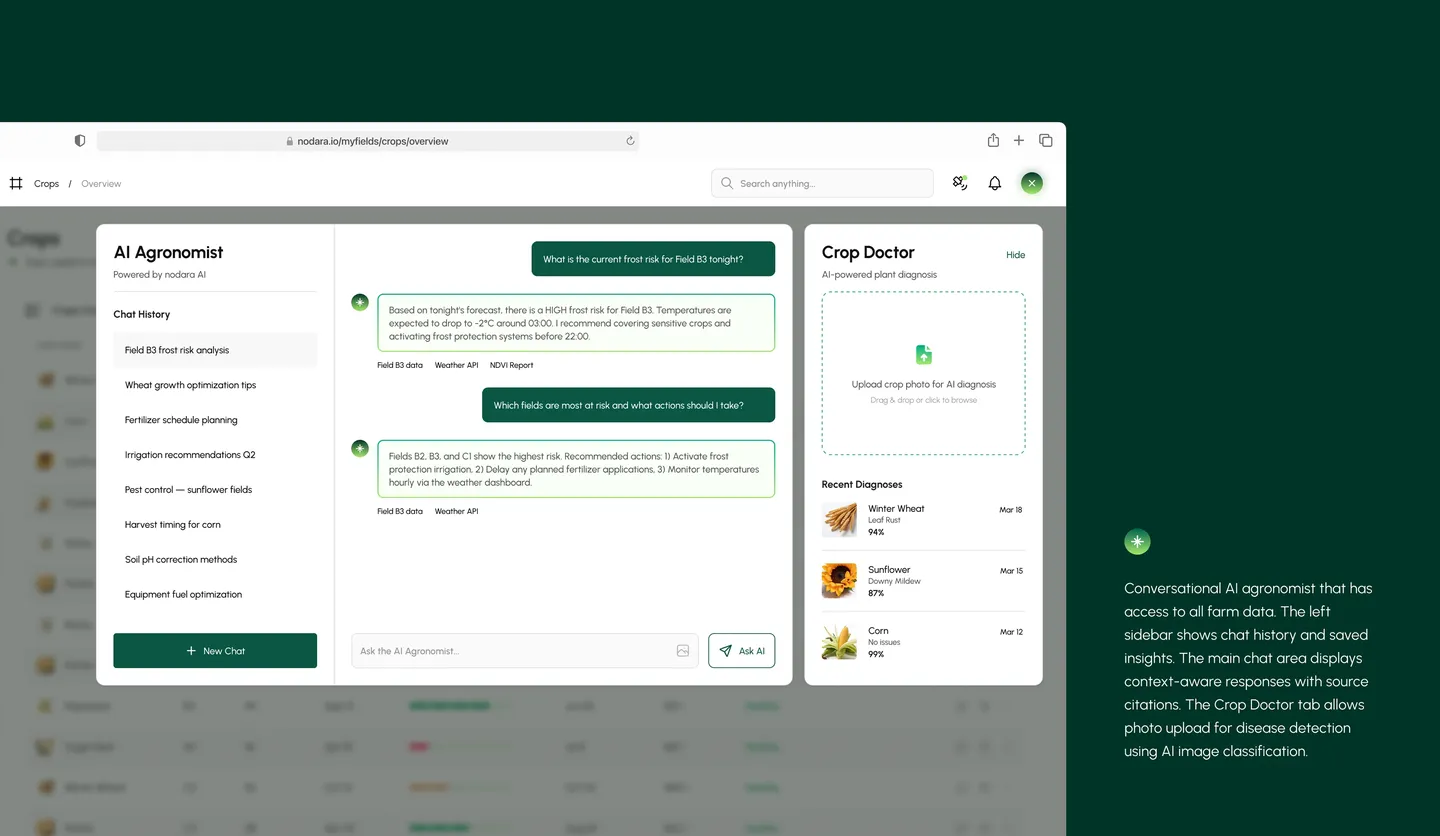
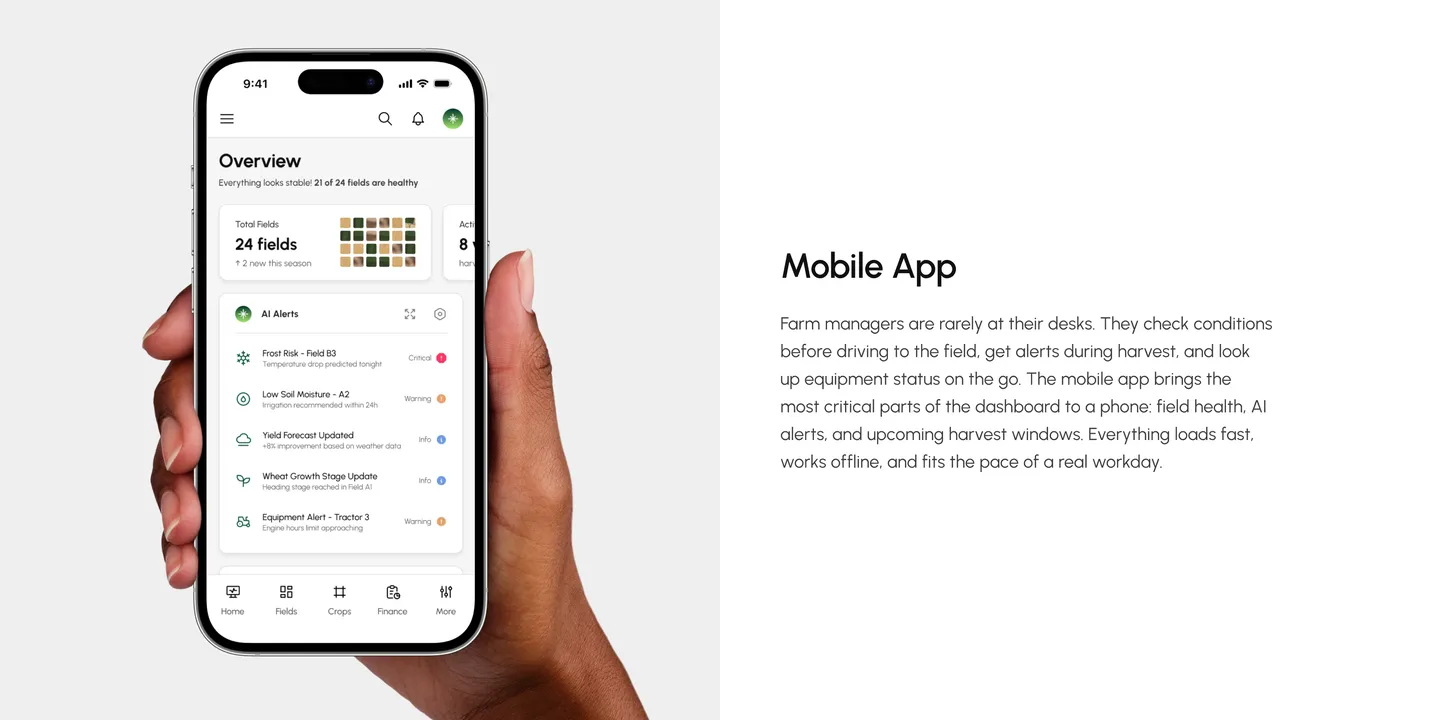
NodaraA desktop dashboard for commercial farms: fields, crops, equipment, weather and money in one place.
-
Mobile app2026
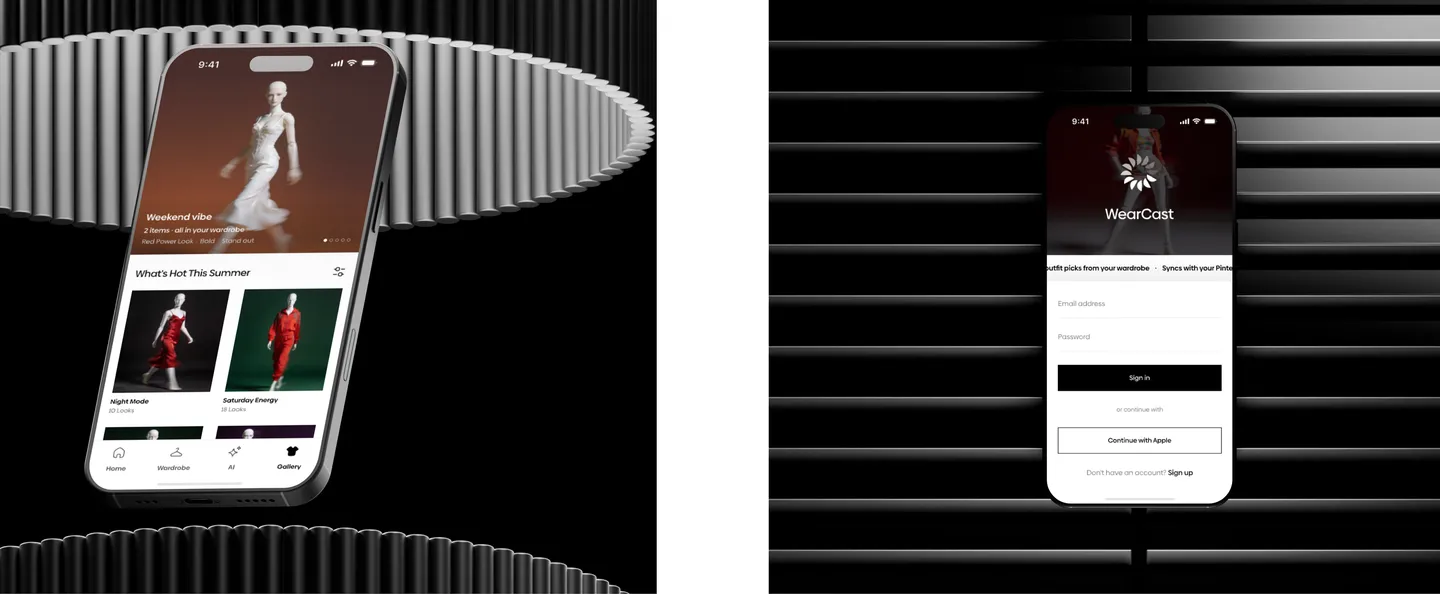
WearCastAn AI wardrobe assistant that suggests what to wear from the clothes you already own.
-
SaaS web app2025
OMA SalesA sales dashboard for B2B teams: revenue, orders and analytics in one place.
-
Website2026
TwinVision StudioA website for a studio that captures buildings and spaces in 3D.
Case study 01 / 04 · B2B SaaS dashboard
Nodara
A desktop dashboard for commercial farms: fields, crops, equipment, weather and money in one place.
The problem
Farm managers use four to seven apps for weather, machines, money and crop records, and the data never connects. A crop disease or a broken tractor gets noticed too late.
What I did
- Defined the audience: farms of 200 to 5,000 hectares in Europe and North America
- Mapped the structure: ten sections, 58 pages
- Designed the dashboard, an AI agronomist and a mobile app for the field
The result
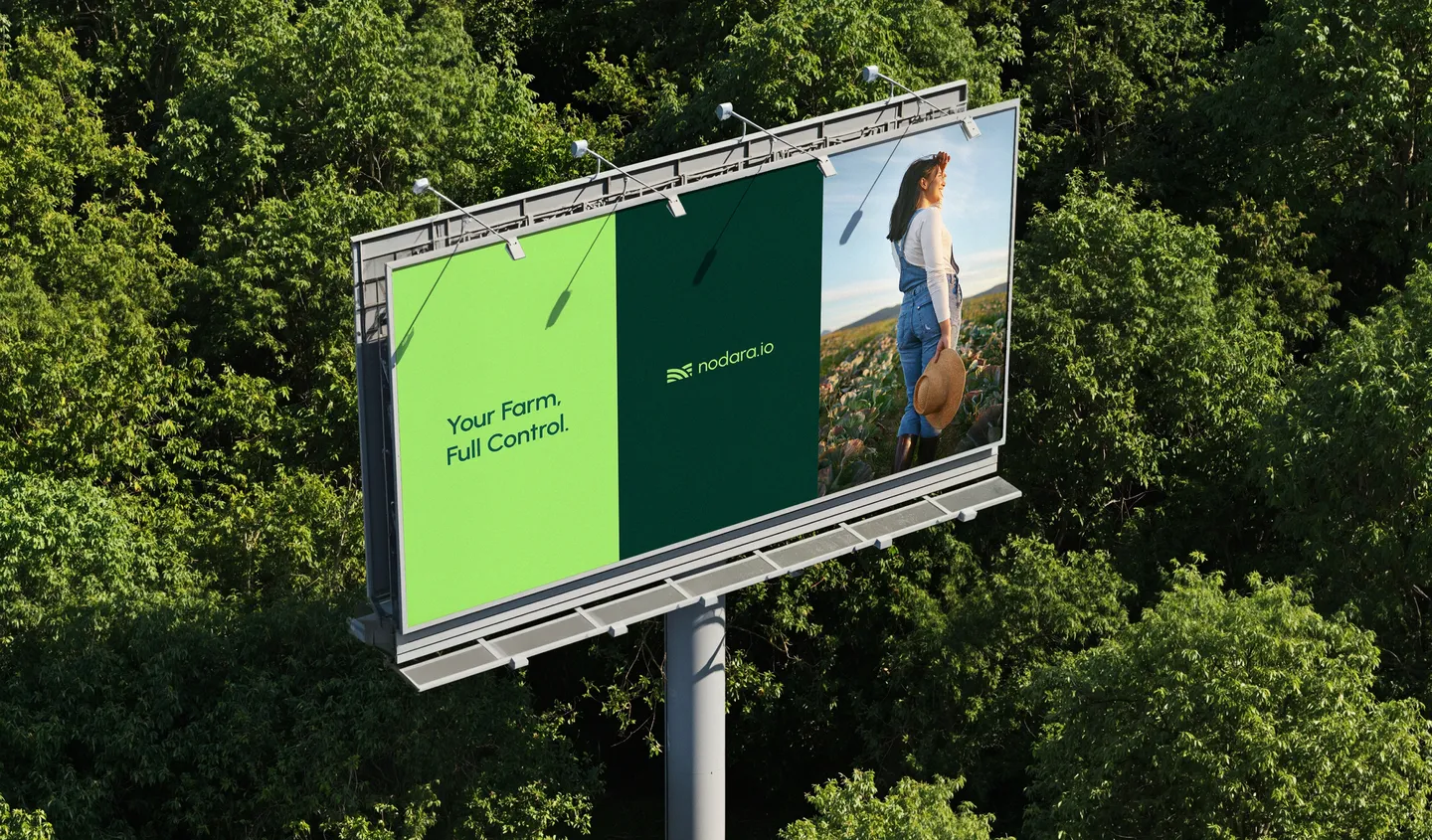
A dashboard a farm manager should understand in under ten seconds, without training. 169 screens on desktop and mobile, plus the brand, from the logo to the app icon.
Full case on BehanceNext case · 02 / 04WearCastMobile app
Case study 02 / 04 · Mobile app
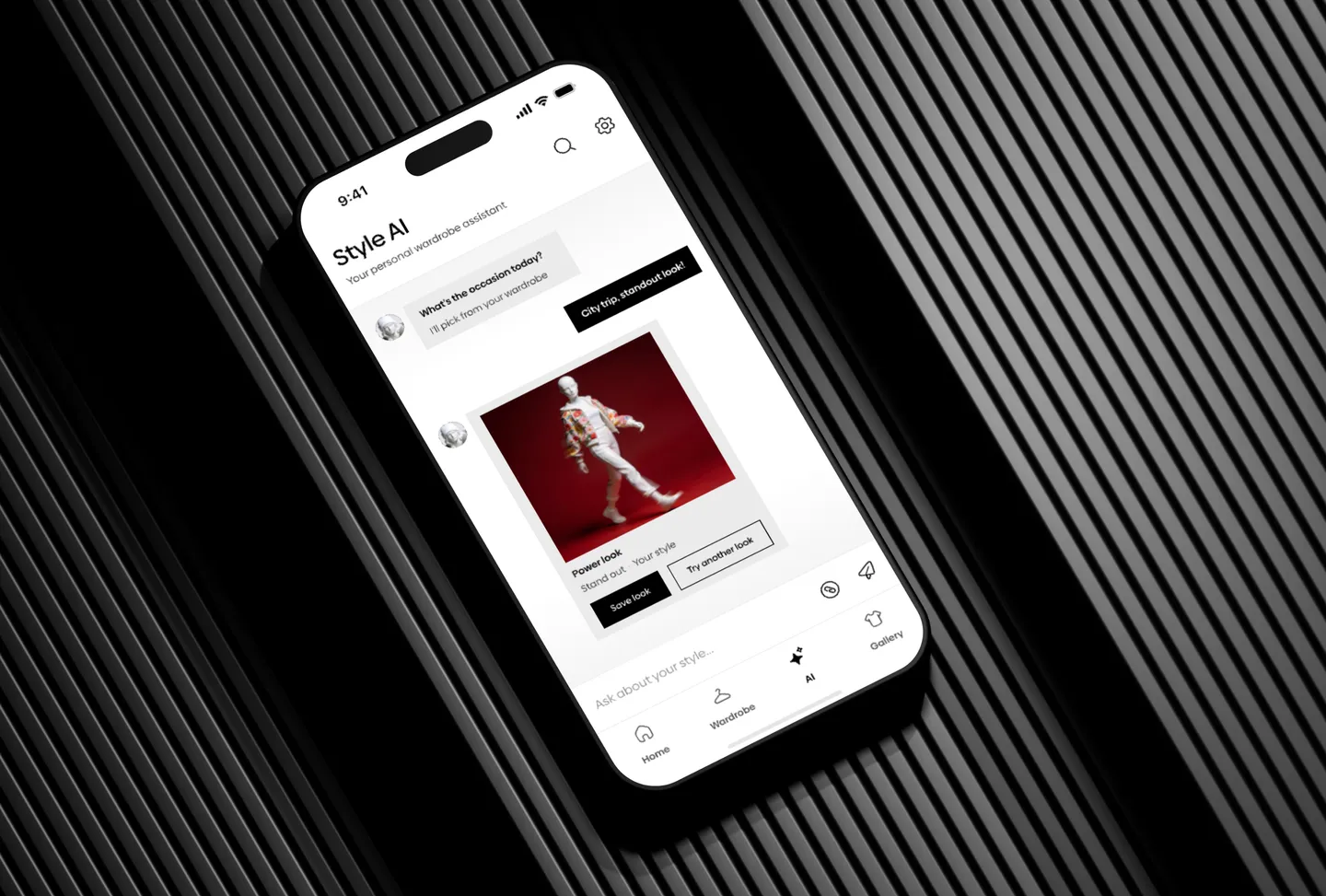
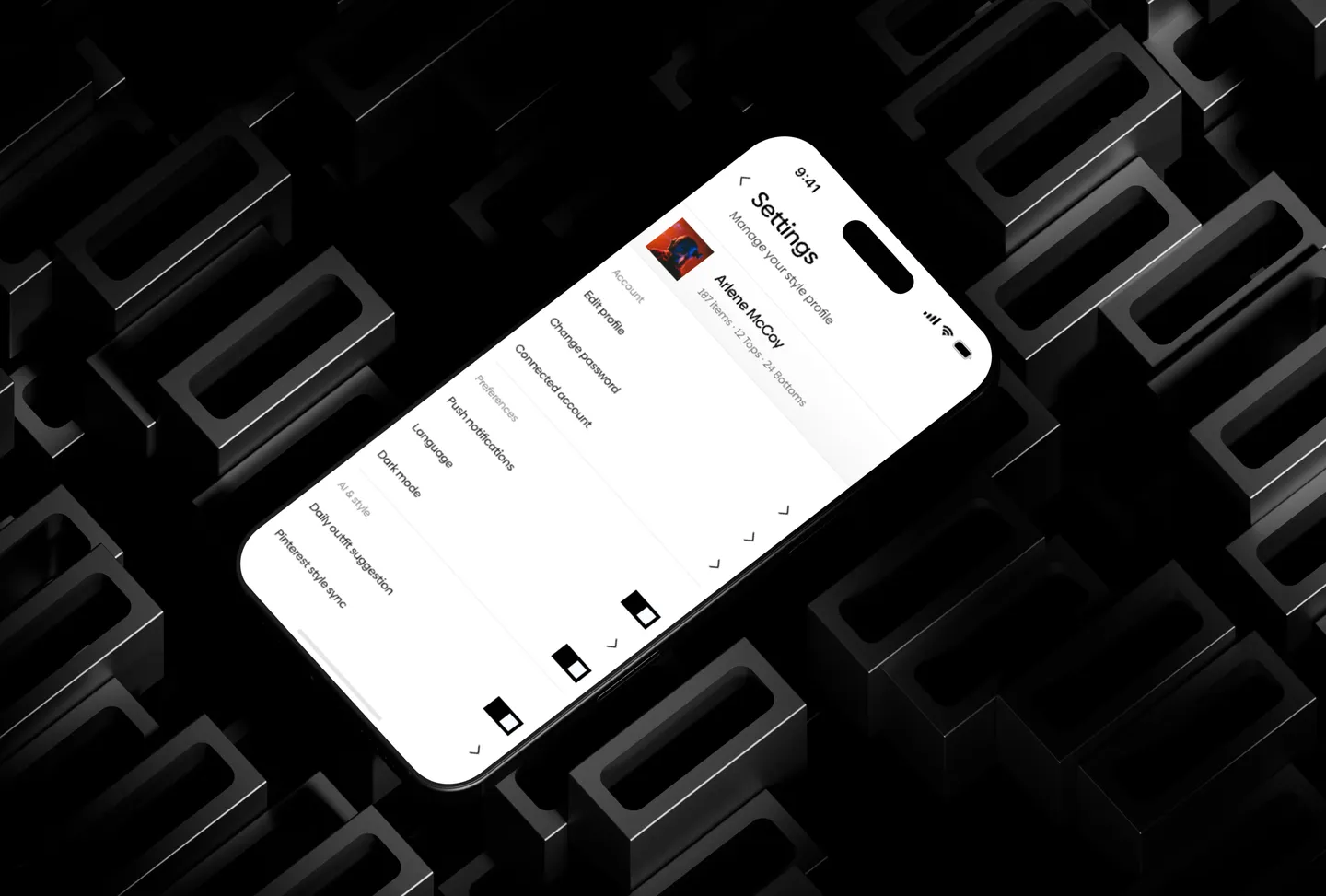
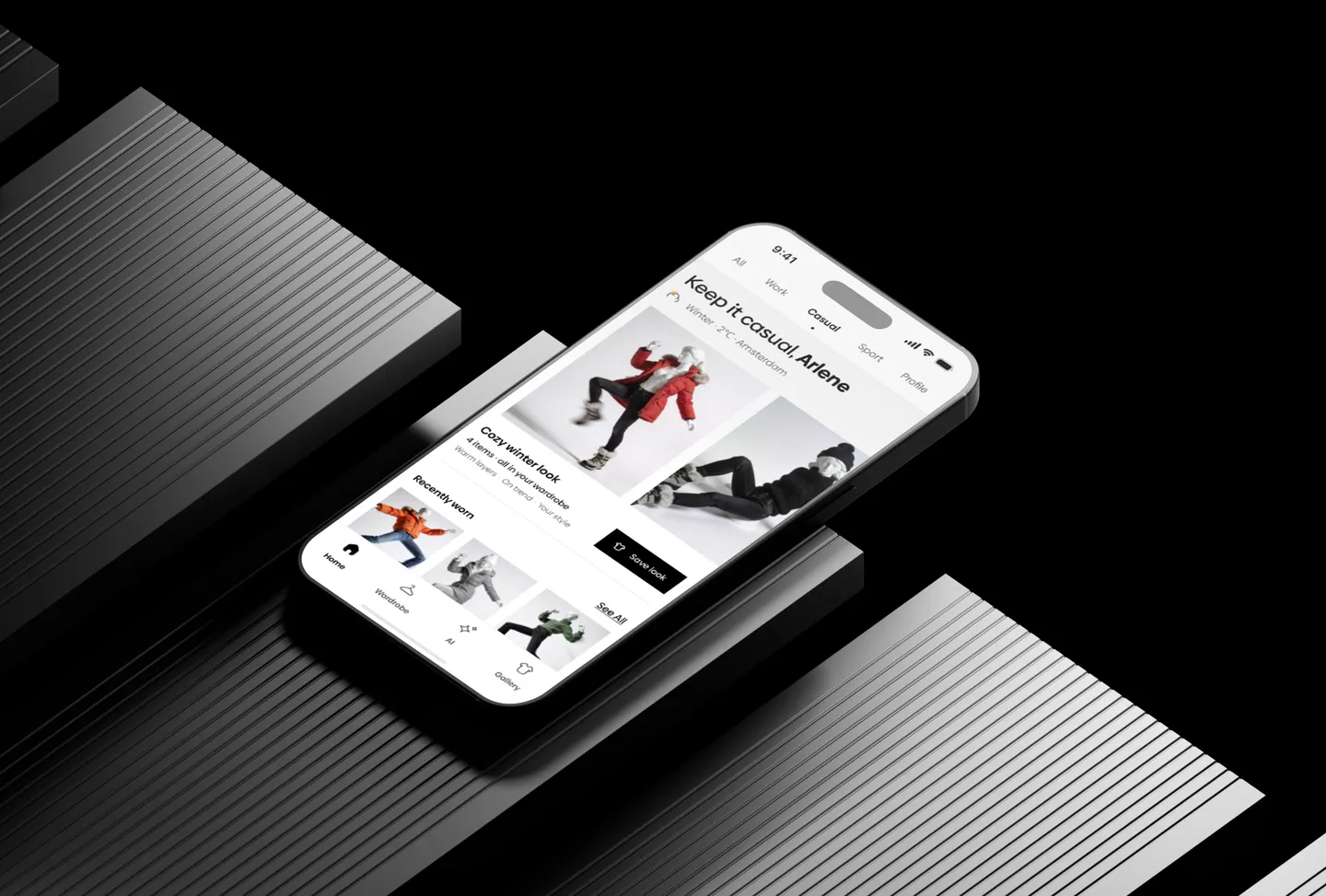
WearCast
An AI wardrobe assistant that suggests what to wear from the clothes you already own.
The problem
Most people own more clothes than they think and still have nothing to wear. In my interviews, most spent 15 minutes or more every morning deciding.
What I did
- Interviewed six people and found three pain points: forgotten clothes, the same outfits, the wrong outfit for the weather
- Wireframed 14 core screens and tested three navigation patterns
- Cut onboarding from seven steps to three
The result
People finished the key tasks 40% more often in tests after the new onboarding. A UI kit of 64 components; the home screen went through five rounds of feedback.
Full case on BehanceNext case · 03 / 04OMA SalesSaaS web app
Case study 03 / 04 · SaaS web app
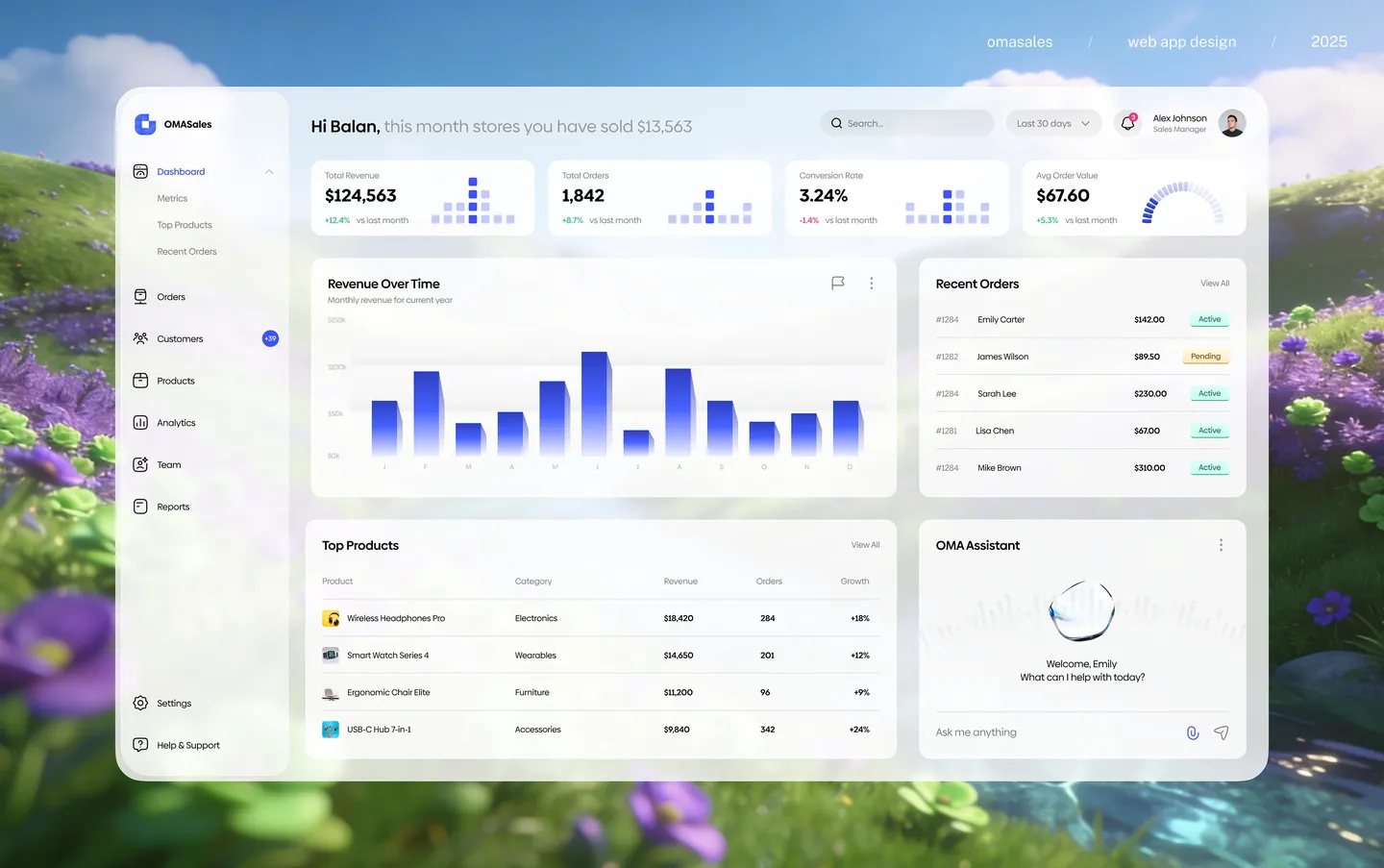
OMA Sales
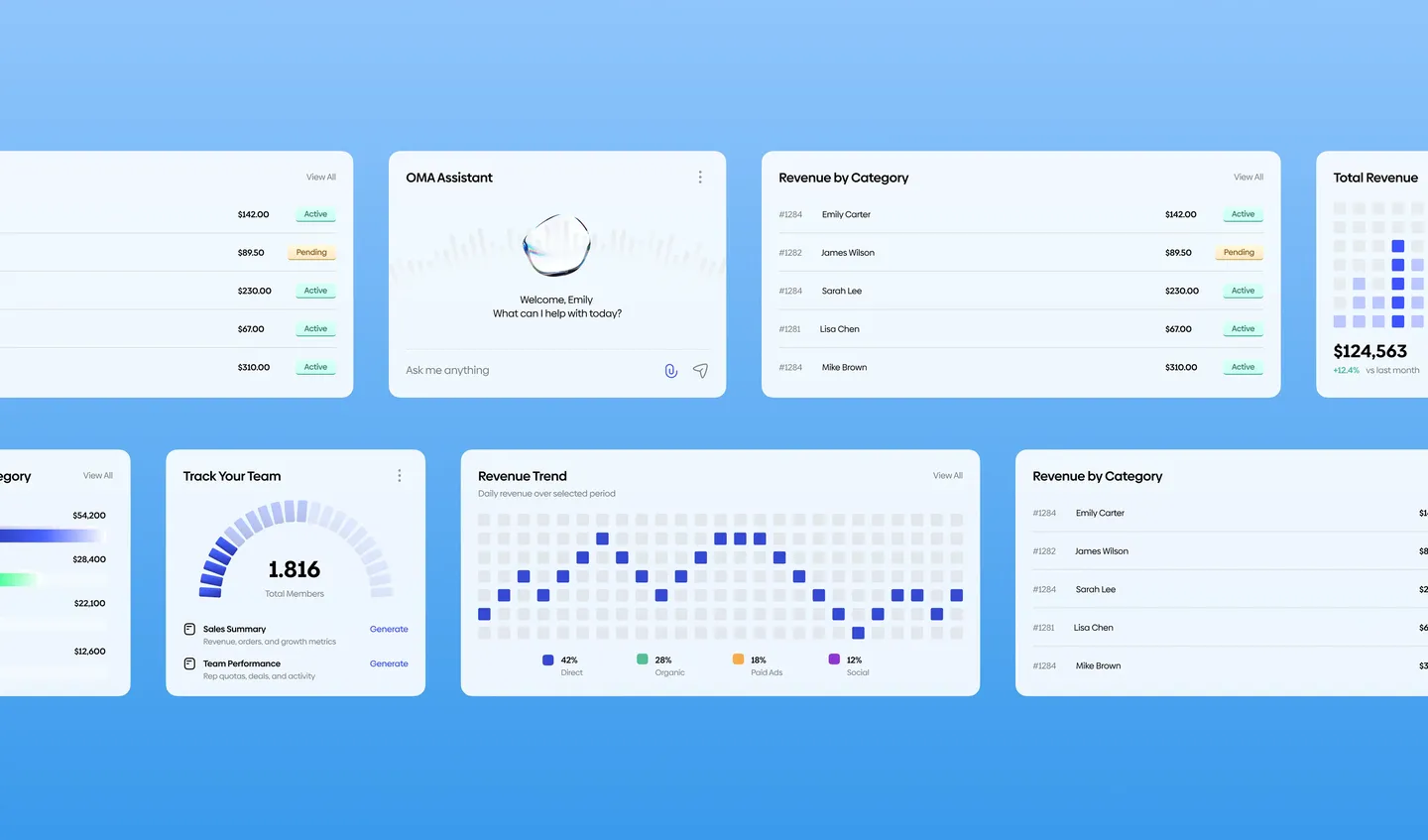
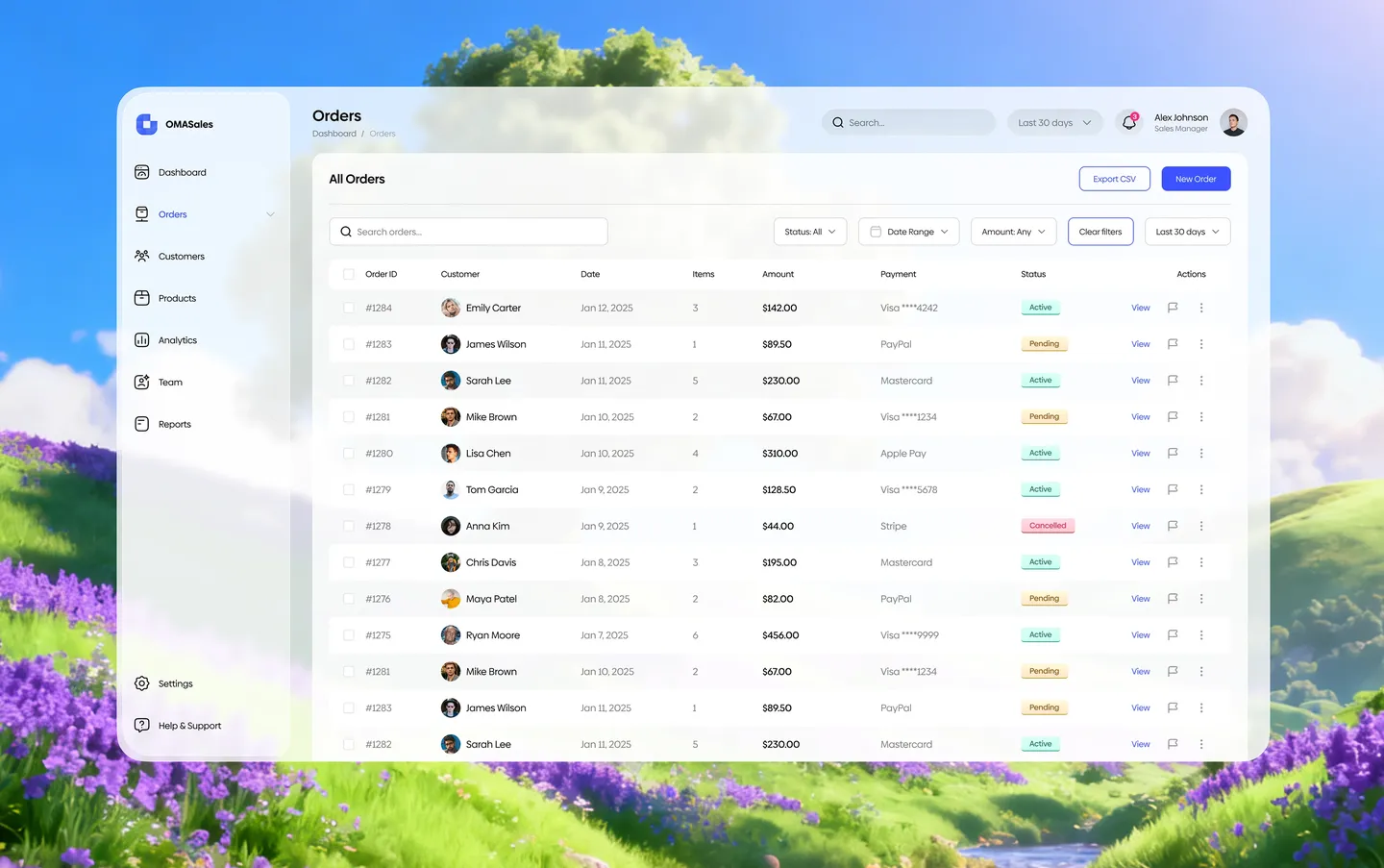
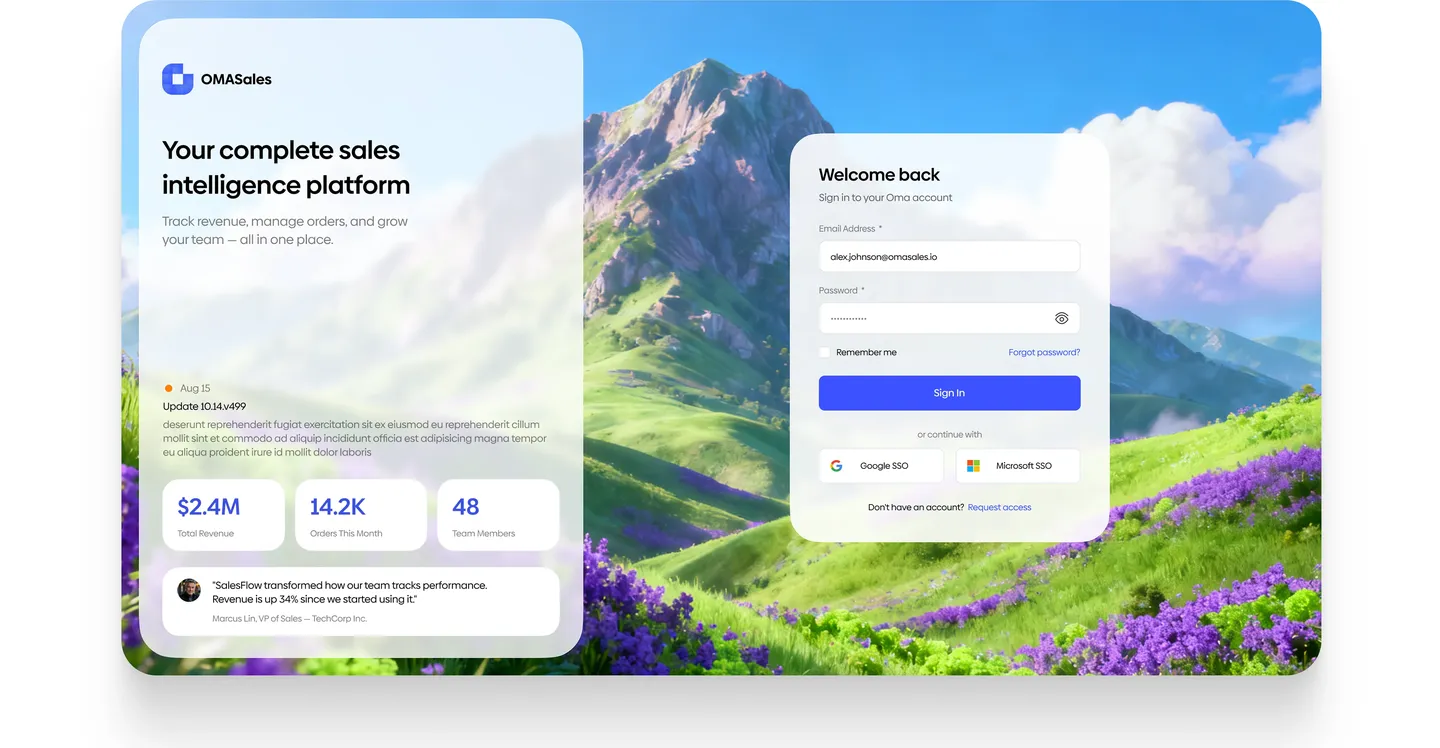
A sales dashboard for B2B teams: revenue, orders and analytics in one place.
The problem
Sales teams kept revenue, orders and team results in different tools, and nobody had one place to see how the month was going.
What I did
- Research and a sitemap: customers, products, promotions, analytics, team, reports
- Designed the dashboard, orders, reports and settings
- Built a design system for the whole product
The result
One screen to follow the numbers, and the orders and reports behind them one click away.
Full case on BehanceNext case · 04 / 04TwinVision StudioWebsite
Case study 04 / 04 · Website
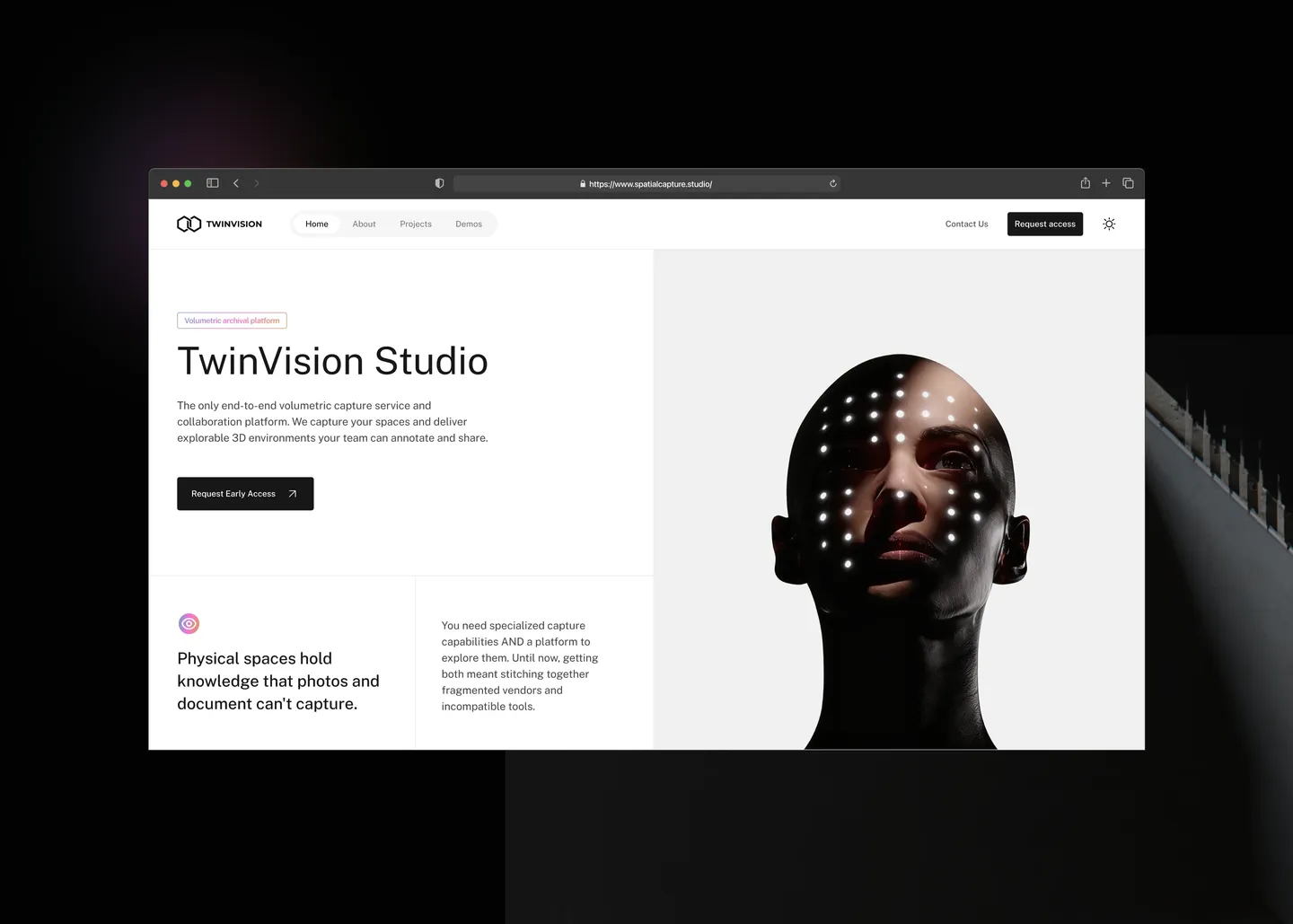
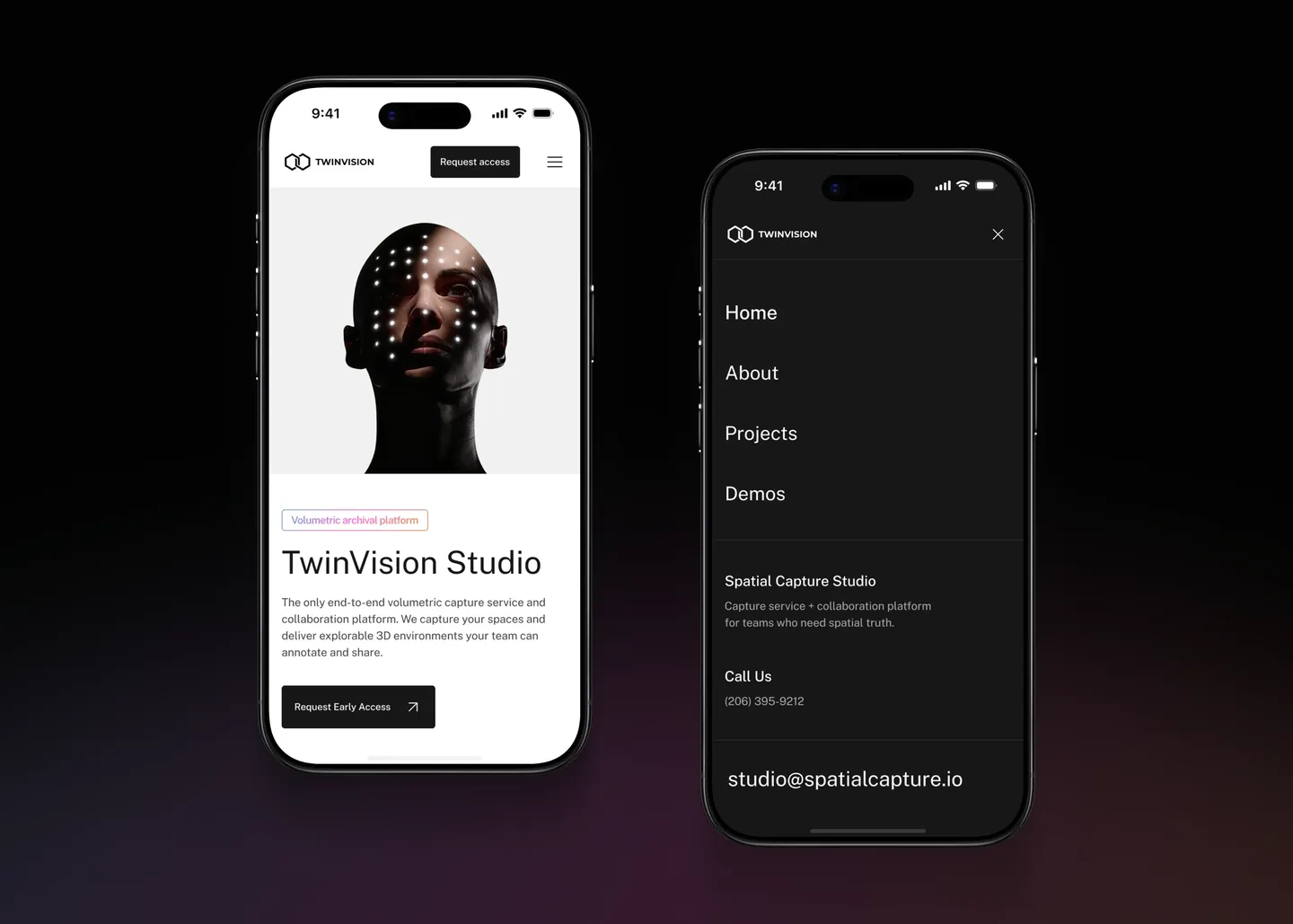
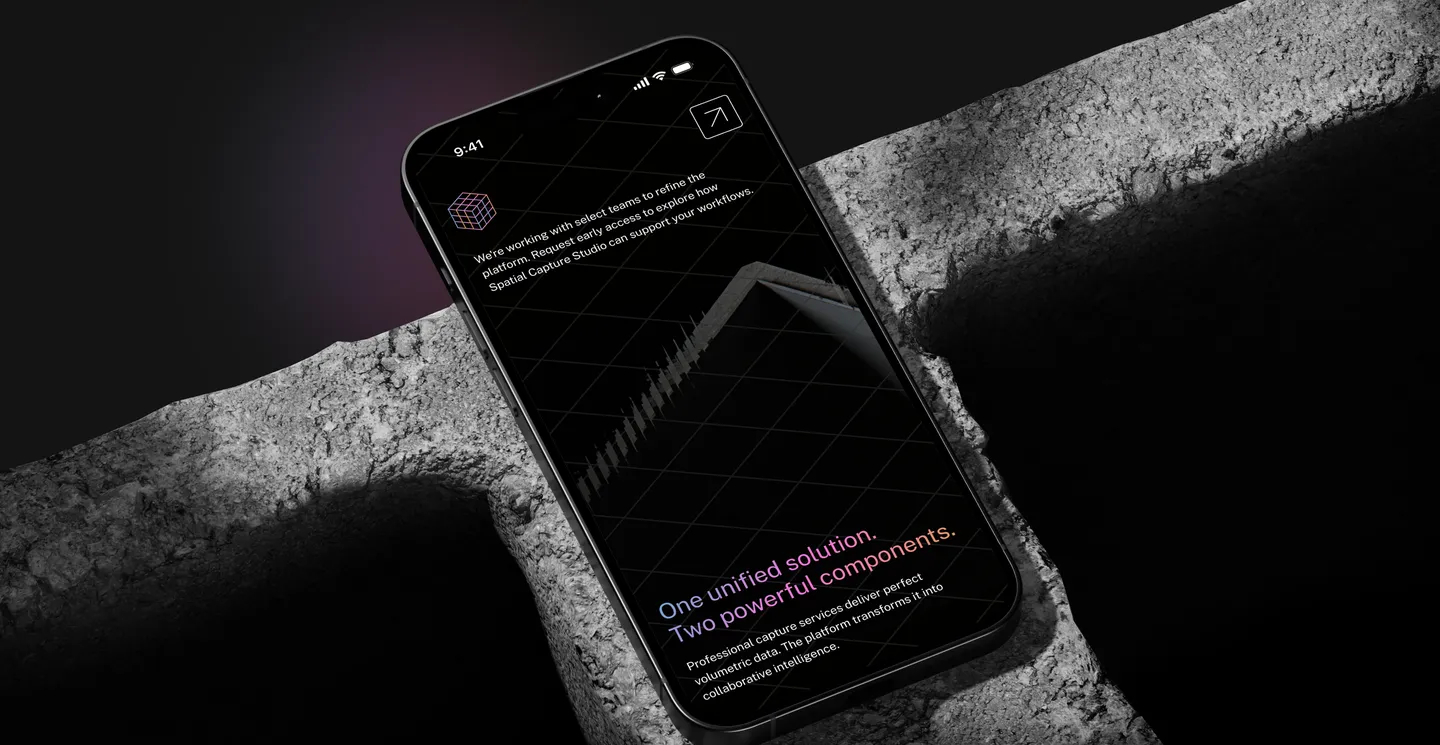
TwinVision Studio
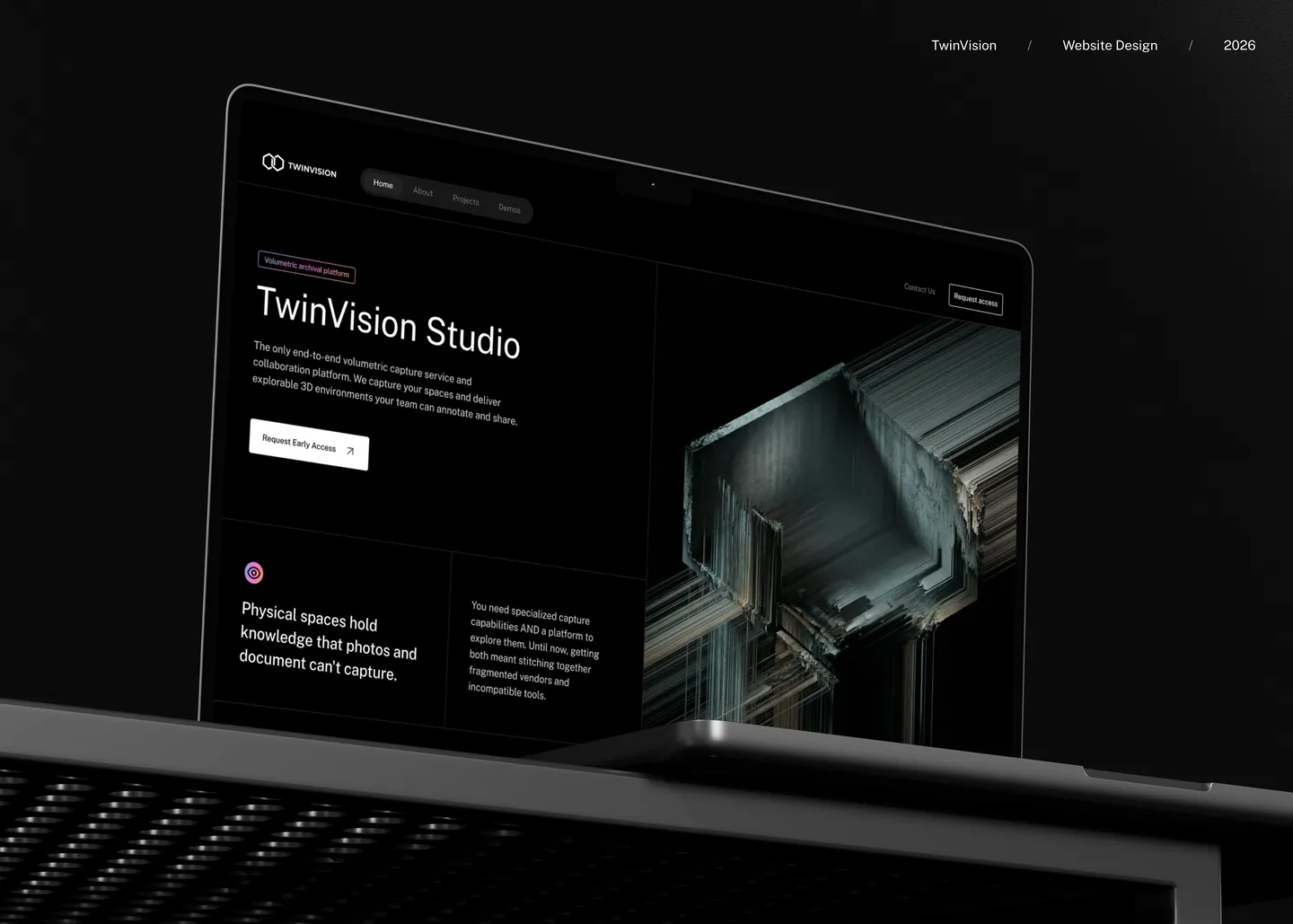
A website for a studio that captures buildings and spaces in 3D.
The problem
Volumetric capture is hard to explain. Architects and property teams had to understand what the studio does before they would ask for a demo.
What I did
- Workshops with the client and an audit of 3D capture competitors
- User journeys for enterprise architects, real estate developers and facility managers
- Wireframes tested twice, then light and dark visual design and annotated specs
The result
A site that explains a technical service in plain words and ends on one action: request early access.
Full case on BehanceGet to know
About me
I’m Serhii, a product designer in Amsterdam. Ten years ago I started with websites; today I design the screens people work in all day, and the systems that keep those screens consistent.
In short
I started in web design in 2016 and moved into product design: SaaS, ERP, ESG reporting, mobile apps for iOS and Android.
I like the unglamorous part: flows, states, edge cases and the design system that keeps a large product consistent.
In the evenings I build my own products. Slovo helps me learn Dutch, Recall keeps my links, notes and habits.
Where I worked
Now
RappitProduct Designer2026–now
- Designing an AI-native ERP platform end to end
- Building the design system: tokens, components, docs
ERPAIDesign system
Seneca ESGProduct DesignerFreelance / 2025–2026
- Simplified key flows of a B2B ESG reporting platform
- Designed and shipped an AI assistant end to end
- Built a Figma plugin and React-ready specs
ESGB2B SaaSAI
Takeoff Web DesignUI/UX Designer2024
- Websites, UI kits and design systems
- WCAG accessibility throughout
WebUI kitsWCAG
OMG Web DevelopmentProduct Designer2021–2023
- Led design of a 1000+ screen app for iOS, Android and web
- A/B tests and a cross-platform design system
iOSAndroidWeb
OrizonUI/UX DesignerFreelance / 2019–2024
- Client products and UX strategy
- Prototyping about 35% faster for the team
- An 80+ component library
ClientsUX strategyComponents
SuruseProduct DesignerPart-time / 2017–2019
- A SaaS platform end to end
- Mentored junior designers
SaaSMentoring
Rocksmart StudioVisual Designer2016–2017
- Websites and apps for studio clients
WebApps
Where I live and work now
 Product Designer at RappitSince May 2026 · Amsterdam
- Rappit is a platform for building custom ERP, TMS and WMS systems
- Business teams, IT and an AI companion build those systems together
- I design the platform and its design system
Take my CV with you
What I bring to a team
- Product design and UX
Research and flows before screens, then every state: empty, loading, error and the edge case nobody asked about.
Research · Flows · UI · Usability tests - Design systems
Tokens and components that engineers reach for first, because I build them together, in Figma and in code.
Tokens · Components · Docs · Audits - Engineering
Front end and back end, so a design ships the way it was meant to. Prototypes in real code when a mockup can’t answer the question.
React · TypeScript · Laravel · Code prototypes - Whole products
From the first interview to a live product: I designed, built and run two apps of my own, Slovo and Recall.
Scope · Build · Launch · AI features
Work
My products
Two apps I designed, built and ship myself, from the first sketch to the server and the support inbox.
My product · Invite only
Slovo
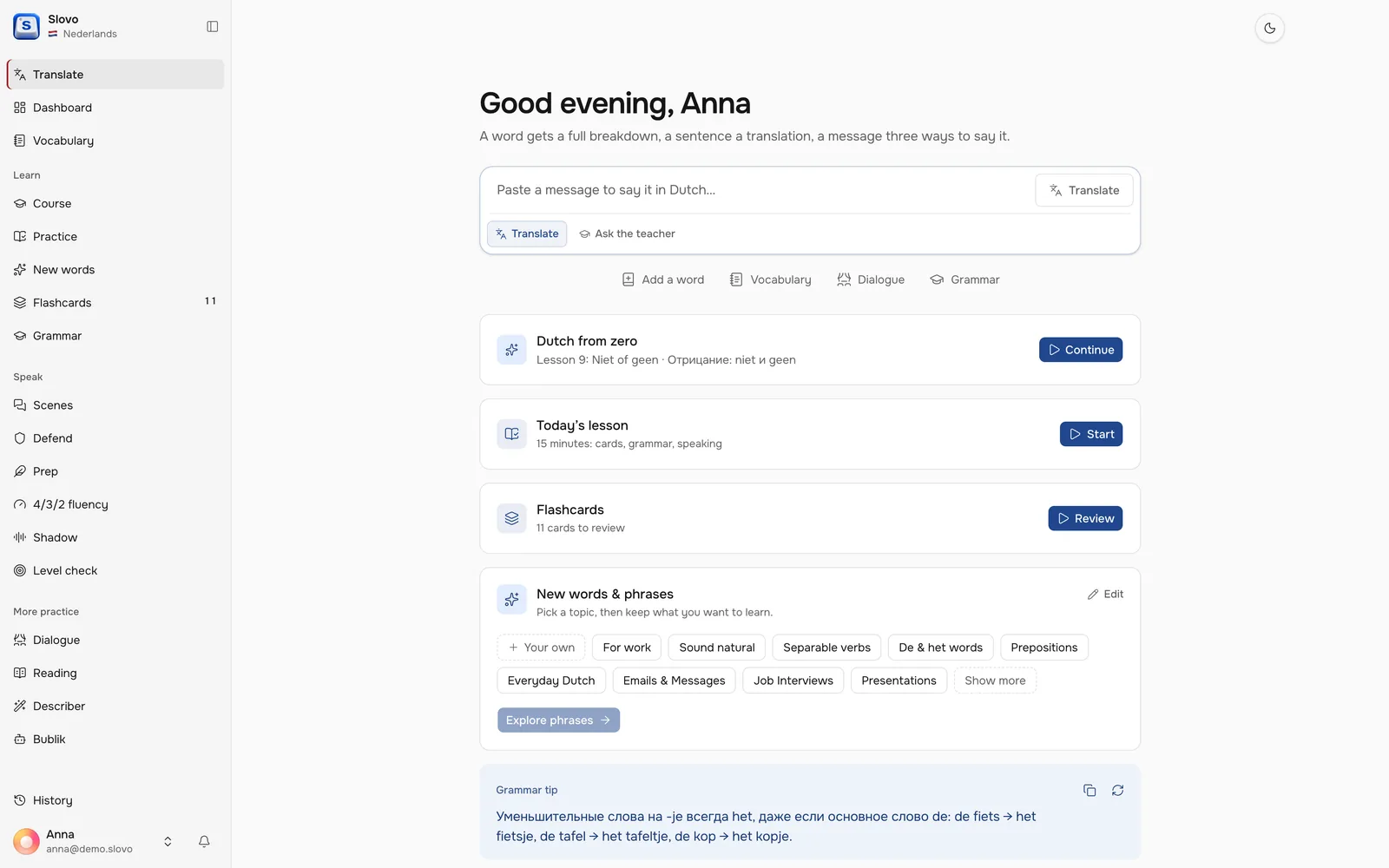
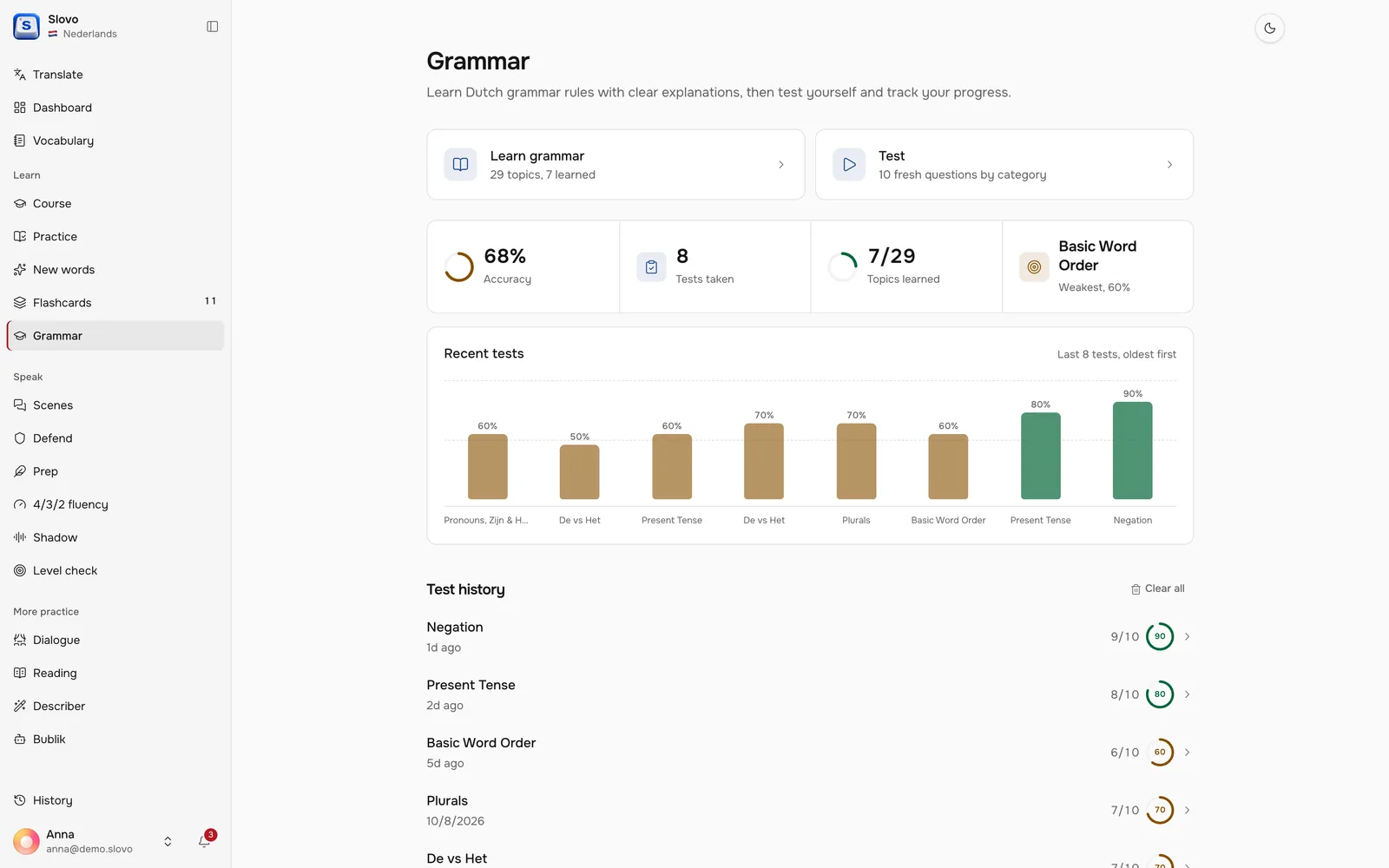
Learn Dutch and English with flashcards, a grammar coach and an AI to talk to.
Why I built it
I use it every day to learn Dutch and to keep my English sharp for work. Most apps teach everyone the same tourist phrases, so I built one that starts from my own words: the ones I look up, read and get wrong when I speak.
Process
Version two replaced the original app, one huge HTML file. I started with an inventory of what it did, then worked out the logic of reviews and lessons, and designed the screens in code.
docs/v2-parity.md
Slovo v2: feature parity checklist
- Login and register with an invite code
- Onboarding: name, language, interests
- Switch between the English and Dutch profiles
- Light, dark and system theme
- Leave-confirm for flashcards, tests and talks
- Background colour picker: the design system replaces it
An inventory firstEvery feature of the old app went on one list: ported, still to do, or dropped on purpose with a reason. - Goodnext step
- Easyskips one
- Hardone step back
- Missback to the start
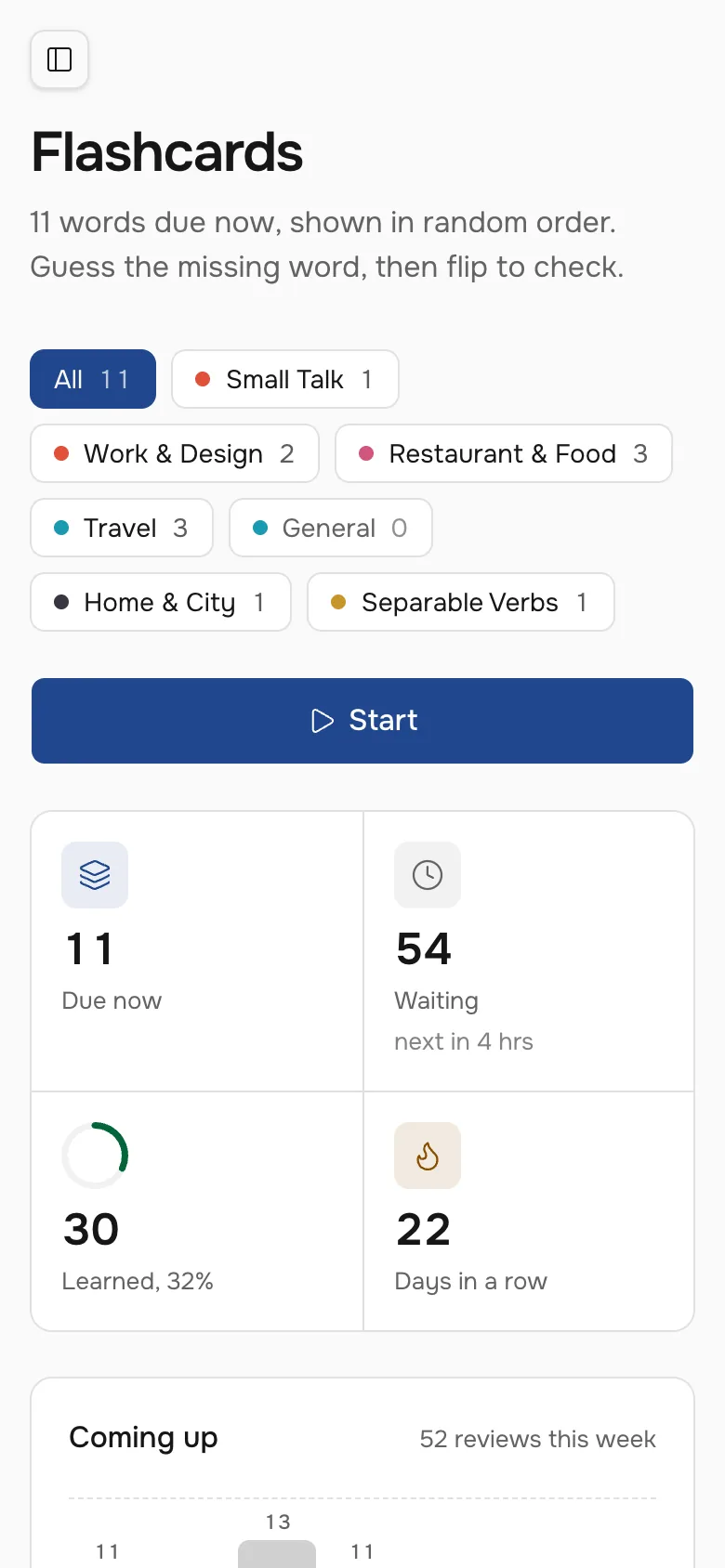
The review ladderNine steps from six hours to six months. A miss sends the card back to the start, and a card that passes the last step counts as learned. - 3 minWarm-up cardsUp to five due cards
- 6 minGrammarOne rule, up to six exercises
- 5 minConversationFive spoken answers
- 1 minResultsScore and what to fix
A lesson in fifteen minutesThe cards you are about to forget, one grammar rule, then a short conversation where you use it.
Flashcards
Words come back right before you forget them
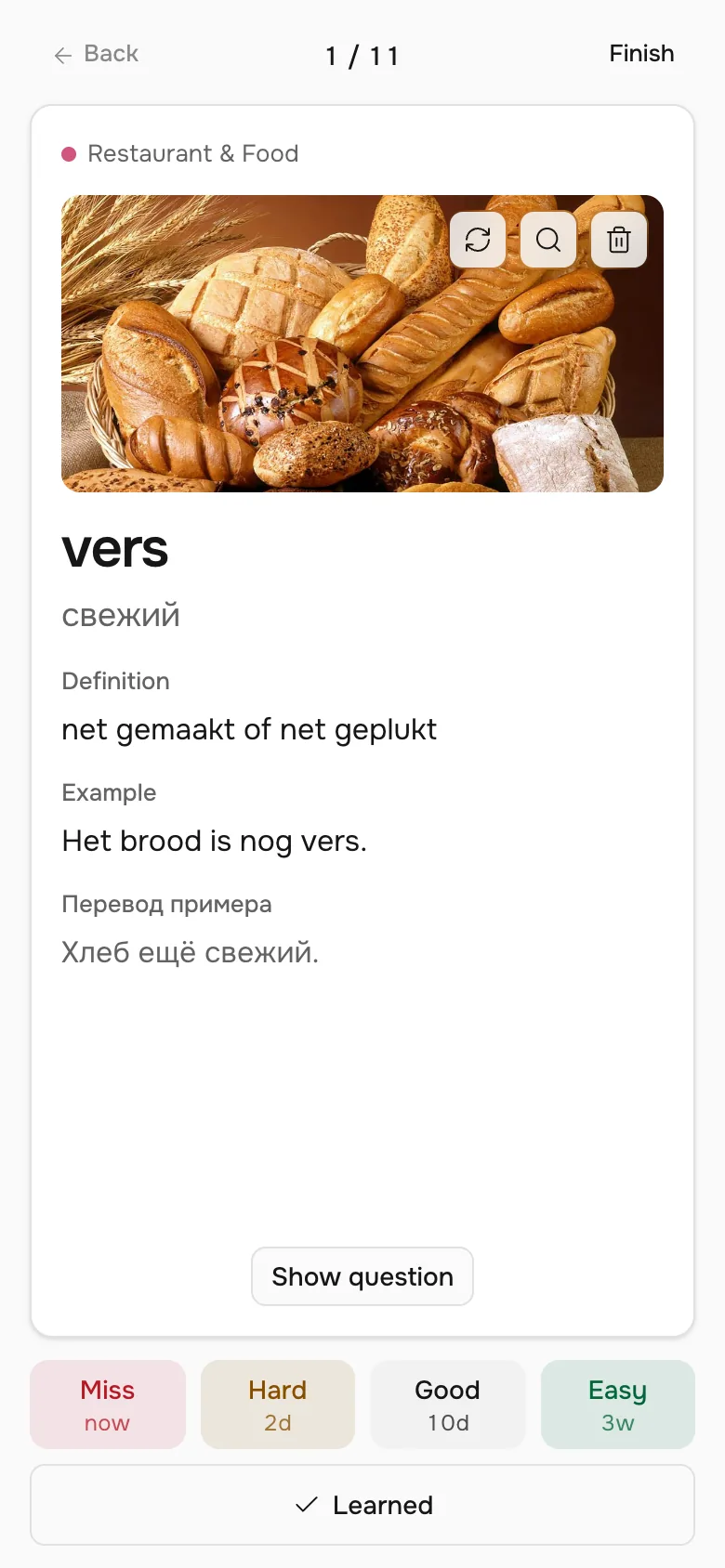
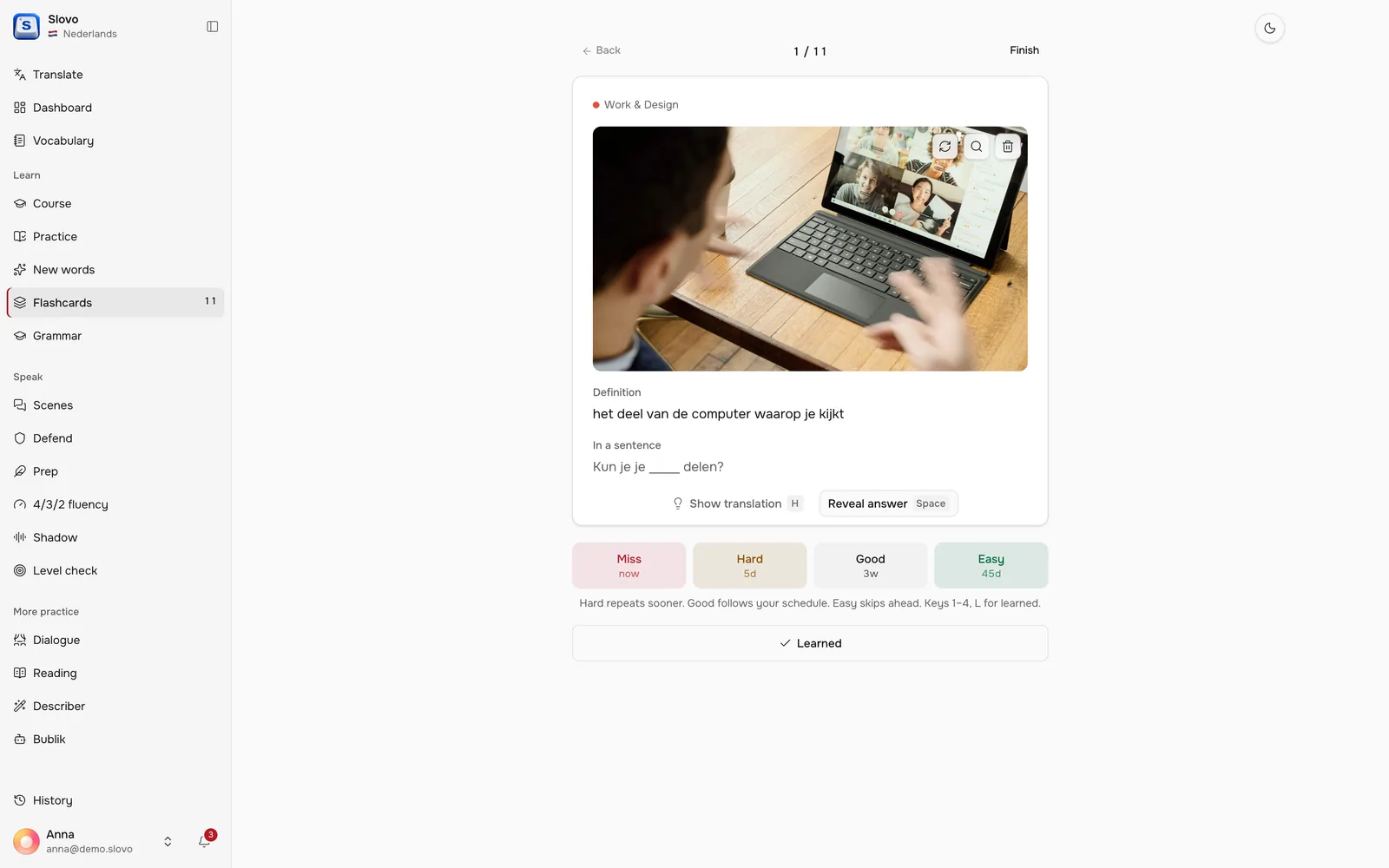
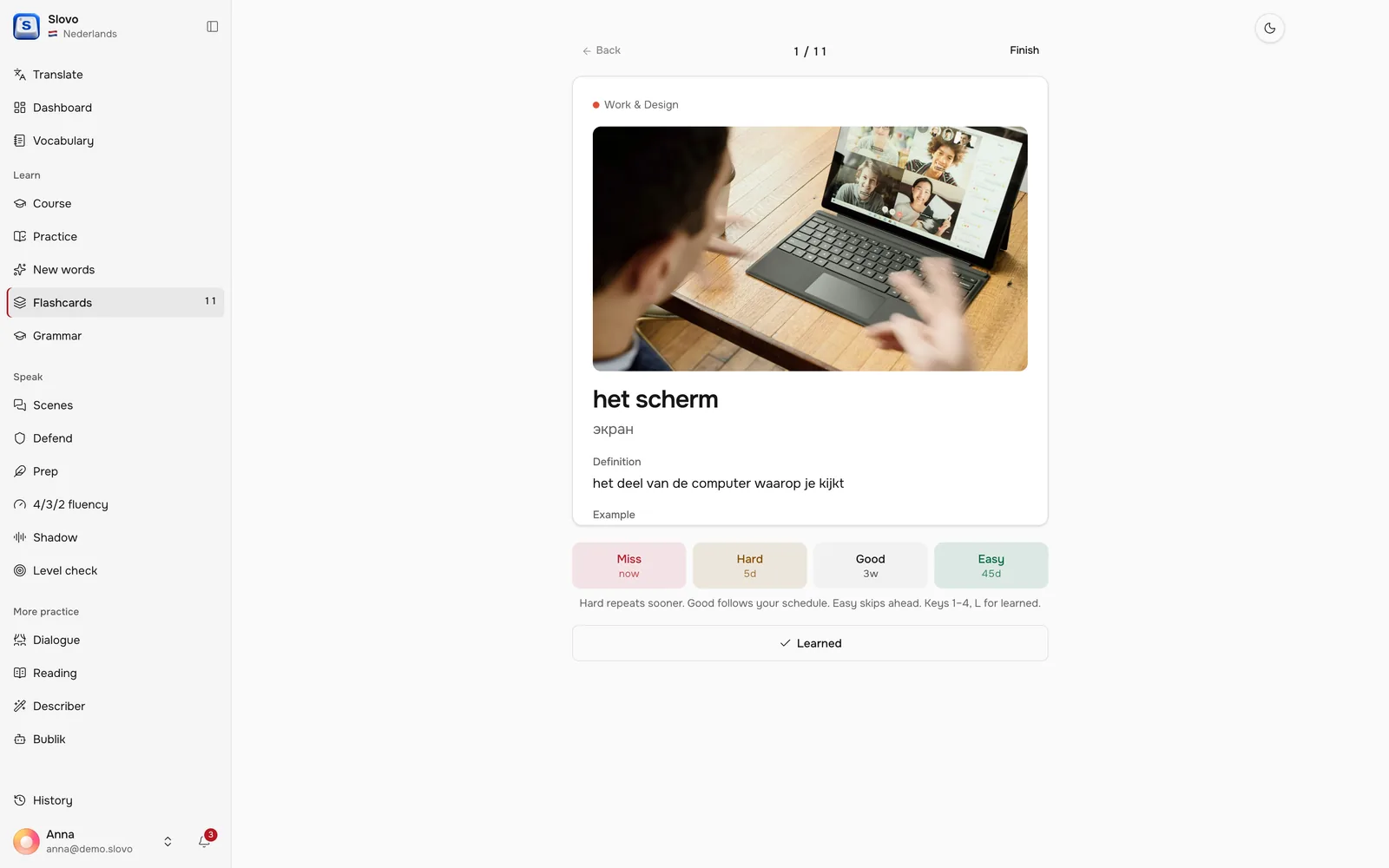
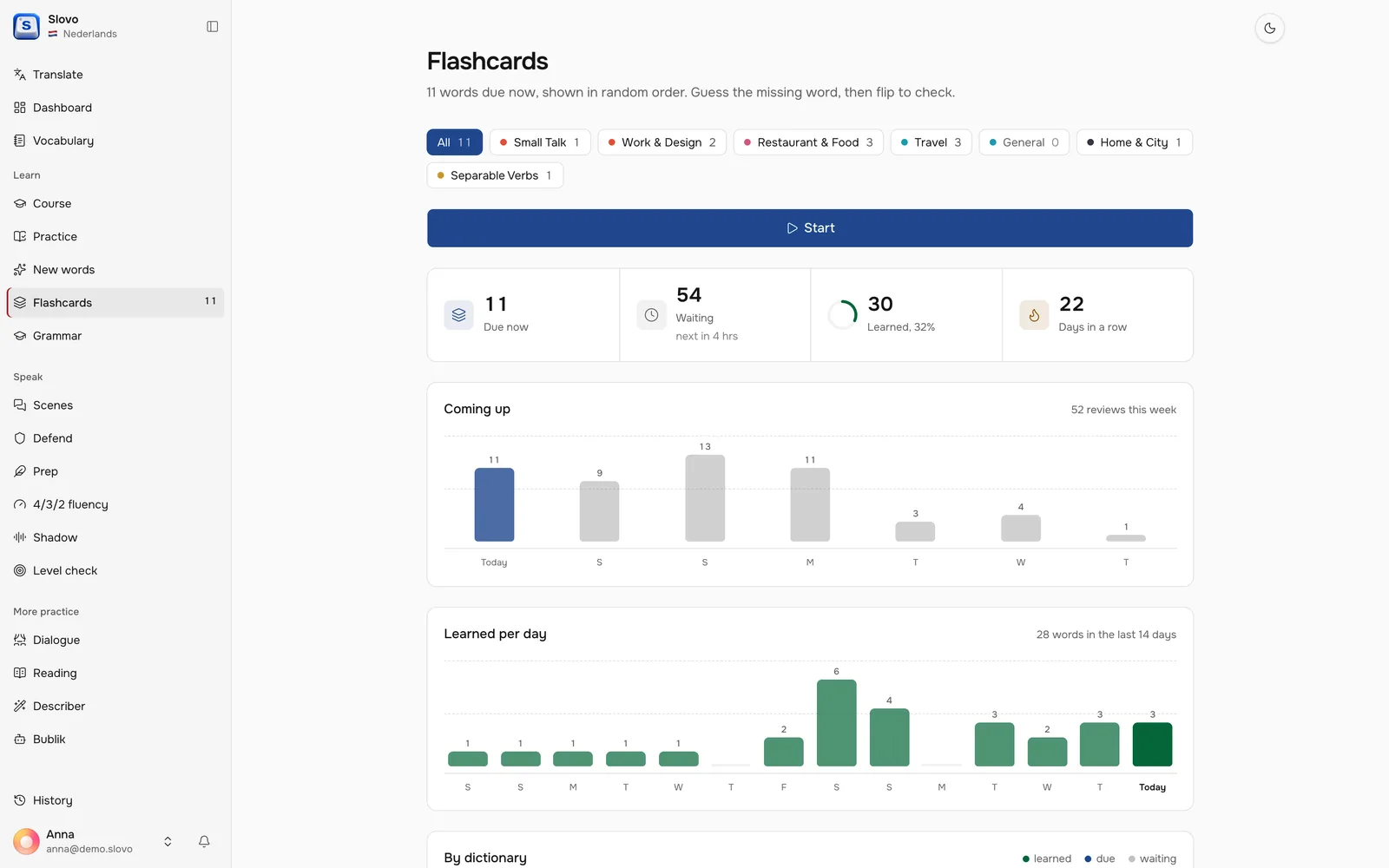
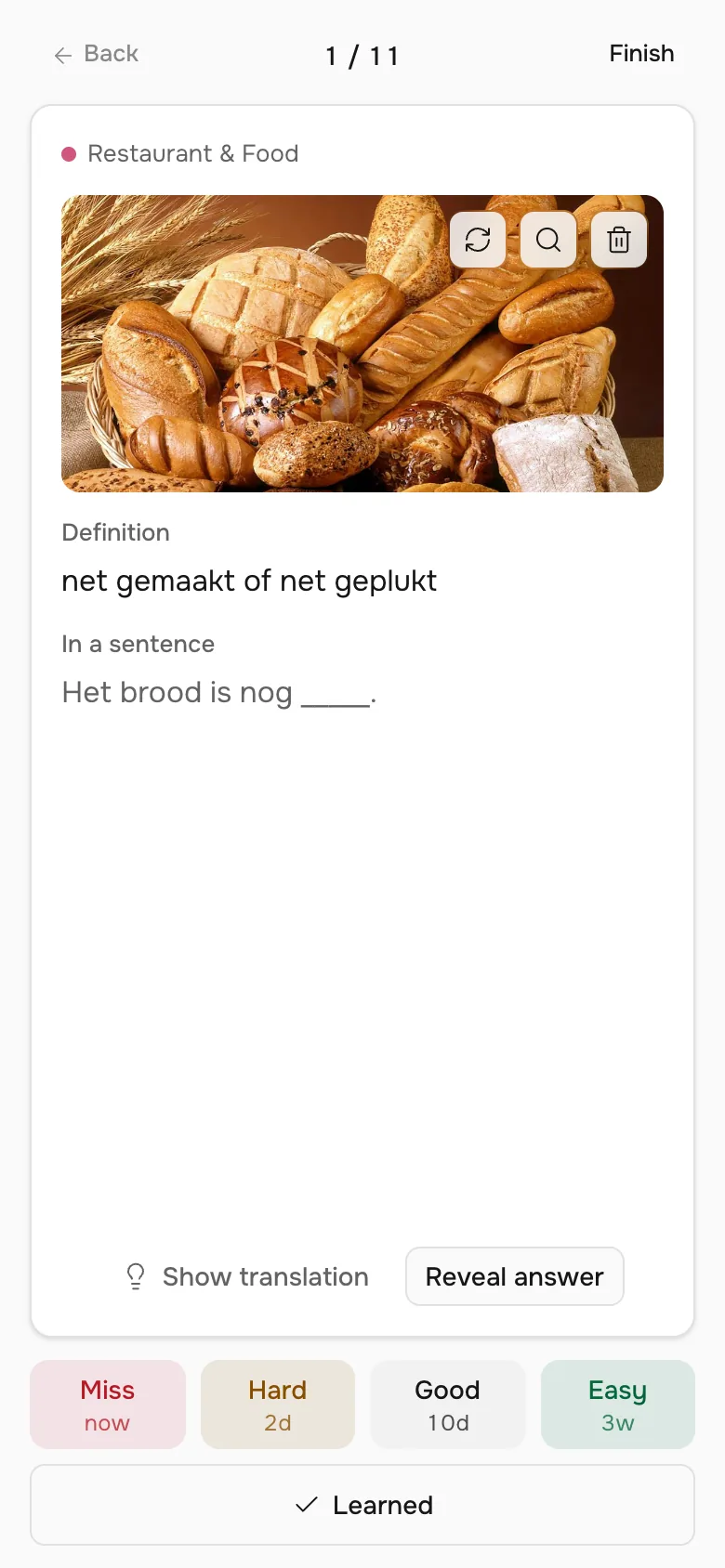
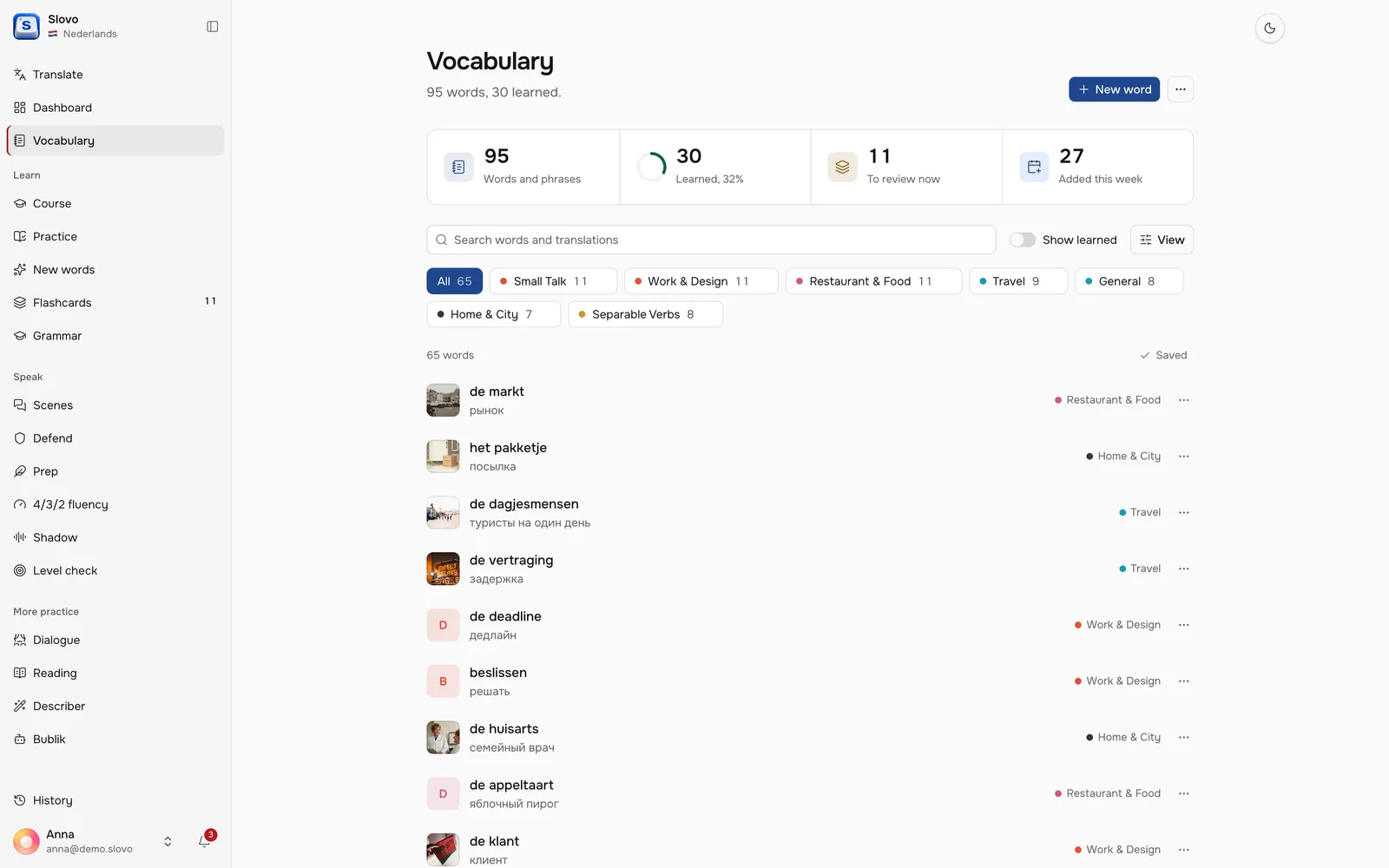
Every word gets a picture, a definition and a real sentence with a gap. Reviews follow a spaced repetition ladder from six hours to six months, and each new date lands on the quietest day of the week.
Speak
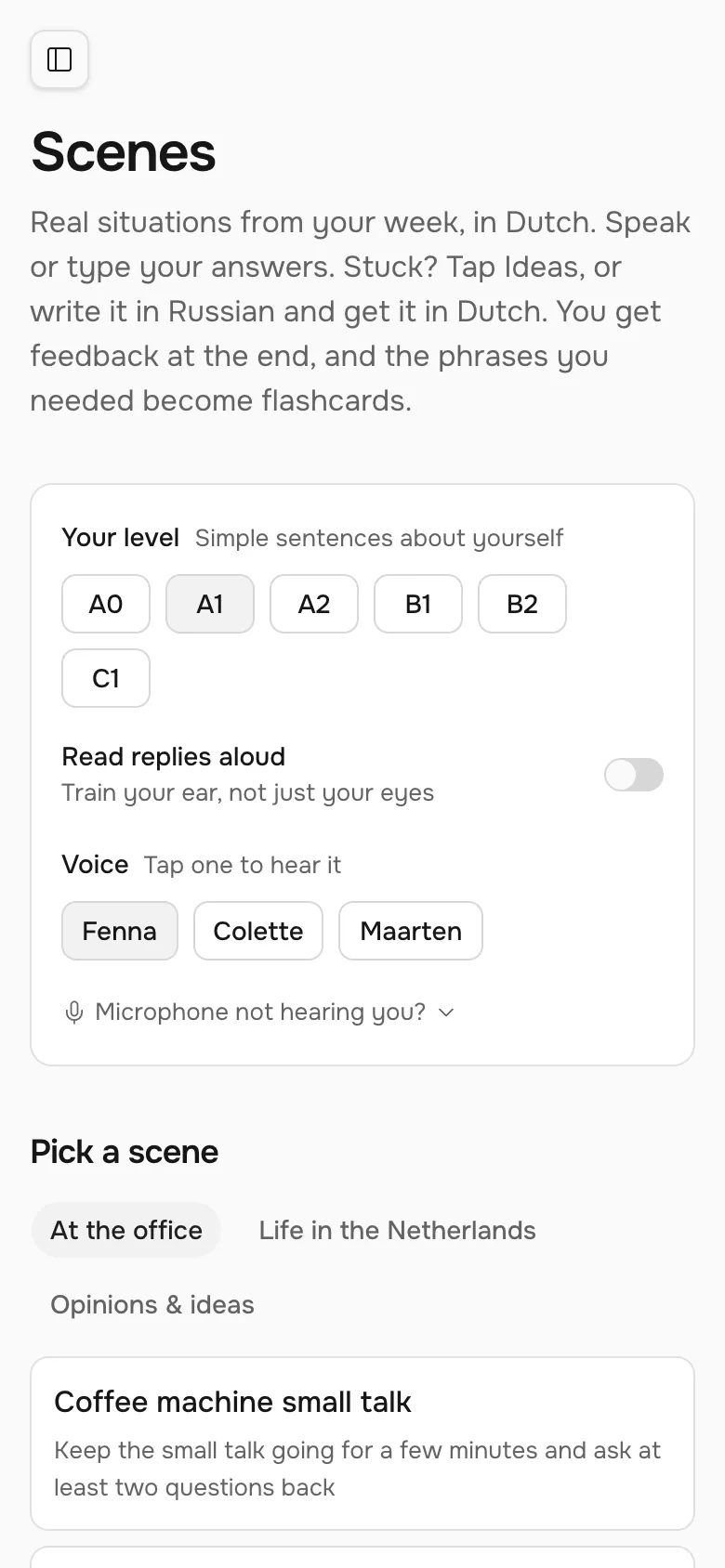
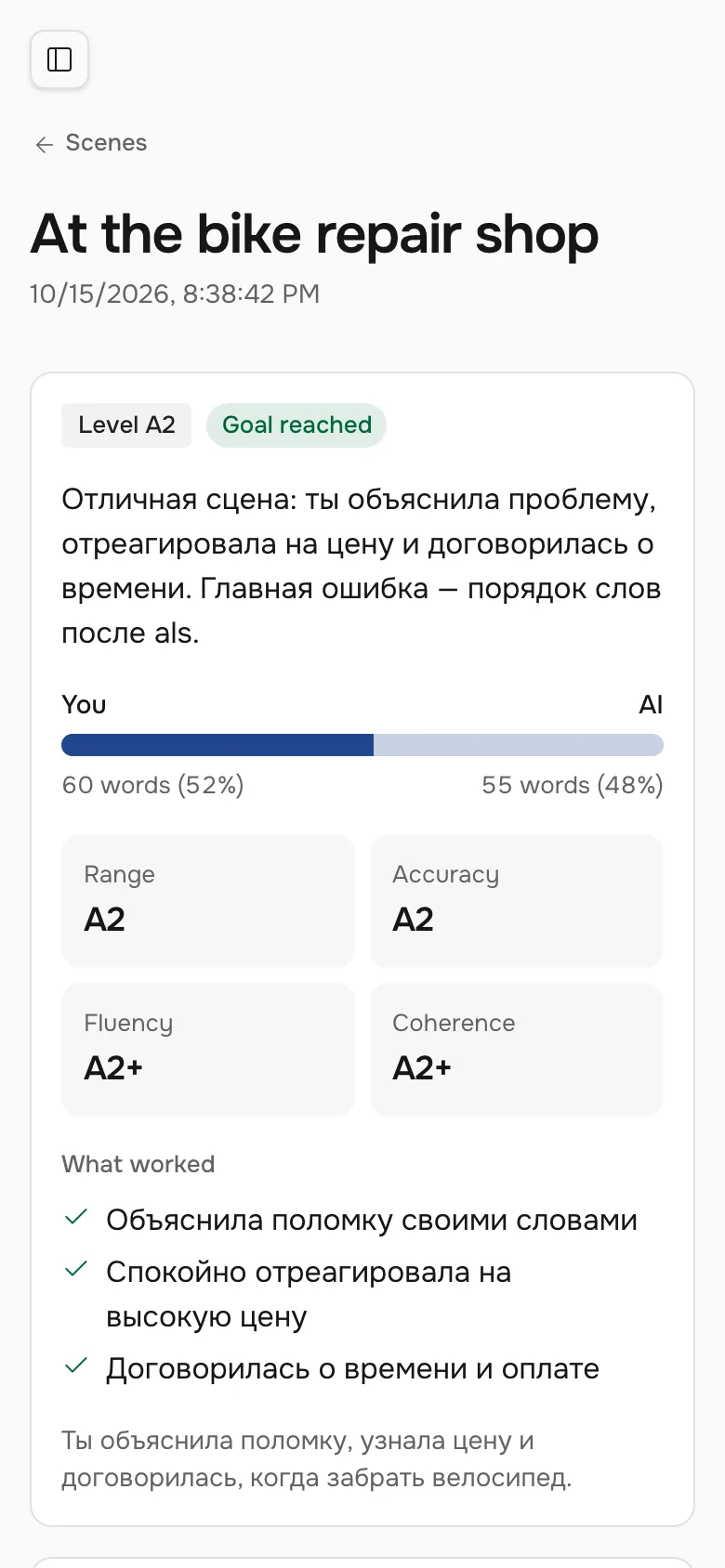
Practice the conversations you actually have
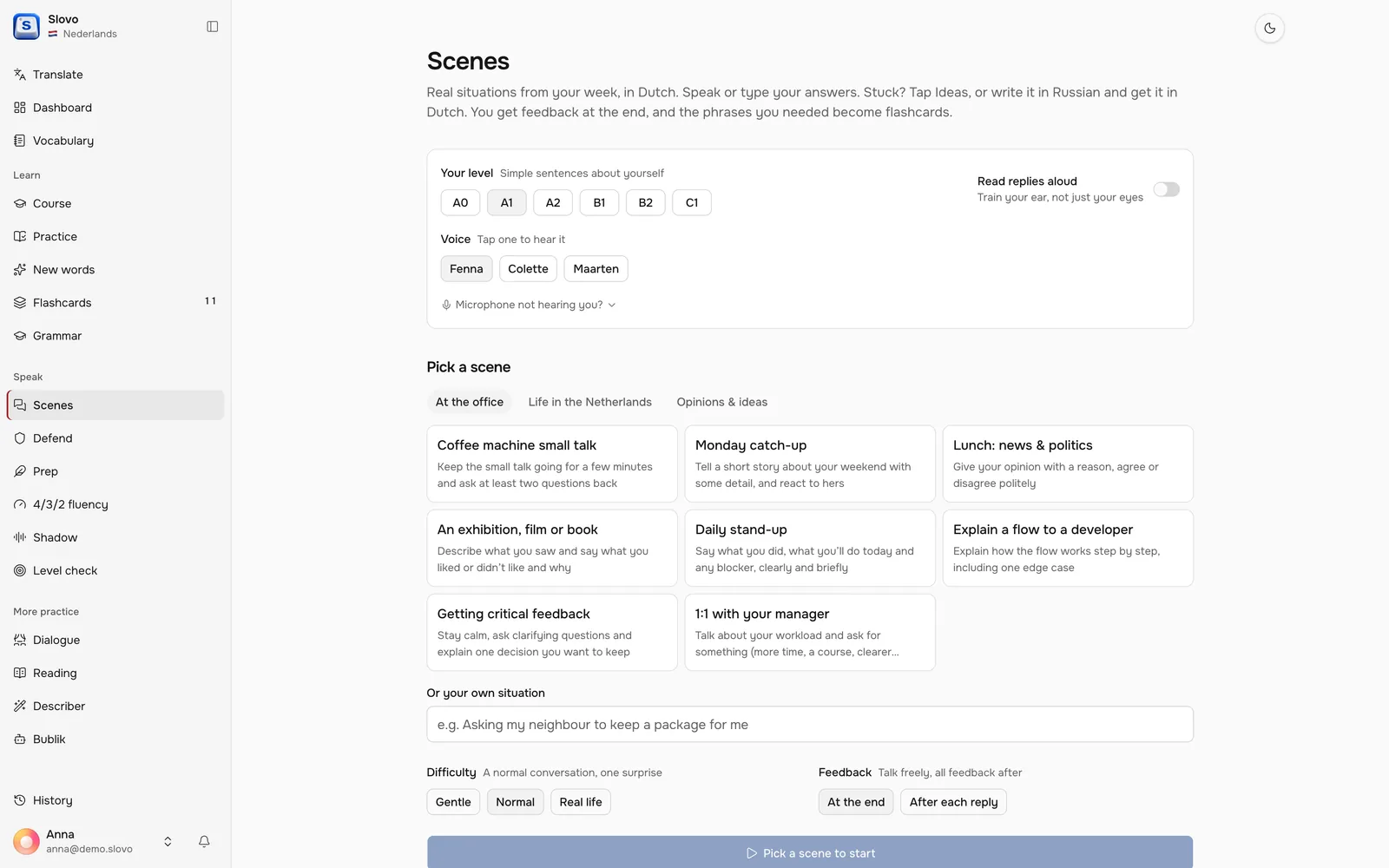
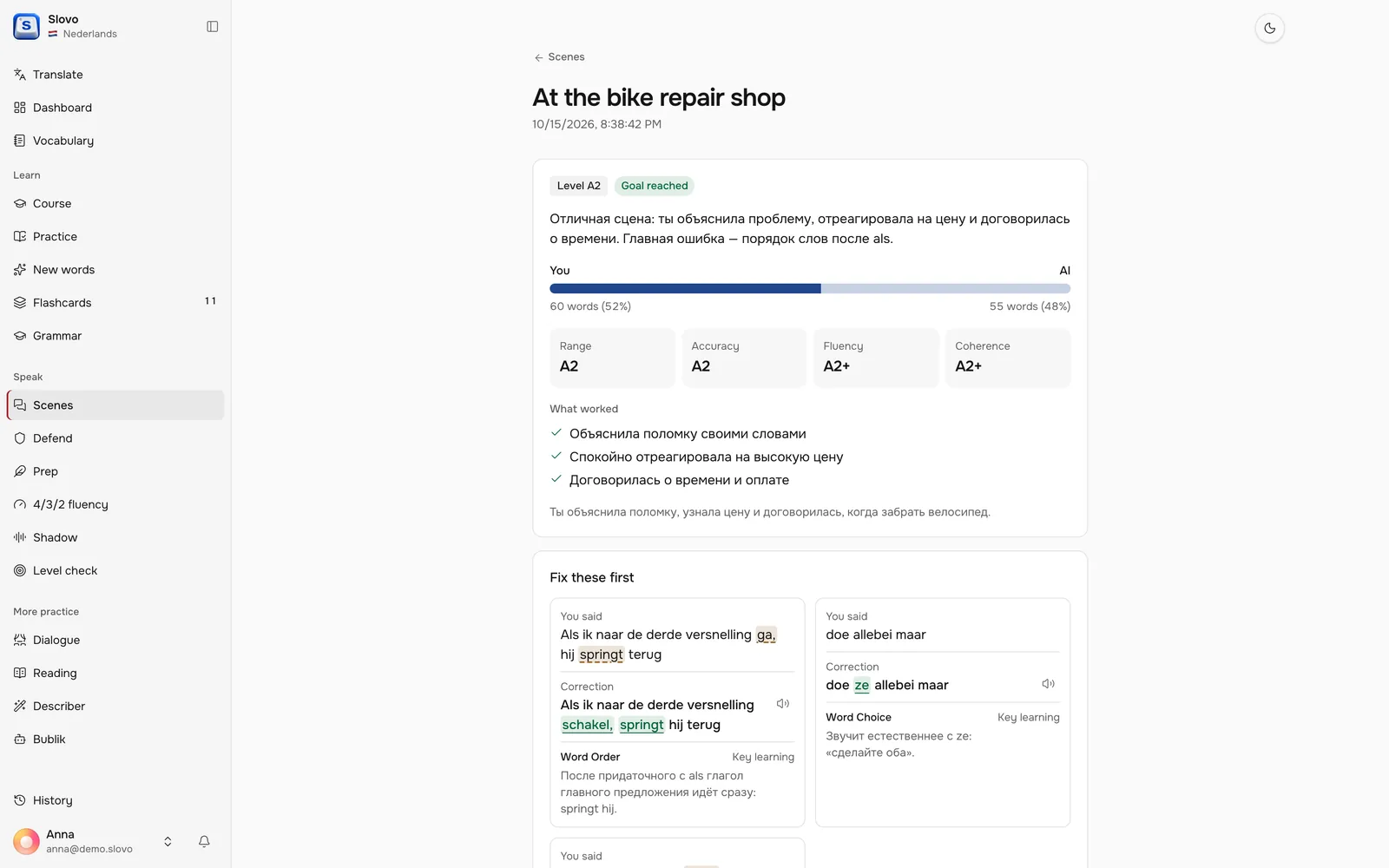
Scenes are short role-plays from a normal week, like a visit to the bike repair shop. You answer by voice, and the debrief rates range, accuracy, fluency and coherence on the CEFR scale, then lists what to fix.
Dashboard
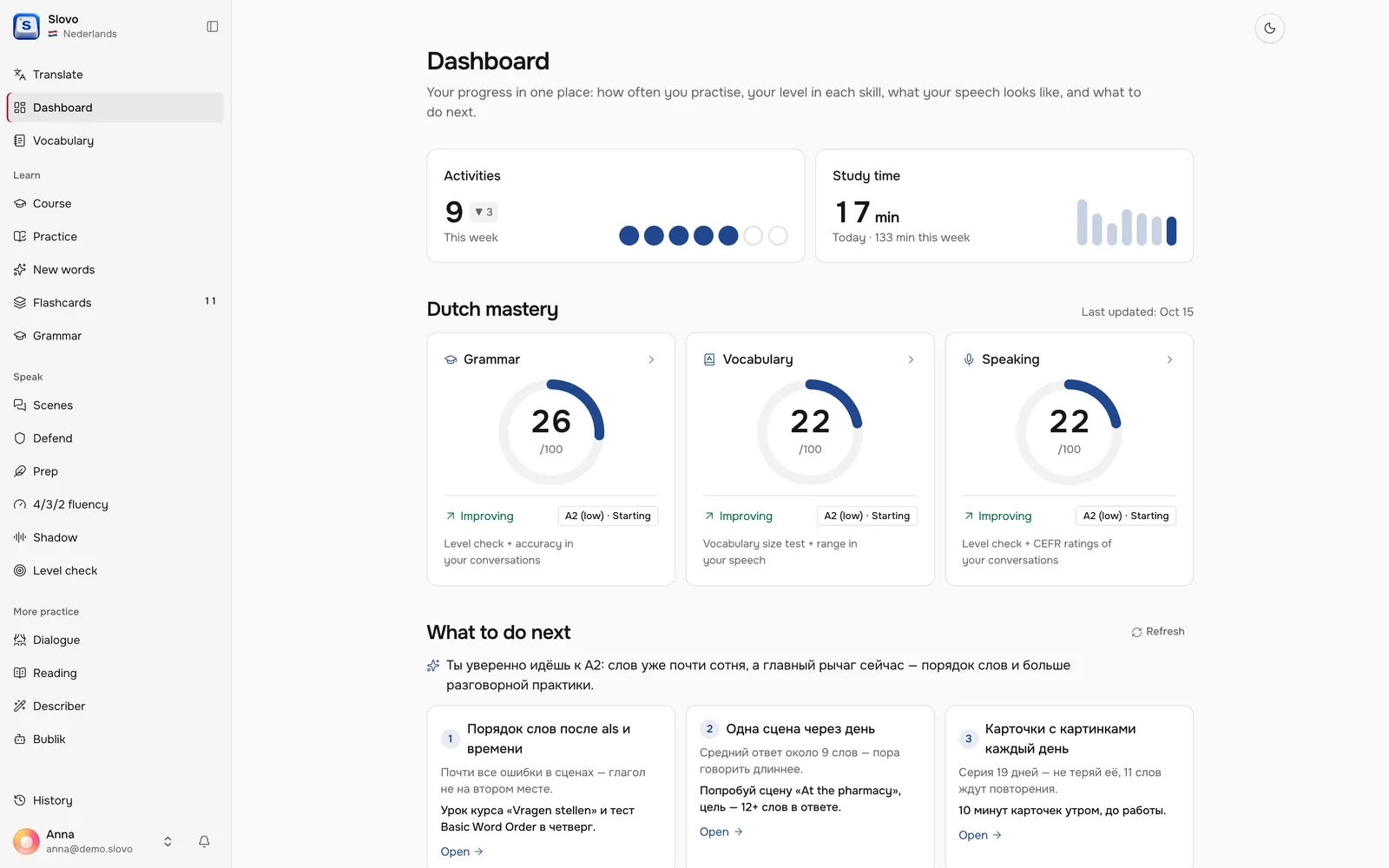
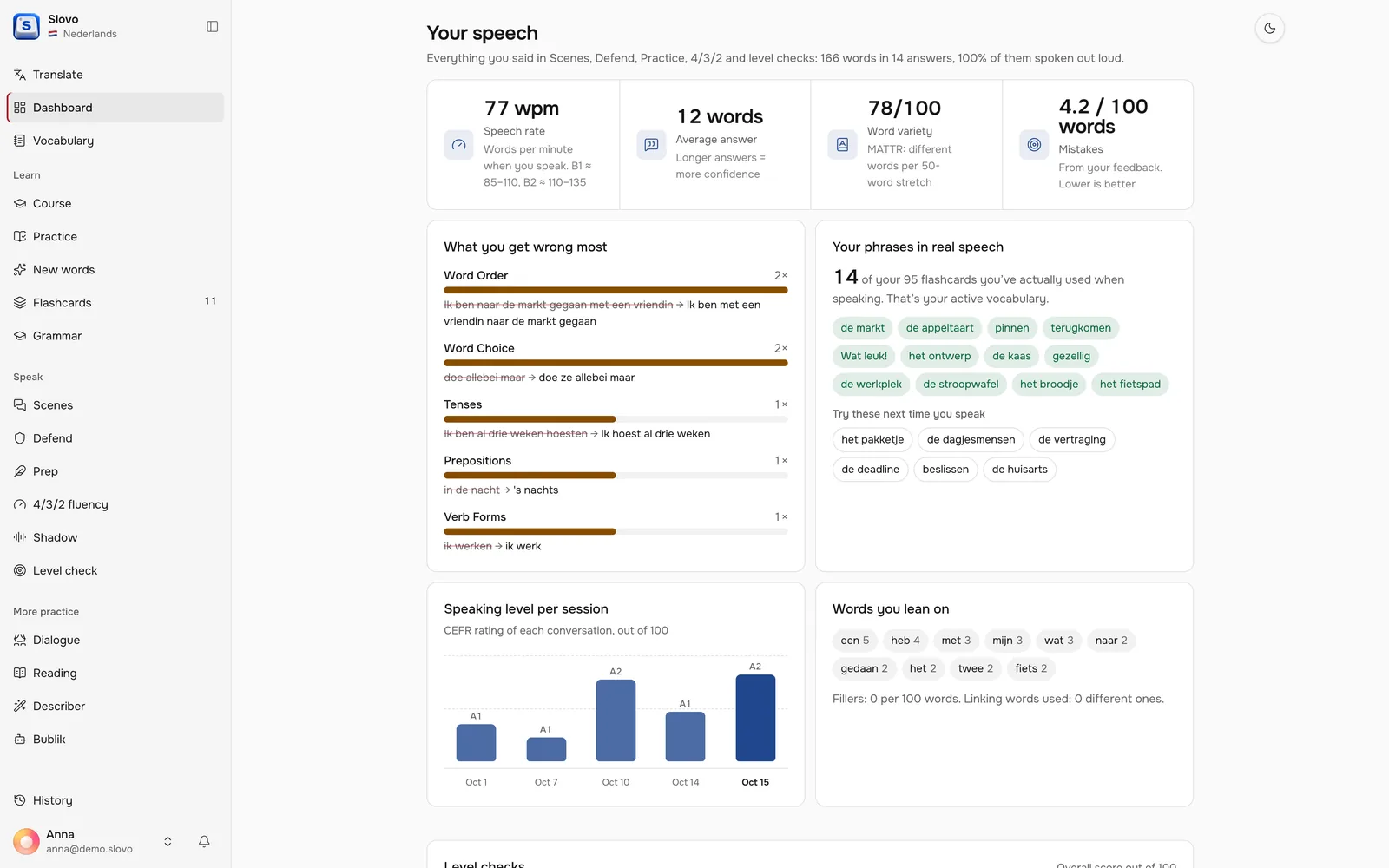
One place to see if it is working
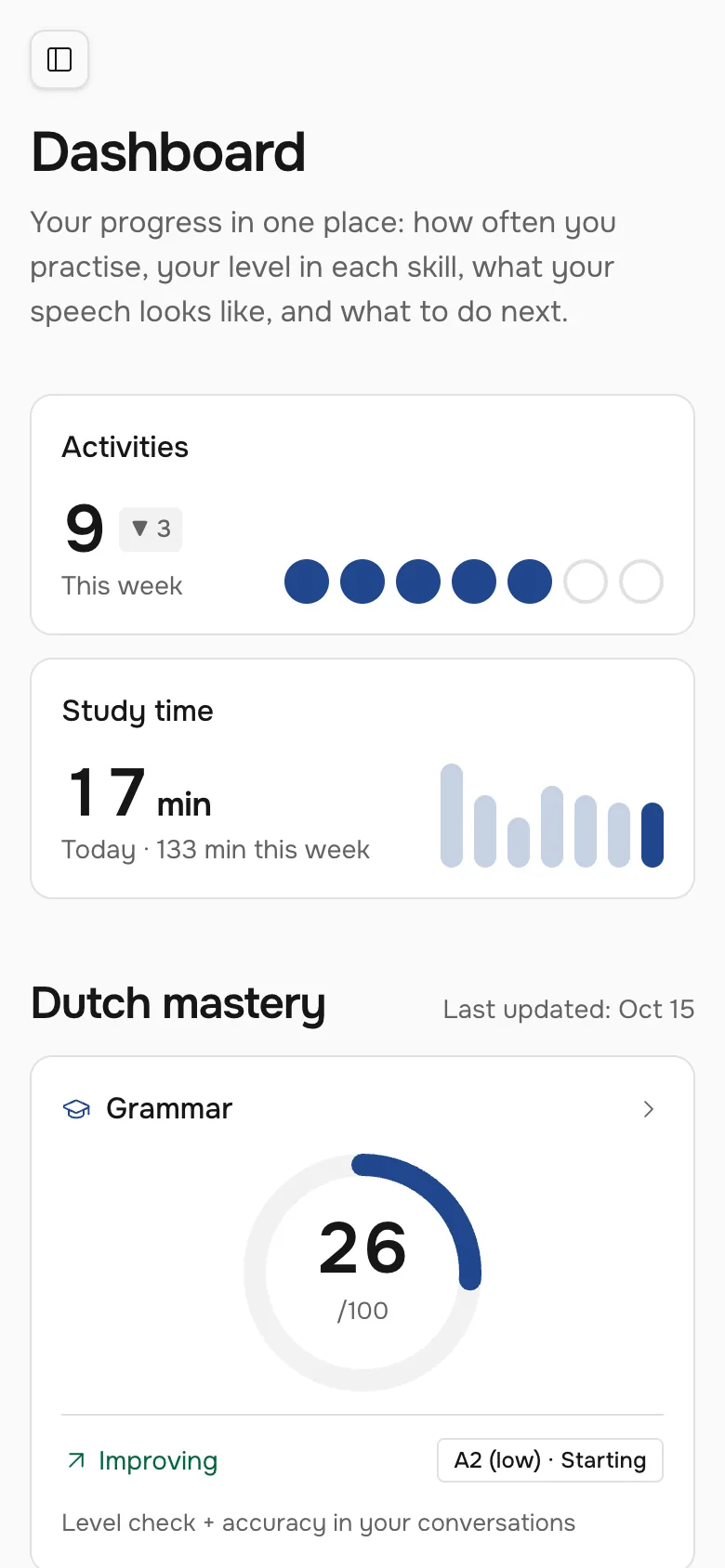
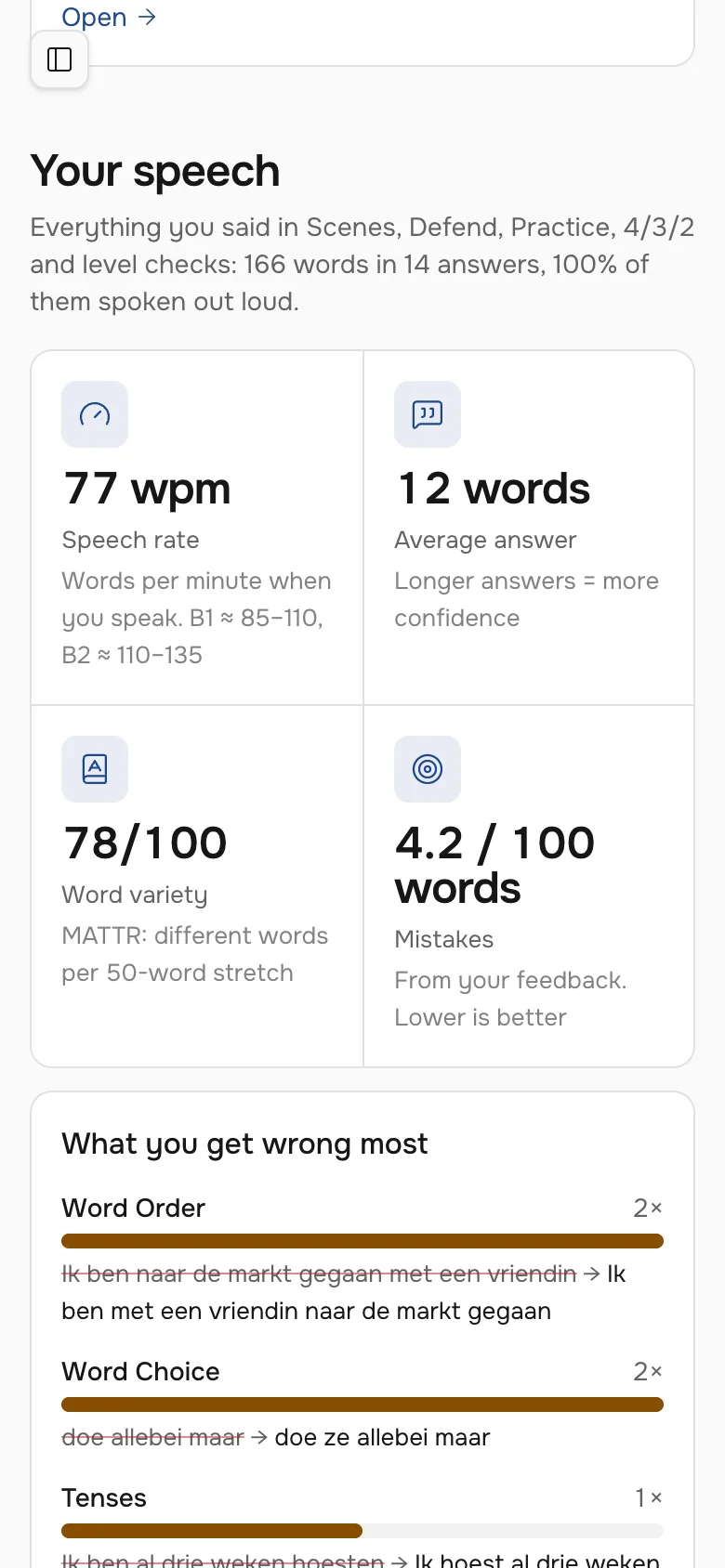
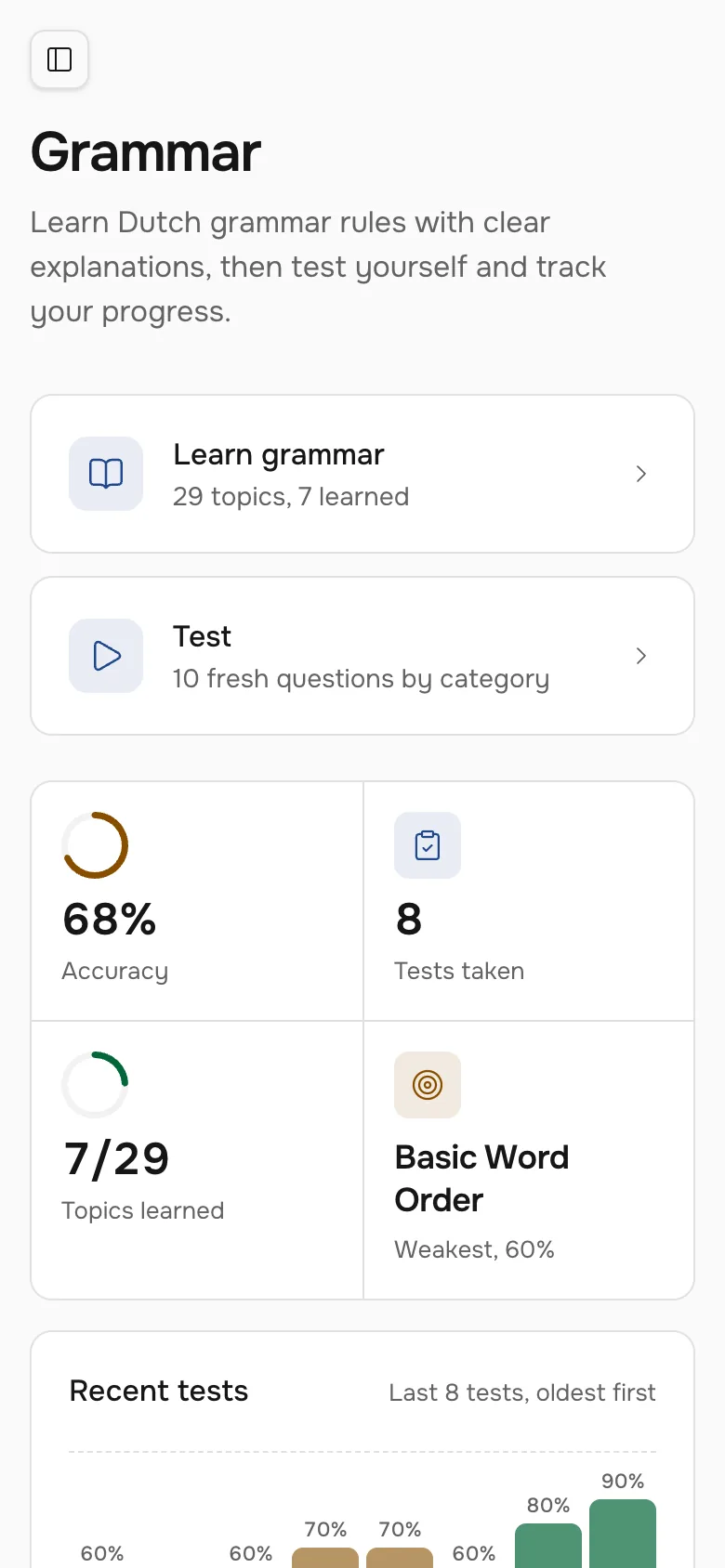
Study time, activity and a level for grammar, vocabulary and speaking on one scale from 0 to 100 with CEFR bands. A coach reads the numbers and suggests the next step.
Dutch from zero
A second language in the same app
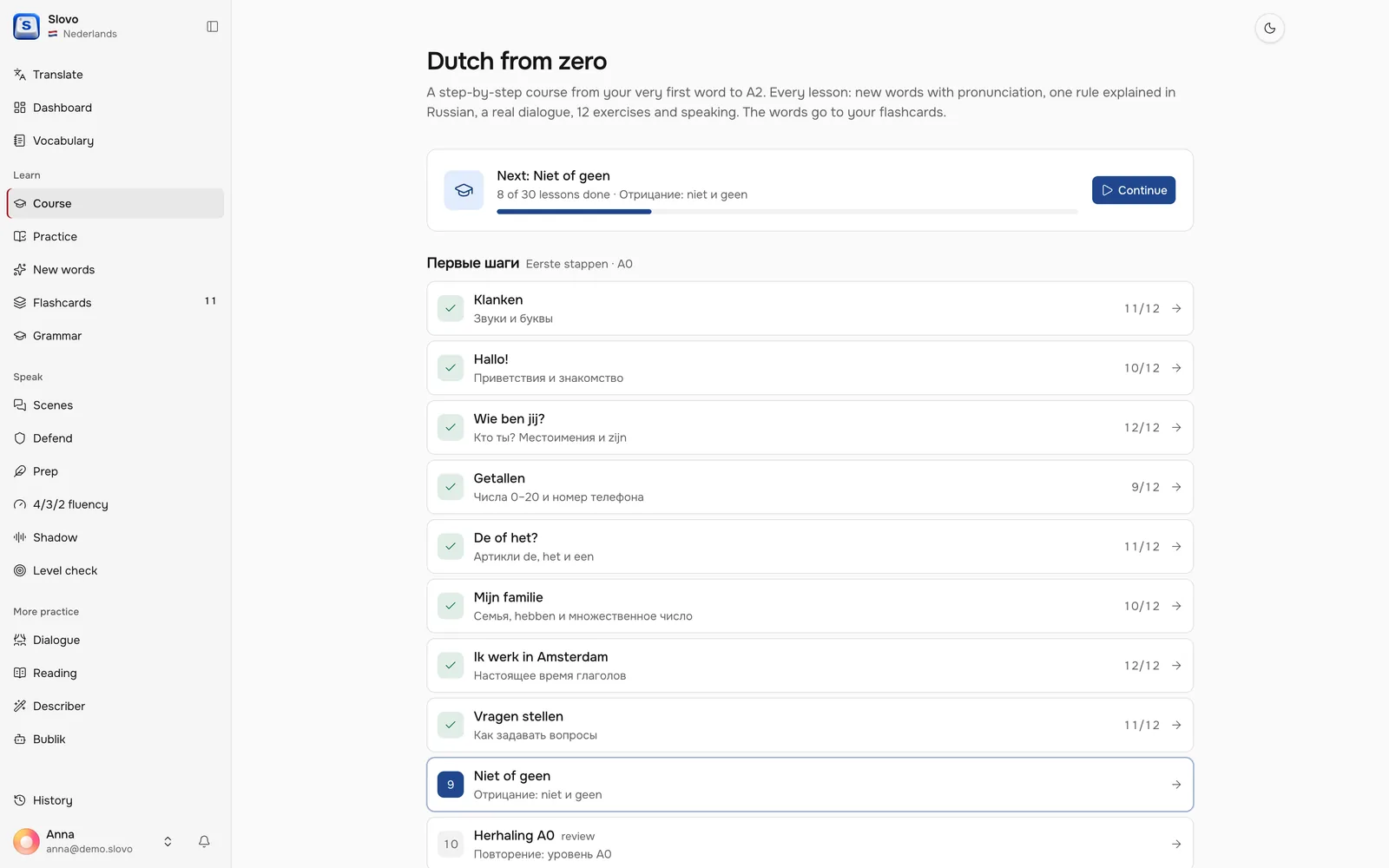
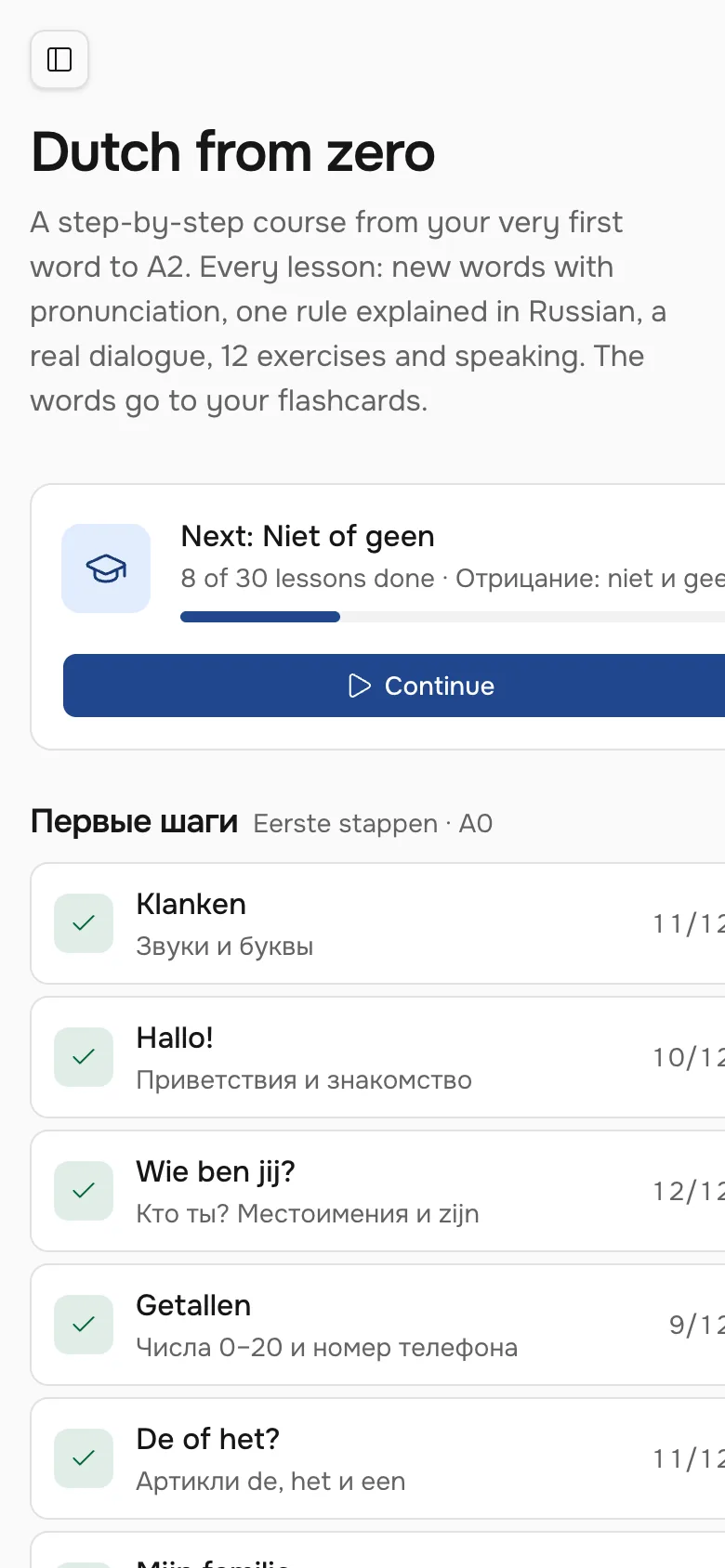
A step-by-step course from the very first word to A2: thirty lessons, each with new words, one rule explained in Russian, exercises and a real dialogue. The Dutch side has its own palette, borrowed from the flag.
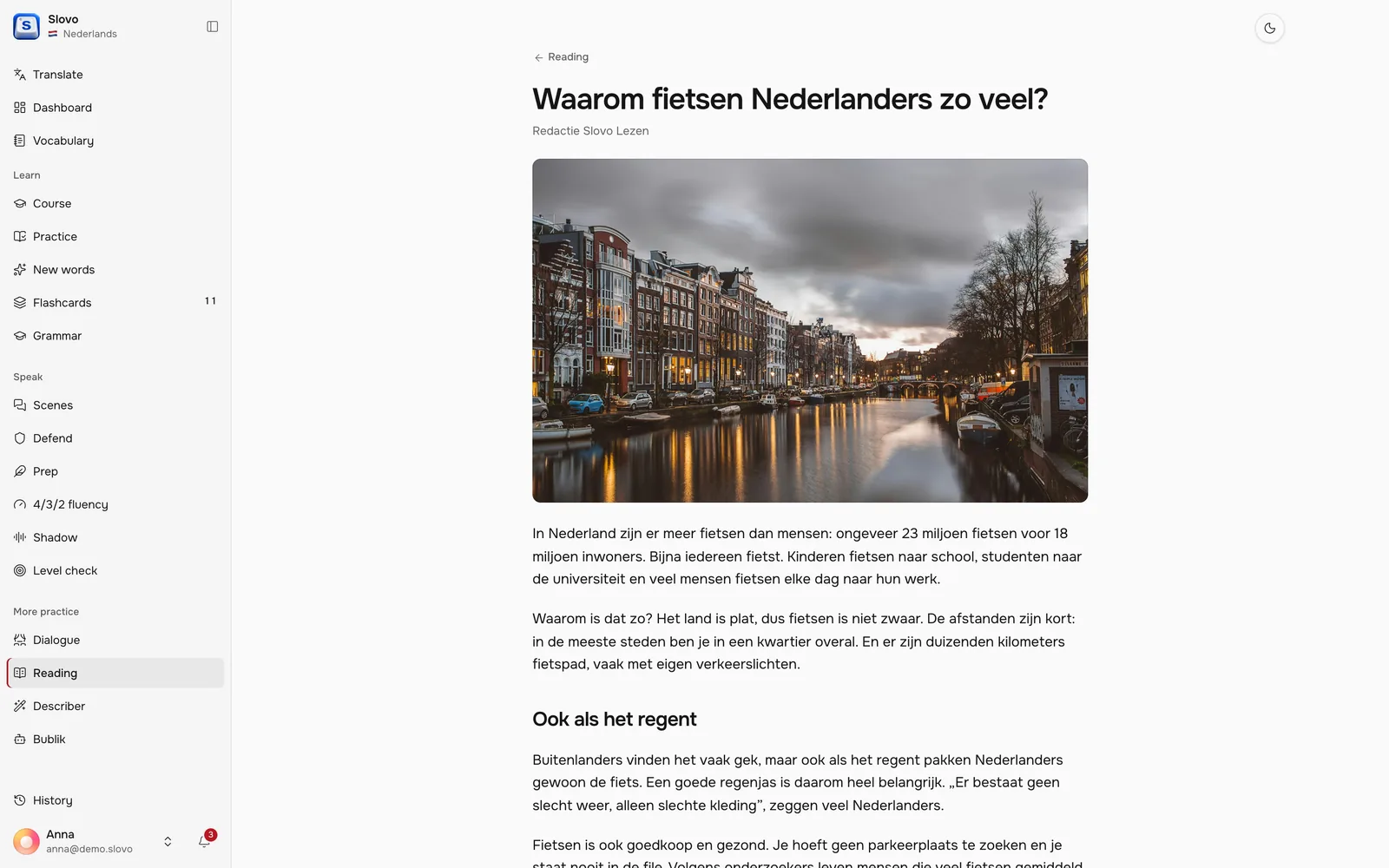
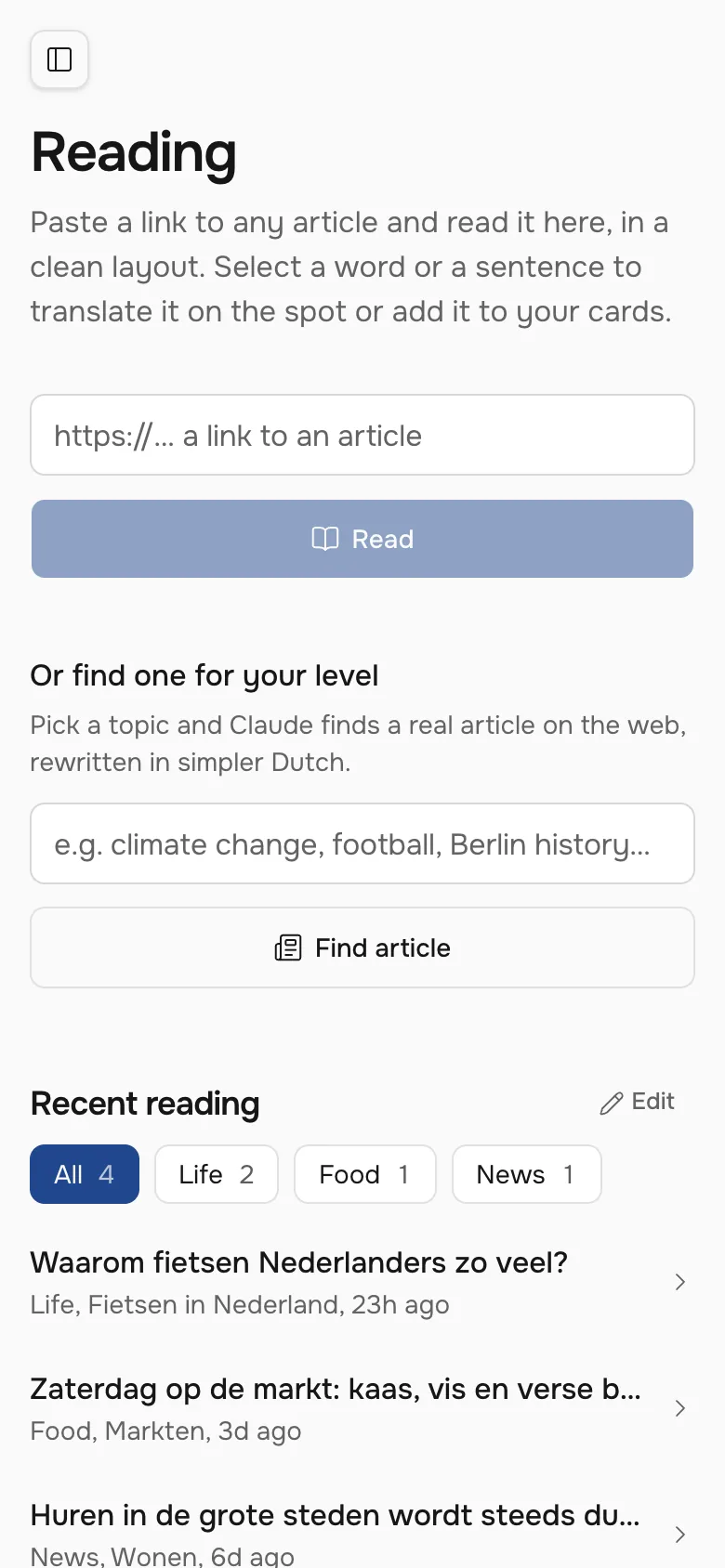
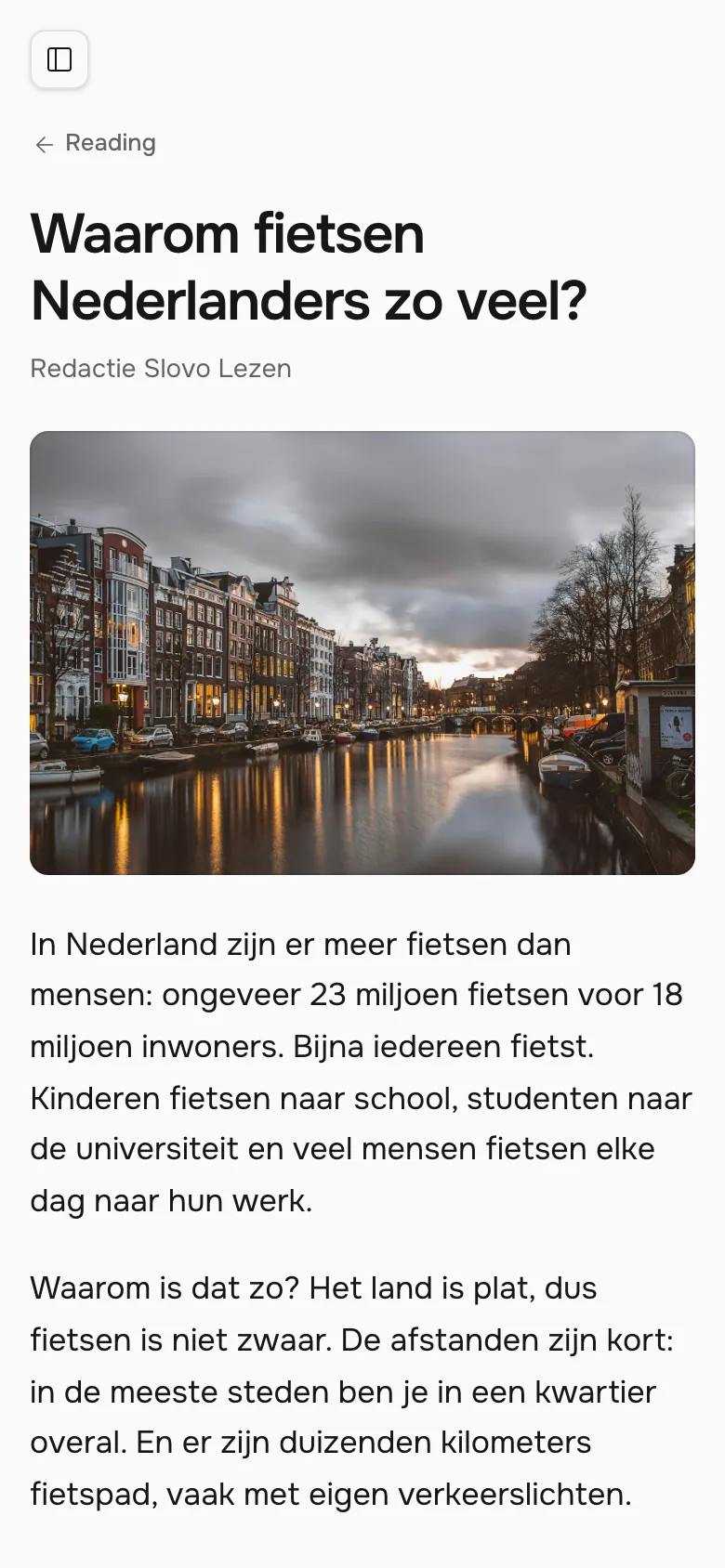
Reading
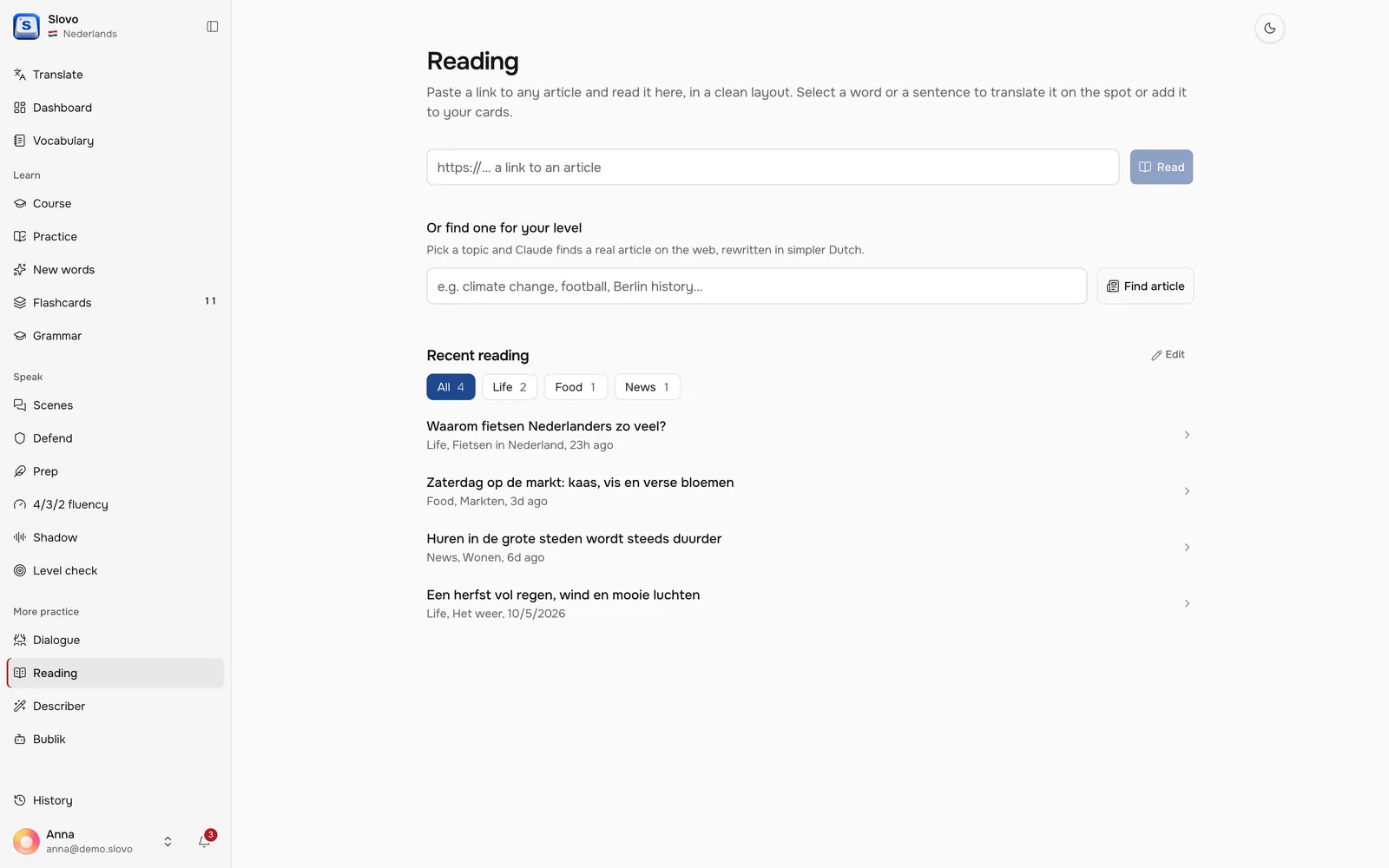
Any article becomes a lesson
Paste a link and Slovo opens the article in a clean layout. Tap a word or a sentence to translate it on the spot or send it to your cards.
On a phone
The web app behaves like a native one on a phone: swipe navigation, push reminders for reviews, and a voice that still speaks with the silent switch on. A native iPhone app is in progress.
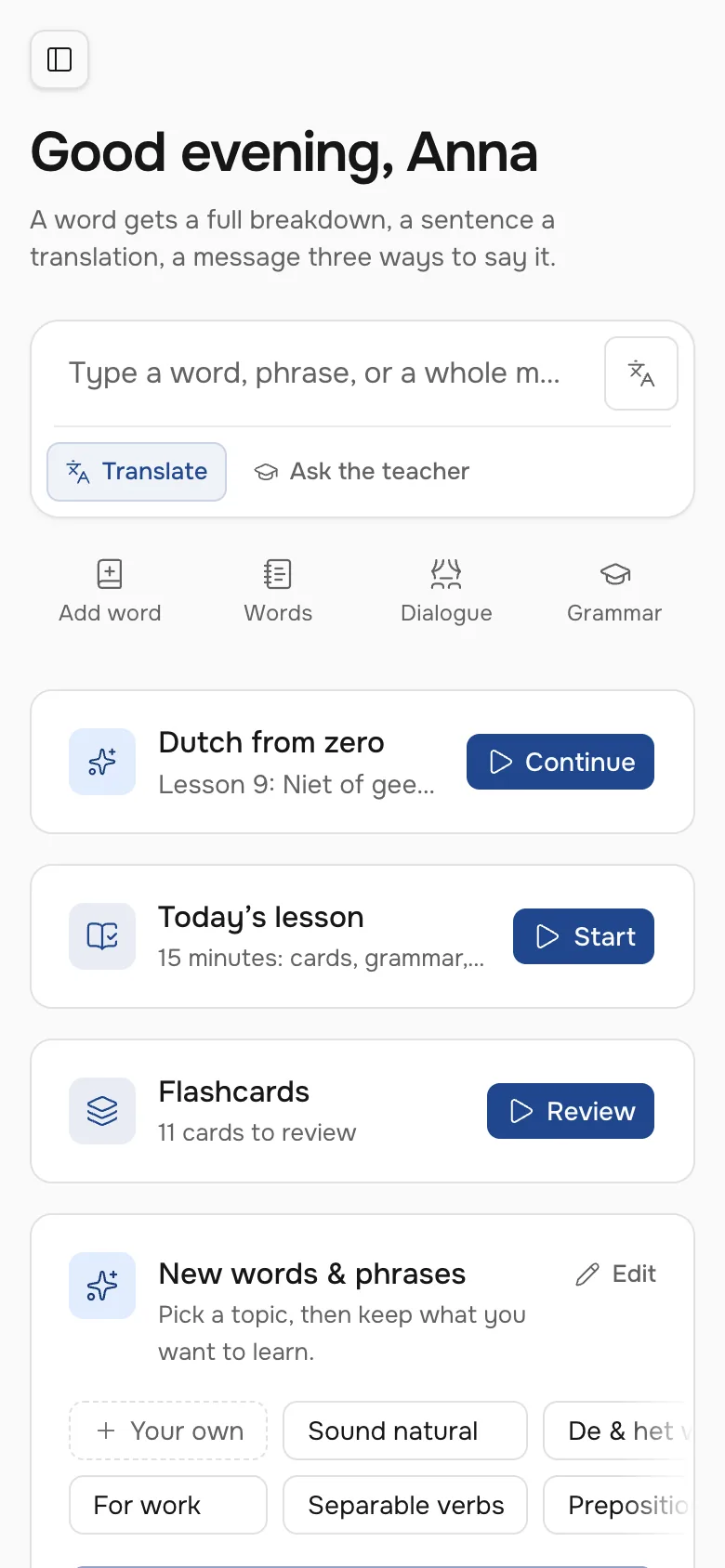
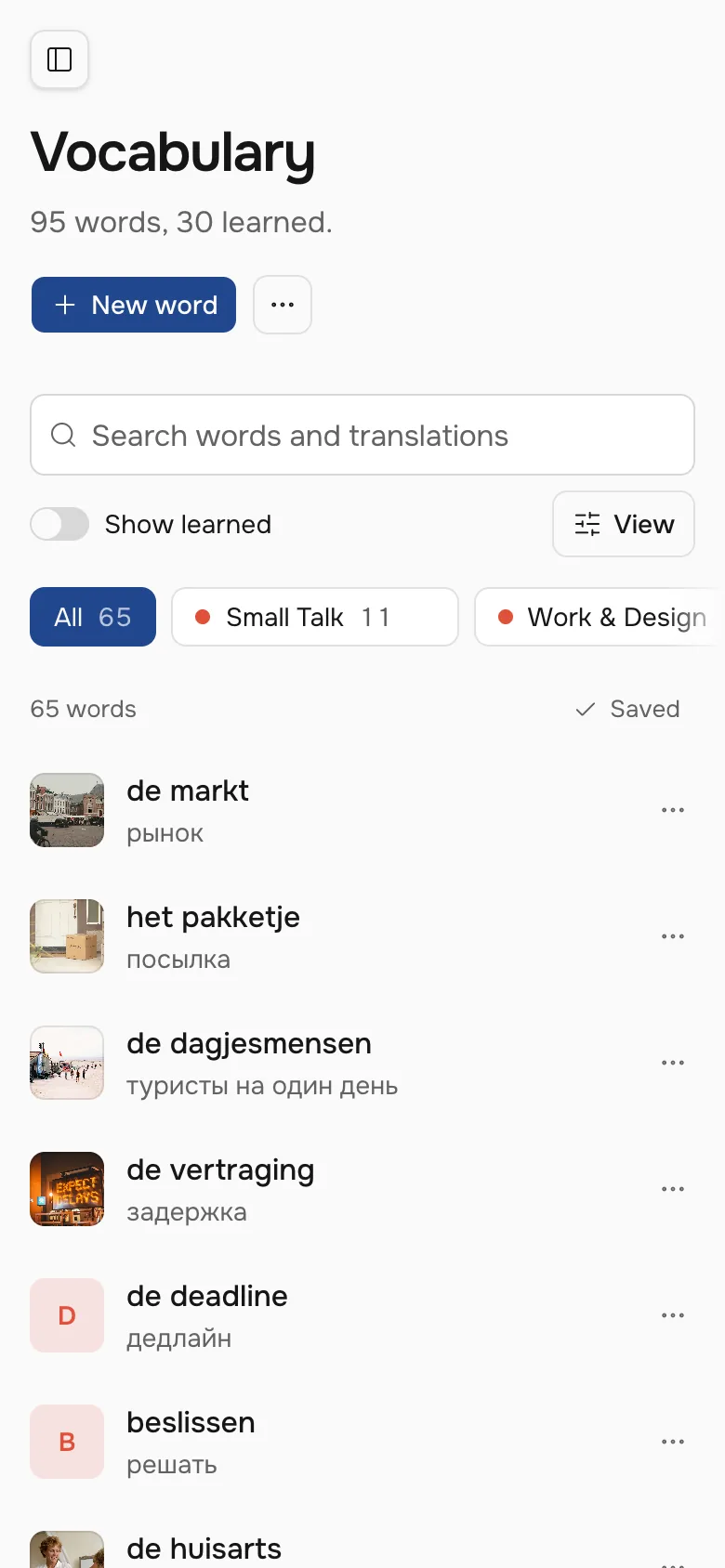
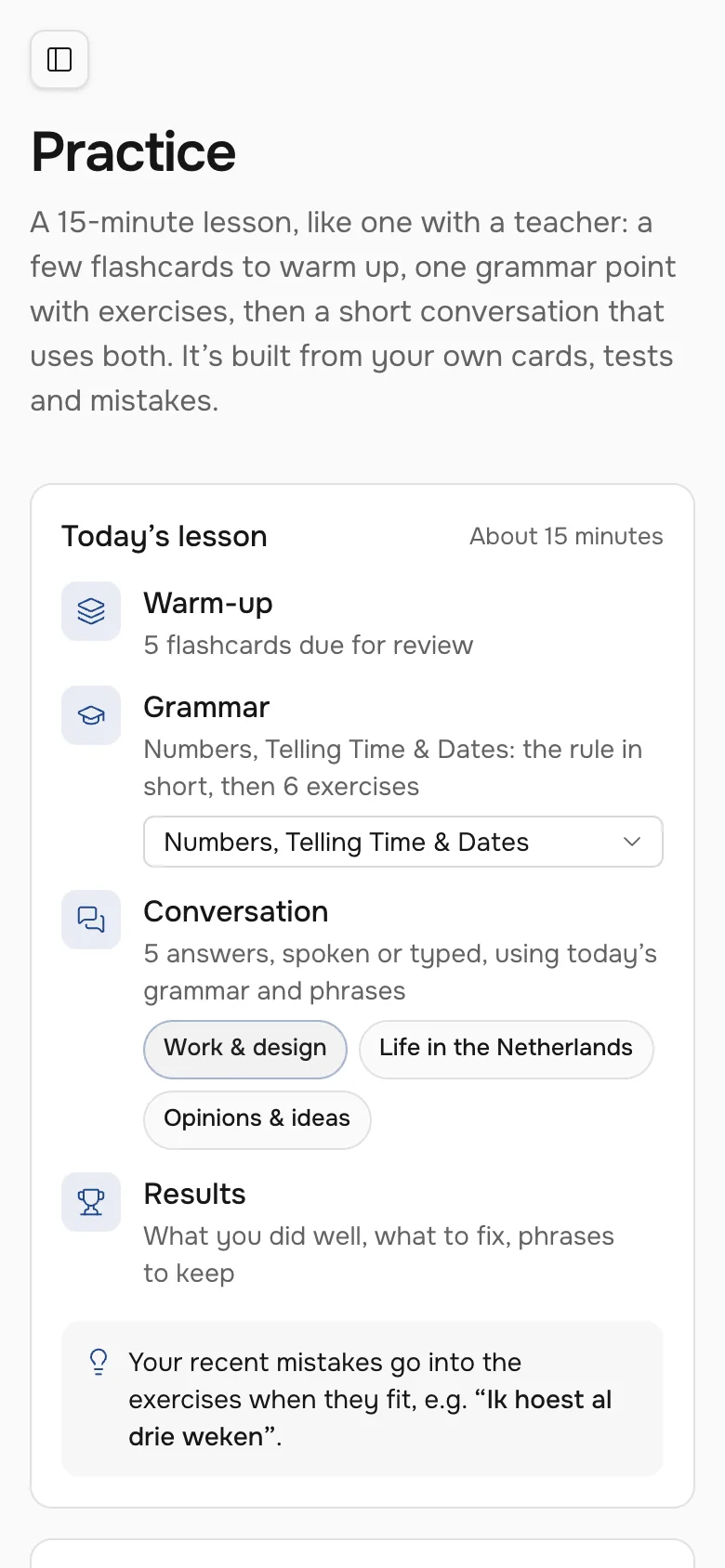
- WebWorks in any browser and installs on the home screen
- iPhoneA SwiftUI app, in progress
- LanguagesEnglish and Dutch, explained in Russian
How I built it
Slovo started as a single HTML file. Version two is a full rewrite with its own small design system, Ink: one ink blue, crisp corners and text contrast checked against WCAG. I design it, write the code, run the server and answer the support emails.
- InterfaceReact, TypeScript, Tailwind, shadcn/ui
- ServerPHP and MySQL
- AIClaude for lessons and feedback, Whisper for speech, Orpheus for the voice
- PhoneAn installable web app with push, SwiftUI app in progress
- The idea, the research and every screen
- The design system and its tokens
- Frontend, backend and deploys
- Prompts tuned against the mistakes real models make
Try Slovo
Slovo is live, and I study with it every day. New accounts need an invite code for now.
My product · Invite only
Recall
Links, notes, tasks, habits and a watchlist in one calm place.
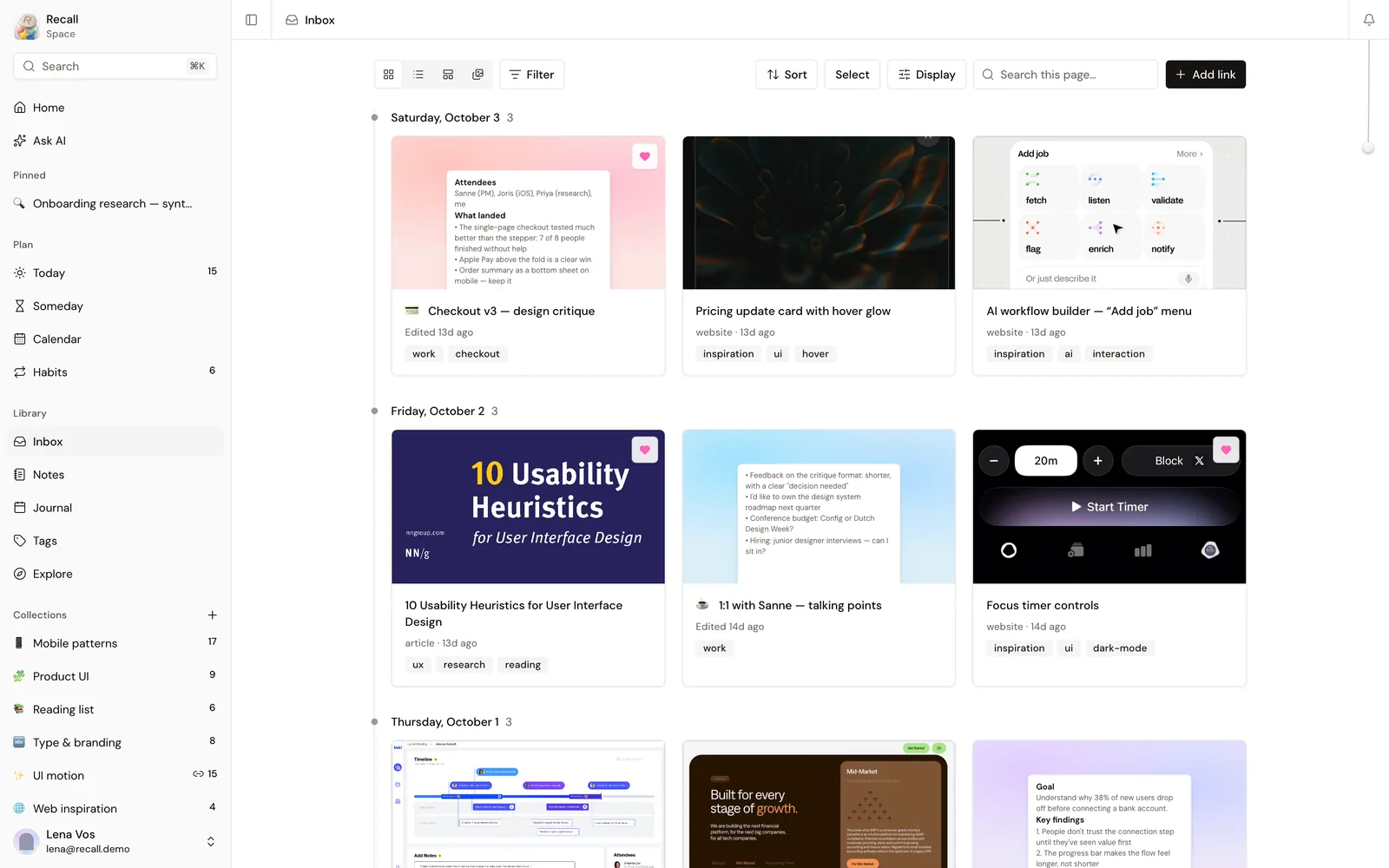
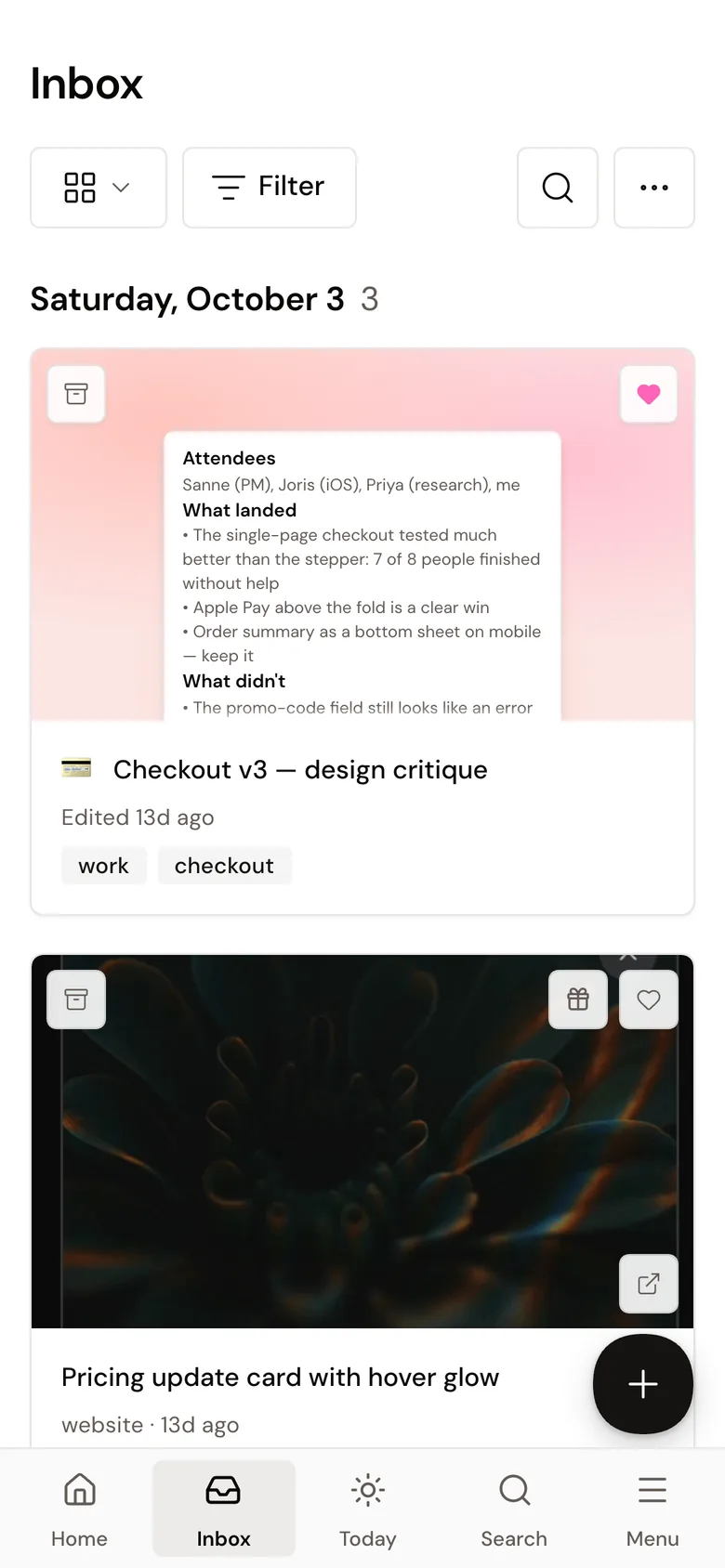
Why I built it
I kept links in one app, notes in another and tasks in a third, and nothing knew about the rest. Recall keeps all of it in one place. It started as my own tool, and a few friends use it now.
Process
Recall began as a written spec. I wireframed the first screens in Figma on a small set of tokens, then moved to code once the flows held up.
product-spec.md · 7.2
Link capture flow
- Paste a URL or choose Link
- The app checks the URL and shows a Processing card
- The server fetches the title, images and a text excerpt
- AI suggests a title, a description, a type and tags
- Review before save: every field can be edited or rejected
- Nothing to read? Ask for a title instead of guessing
The specEach flow was written down before any screen: what the person does, what the app does, and what happens when it fails. Home — Desktop 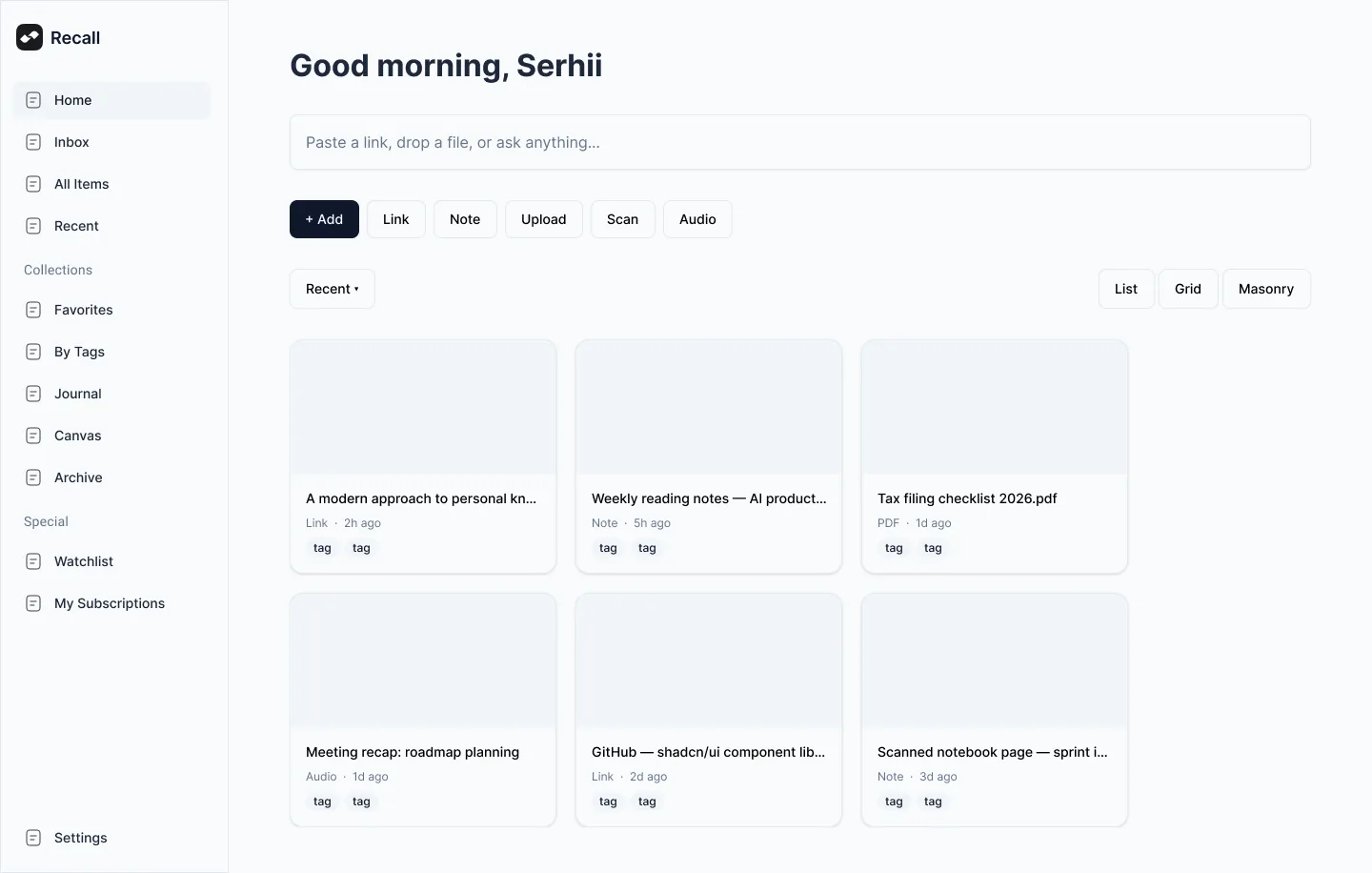
Home — Mobile 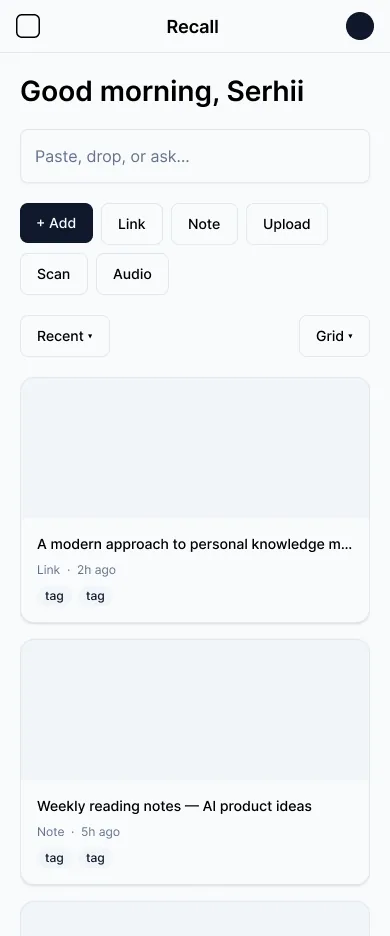
Wireframes in FigmaHome on a desktop and on a phone, built from components with shadcn’s real sizes, so the step to code stayed small. - Step 1Paste a link
- Step 2Fetch the pageTitle, images, textNothing to read → ask for a title
- Step 3AI suggestsTitle, type, tags
- Step 4Review before saveEdit or reject any field
- Step 5InboxSorted by day
The capture logicThe same steps as a flow. When a page can’t be read, the link is kept and Recall asks for a title.
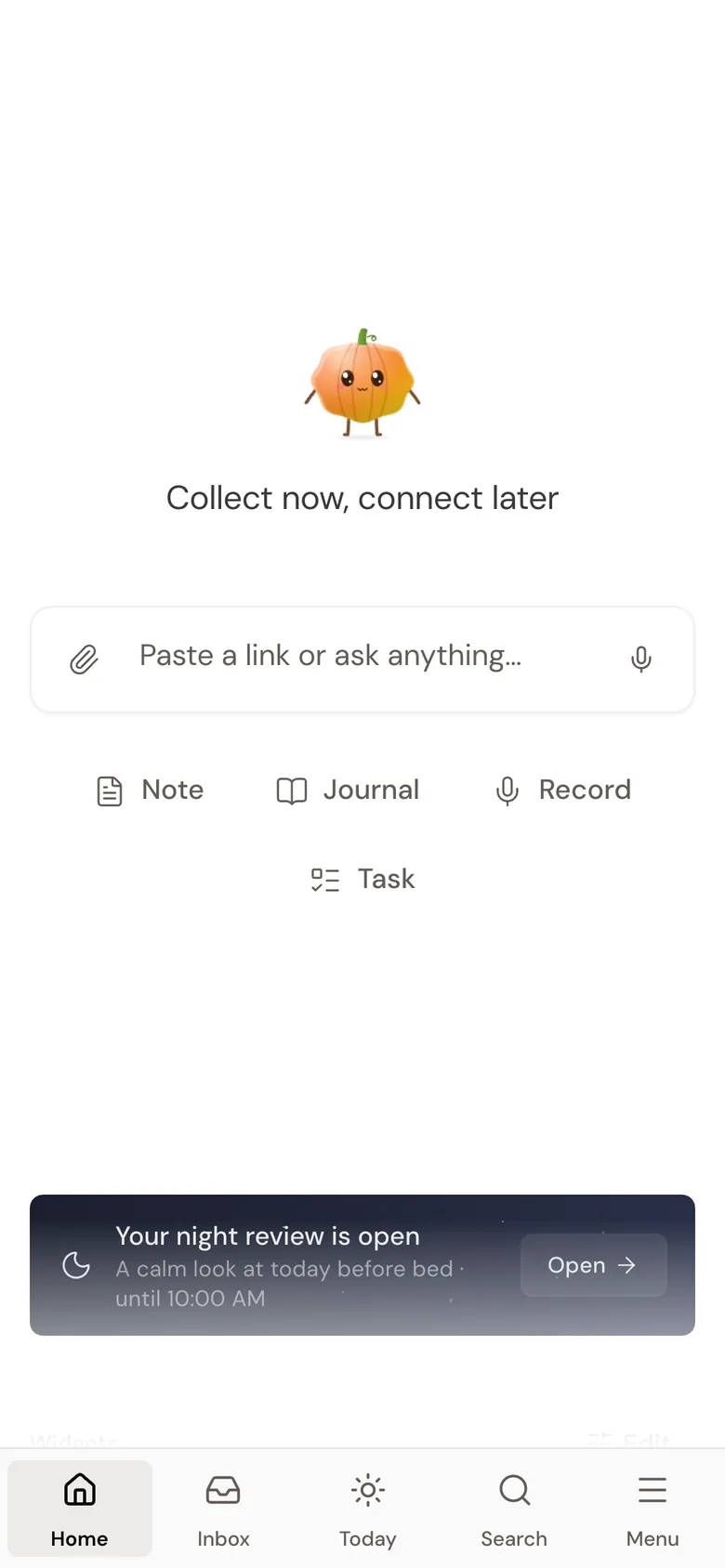
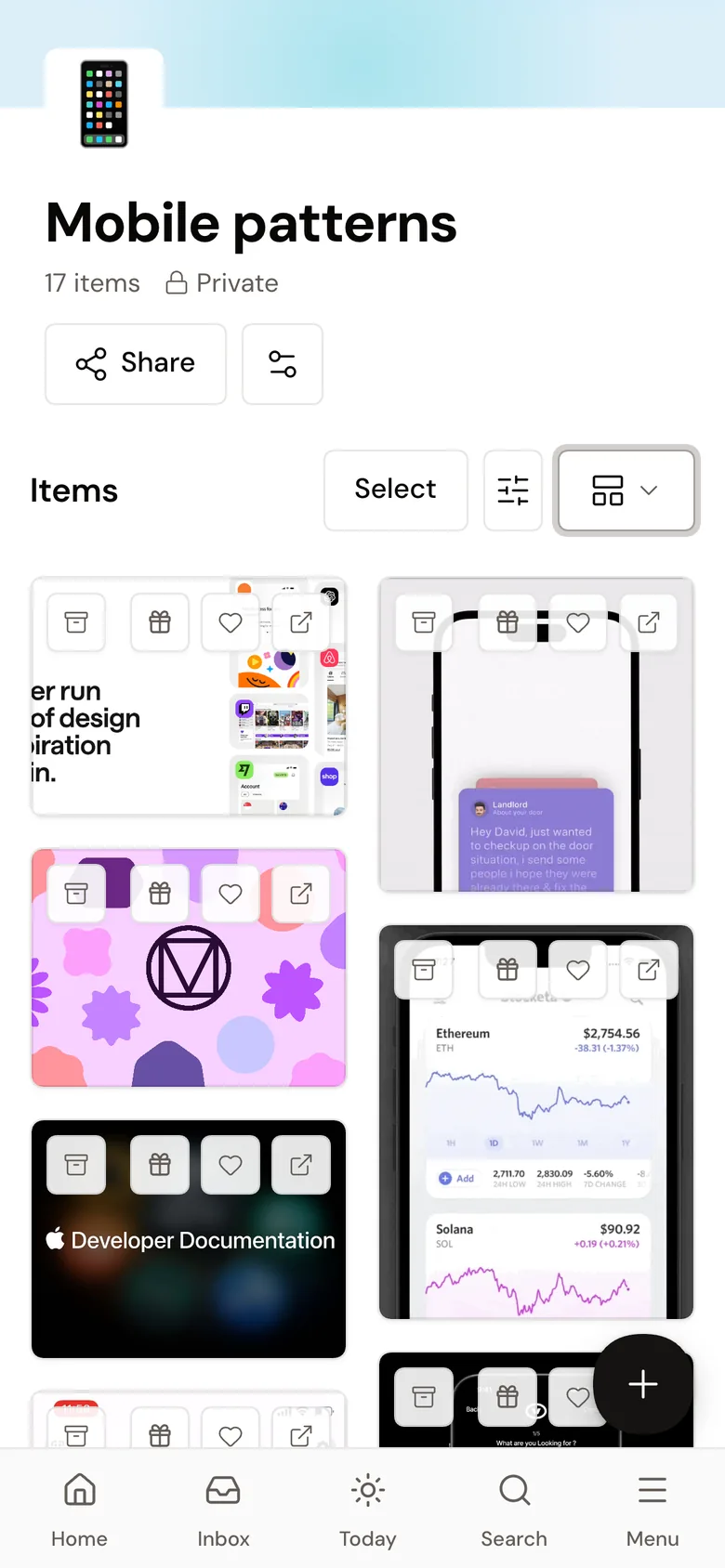
Capture
Save it now, sort it later
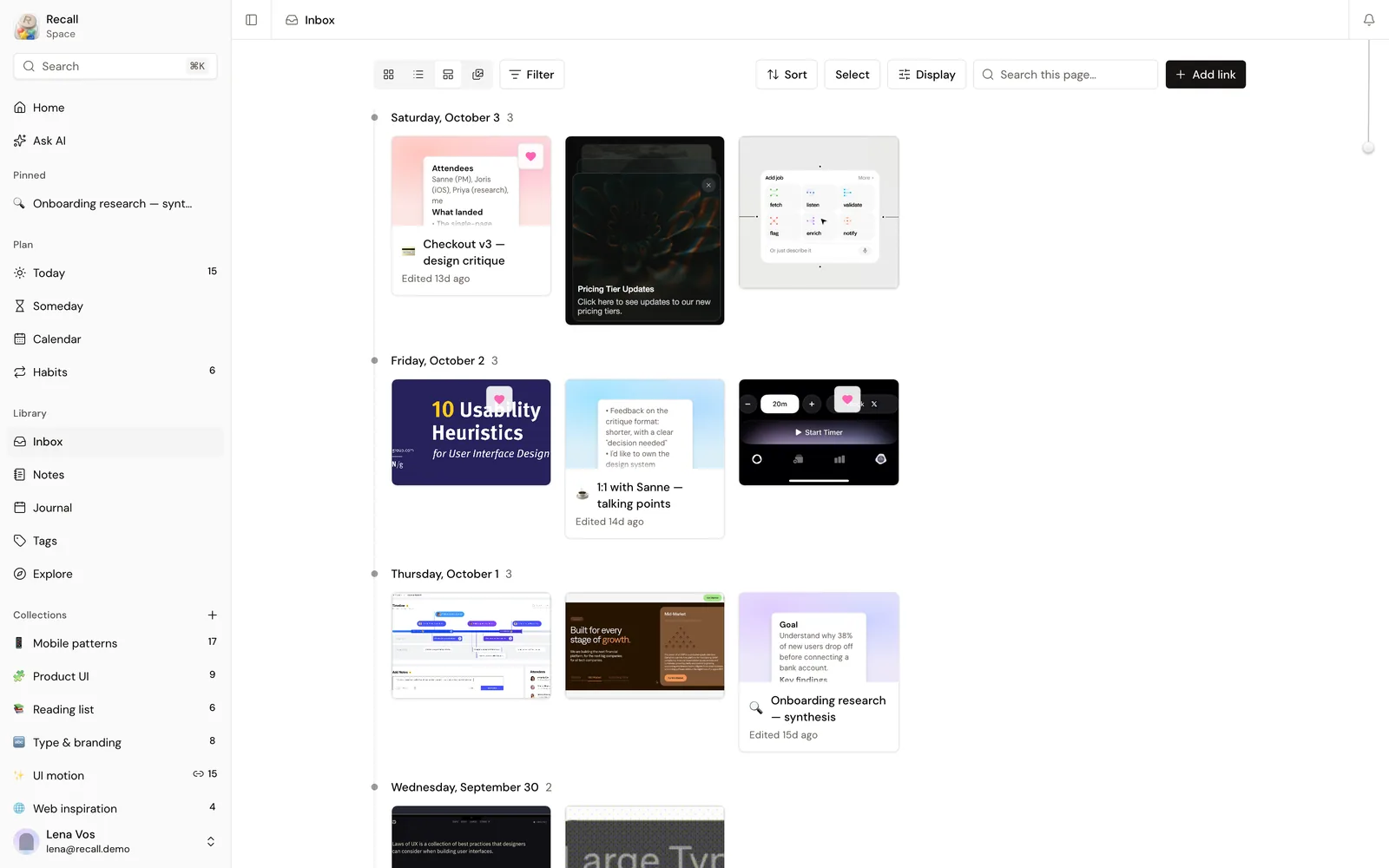
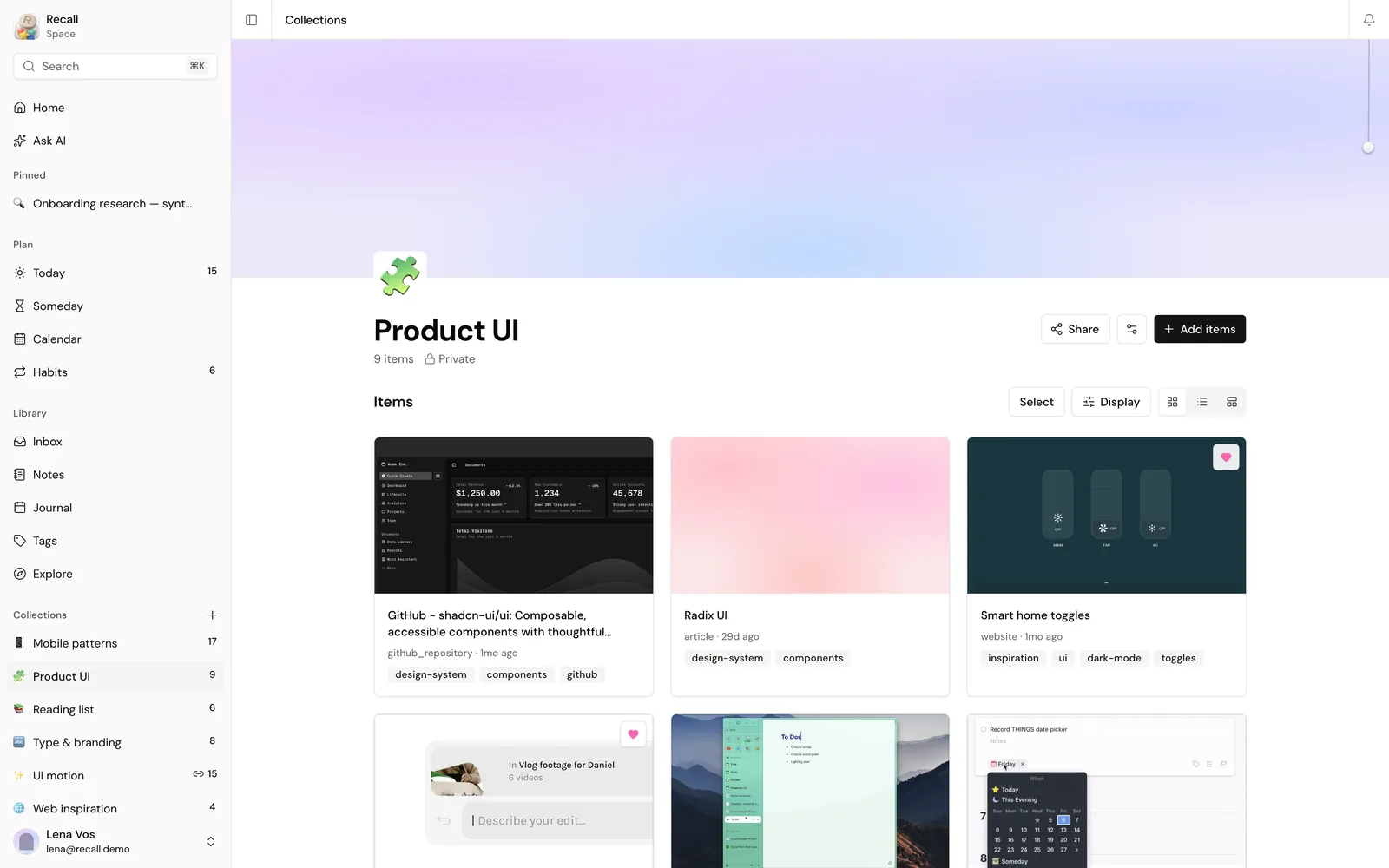
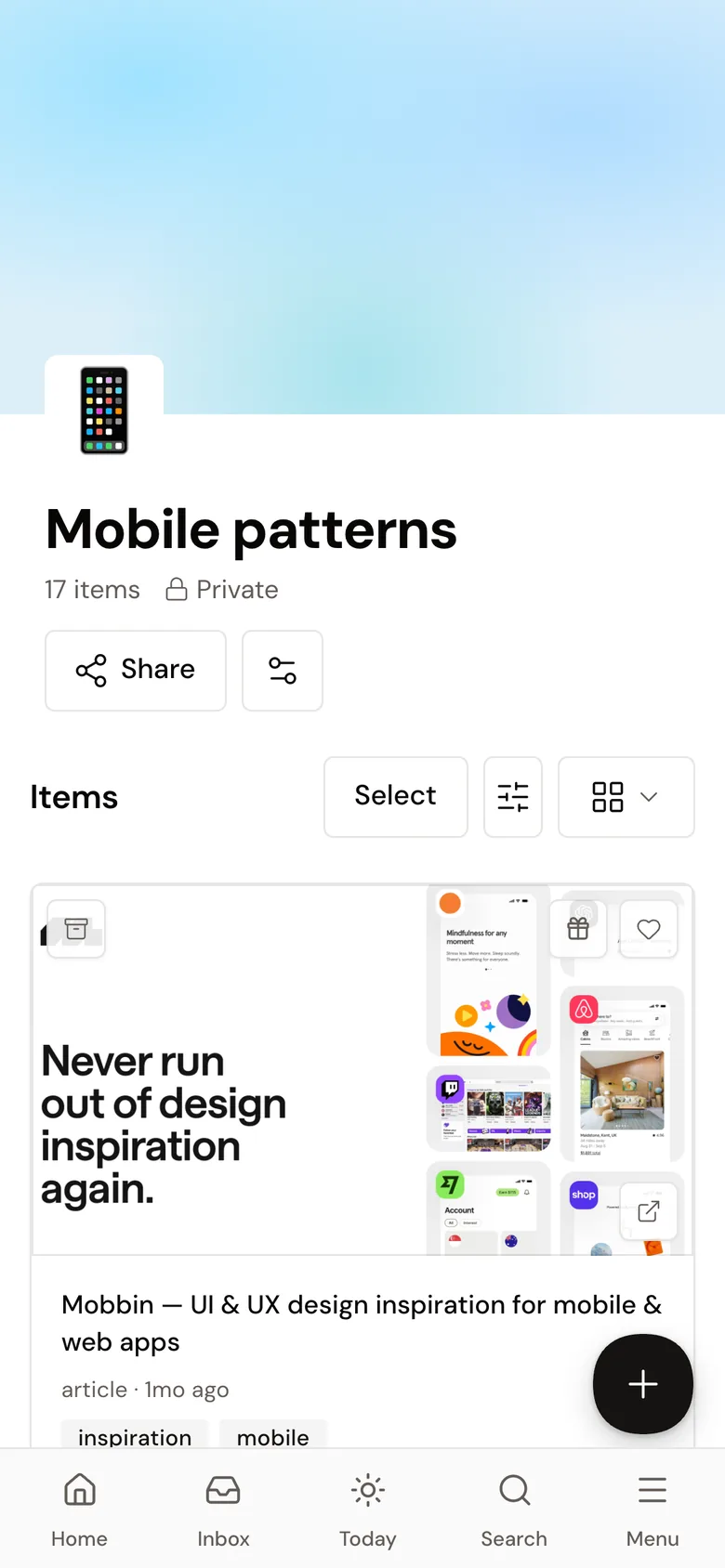
Paste a link and Recall fetches the title and a preview. Articles, GIFs, repos and videos land in the Inbox by day, and collections keep the ones worth keeping.
Notes
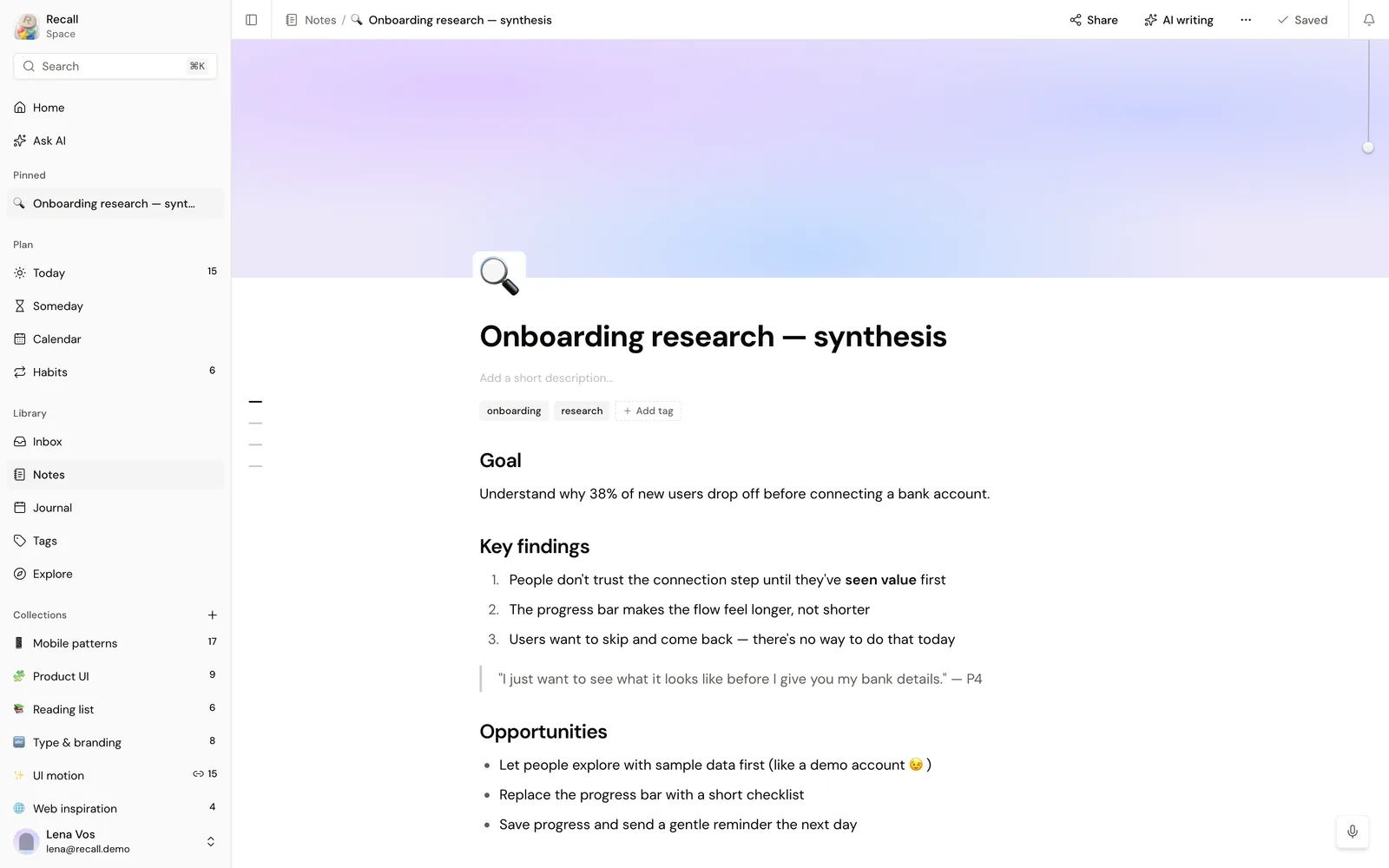
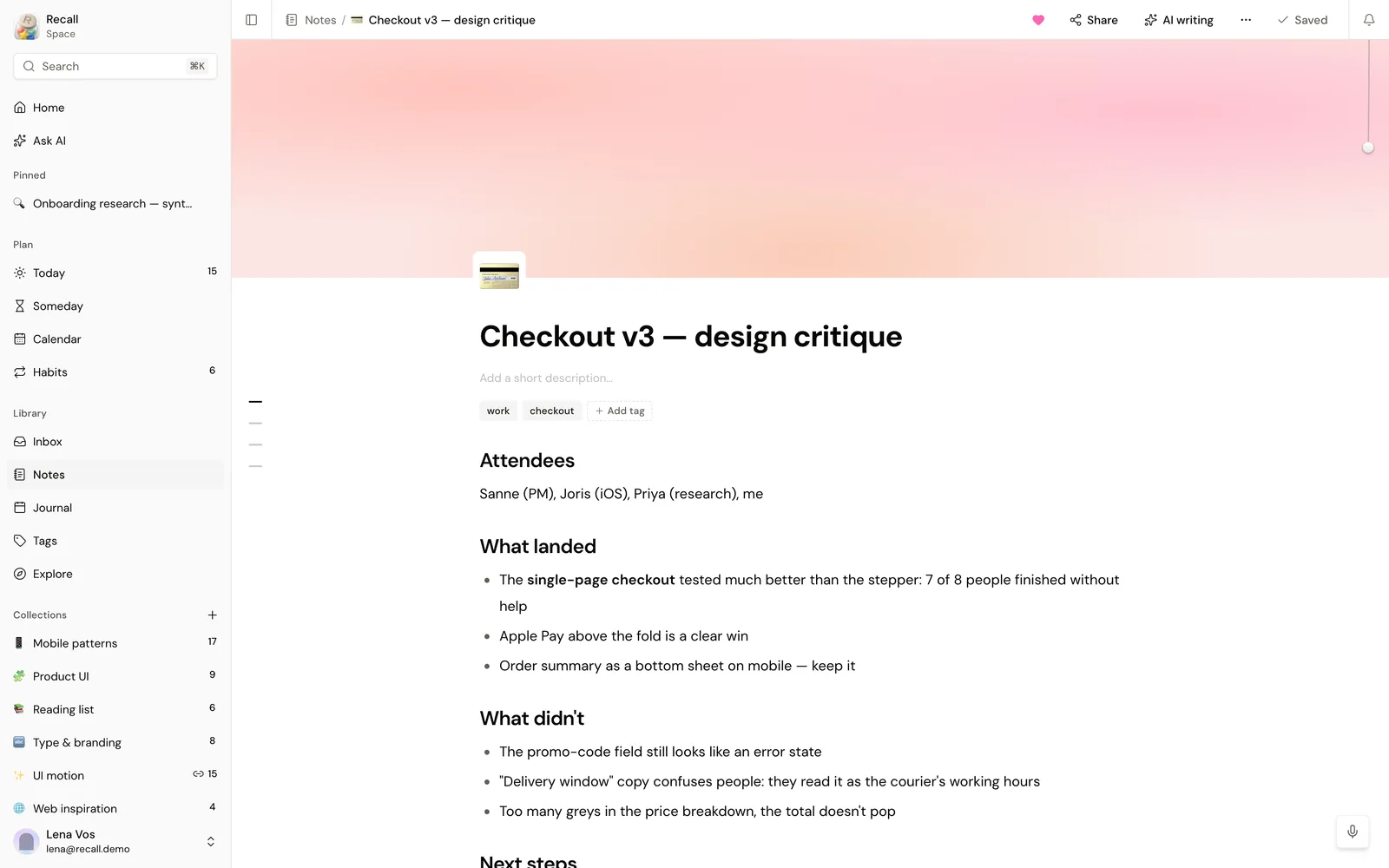
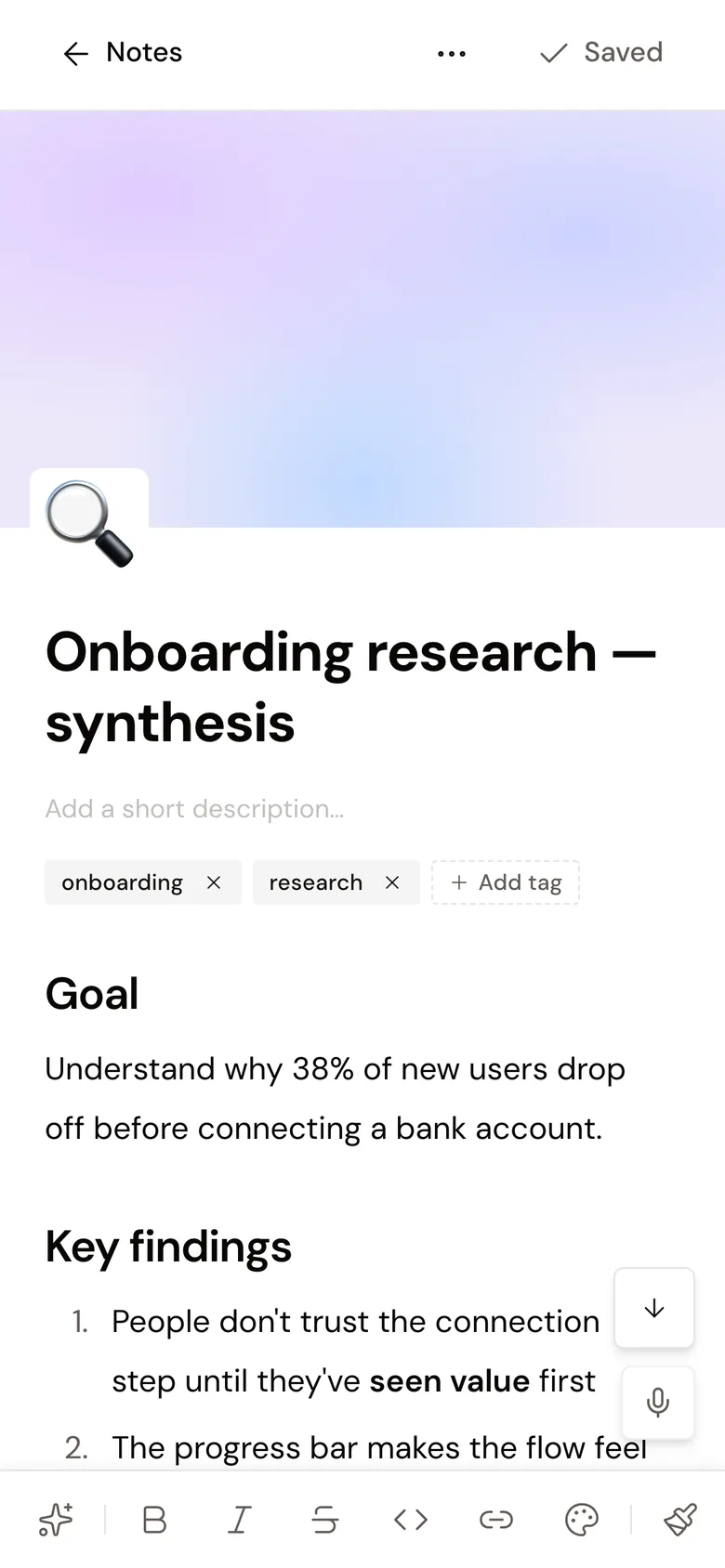
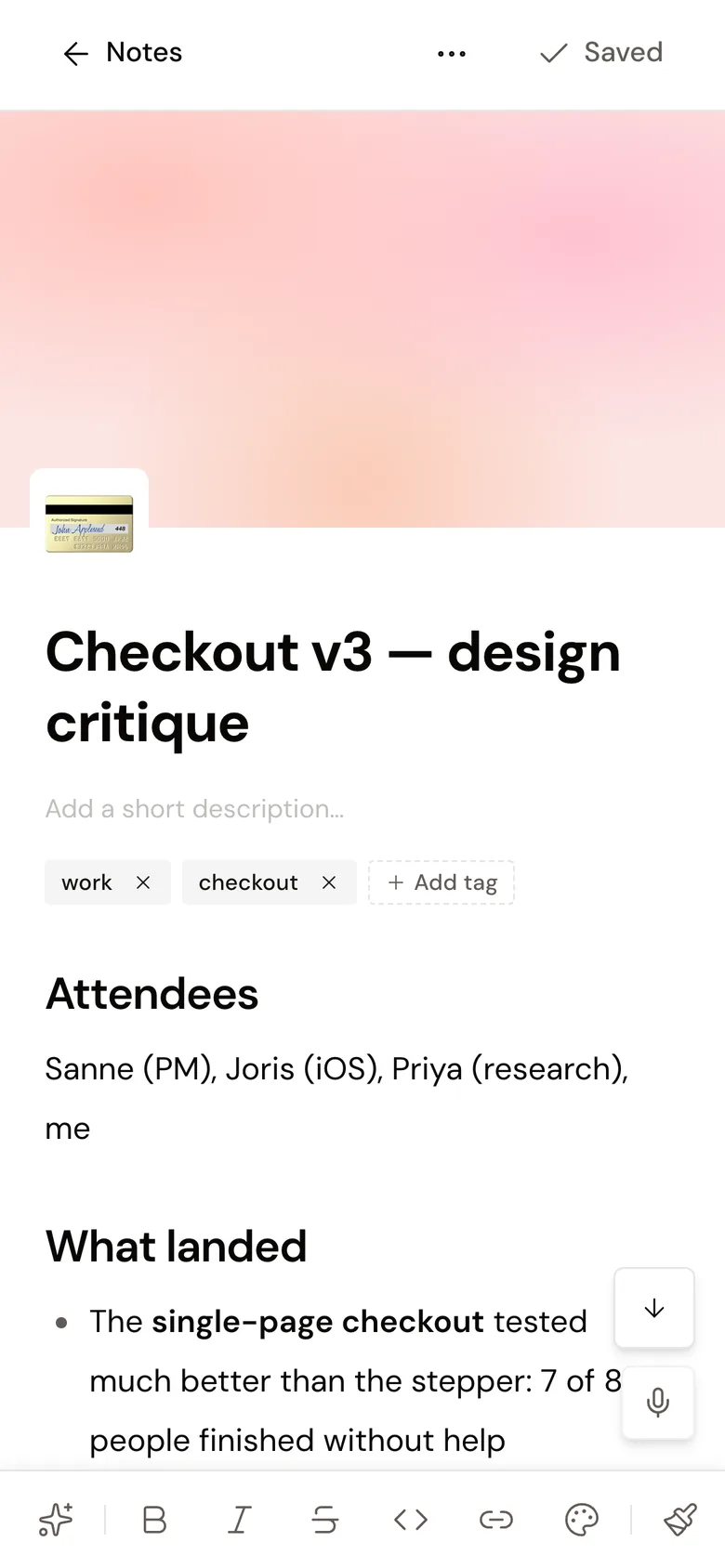
Notes that read like documents
A block editor with covers, icons, headings and lists. A note can be shared with a link, and an AI writer helps with the first draft.
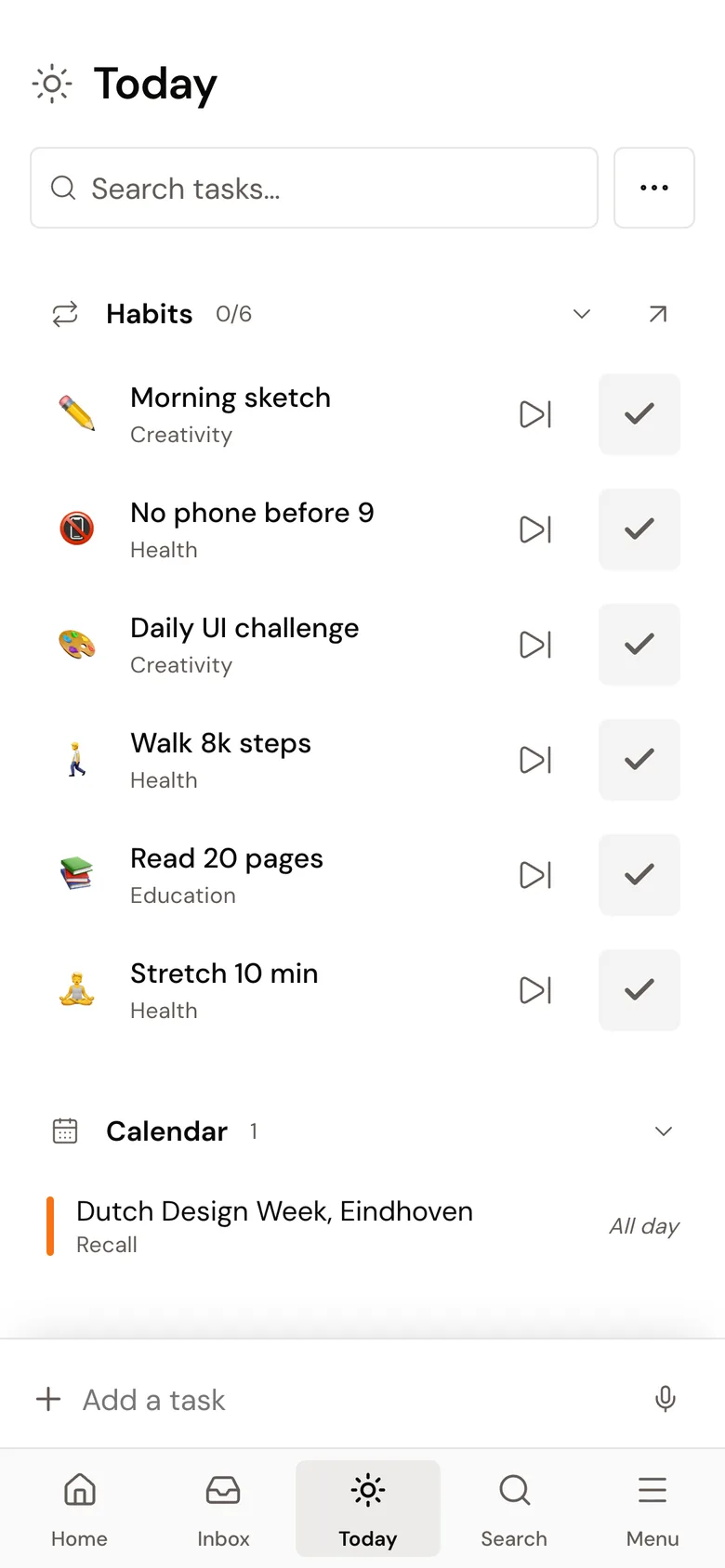
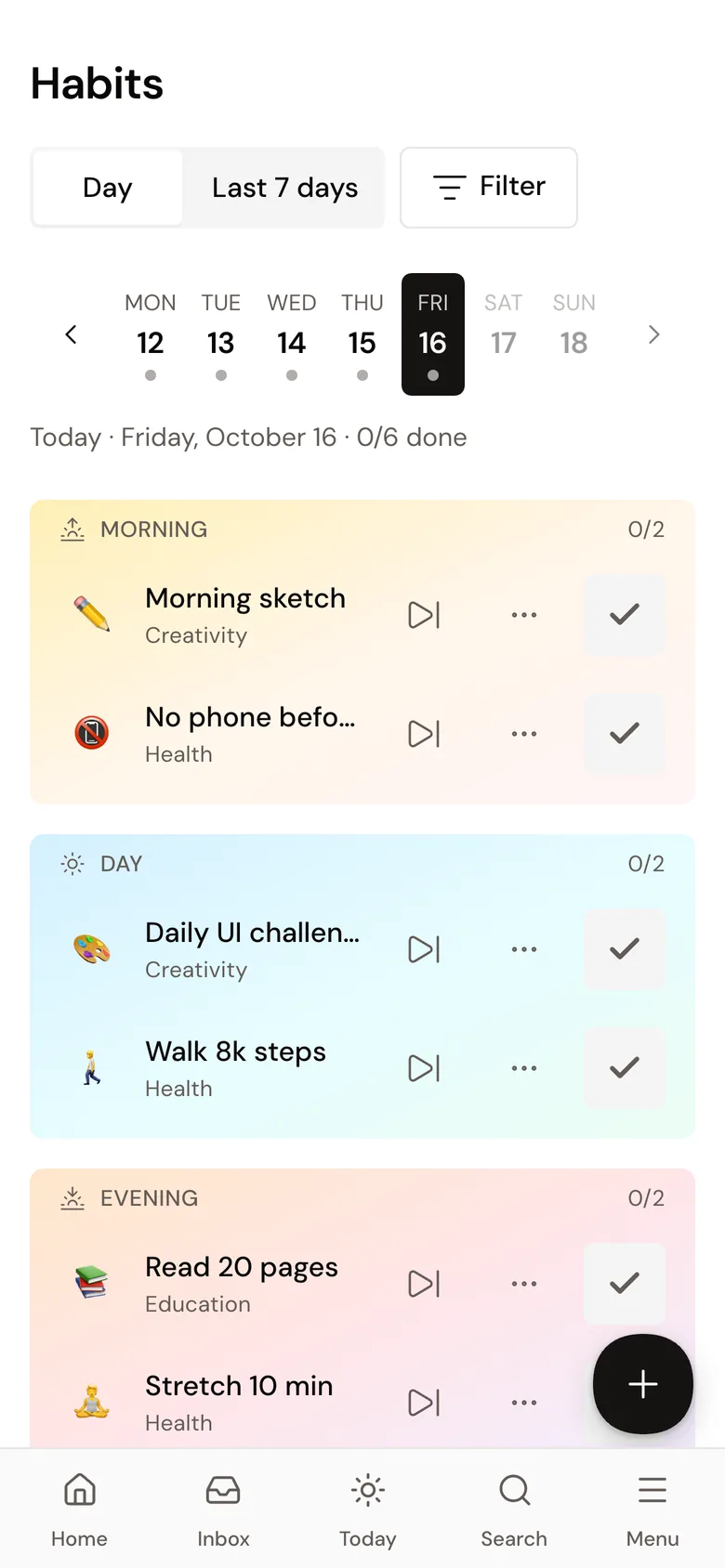
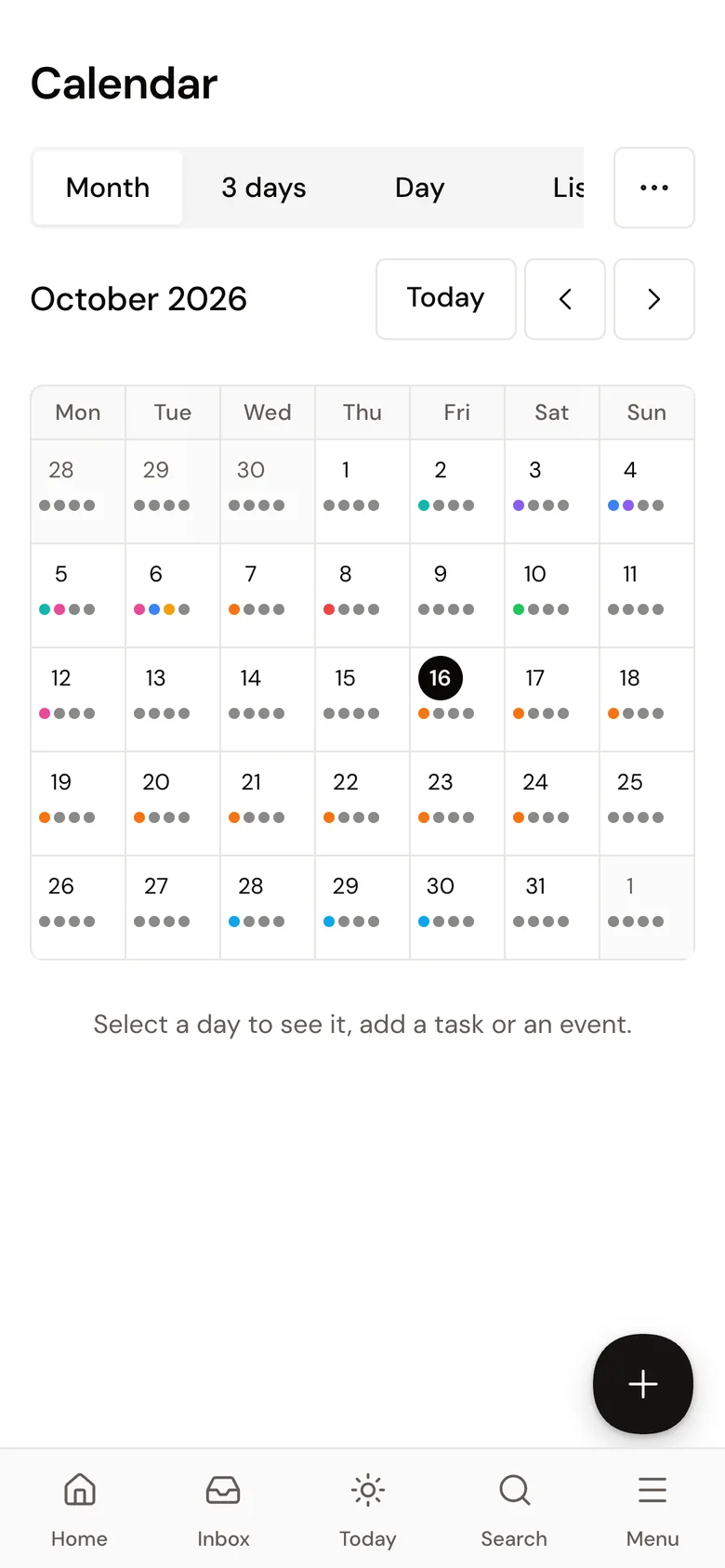
Today
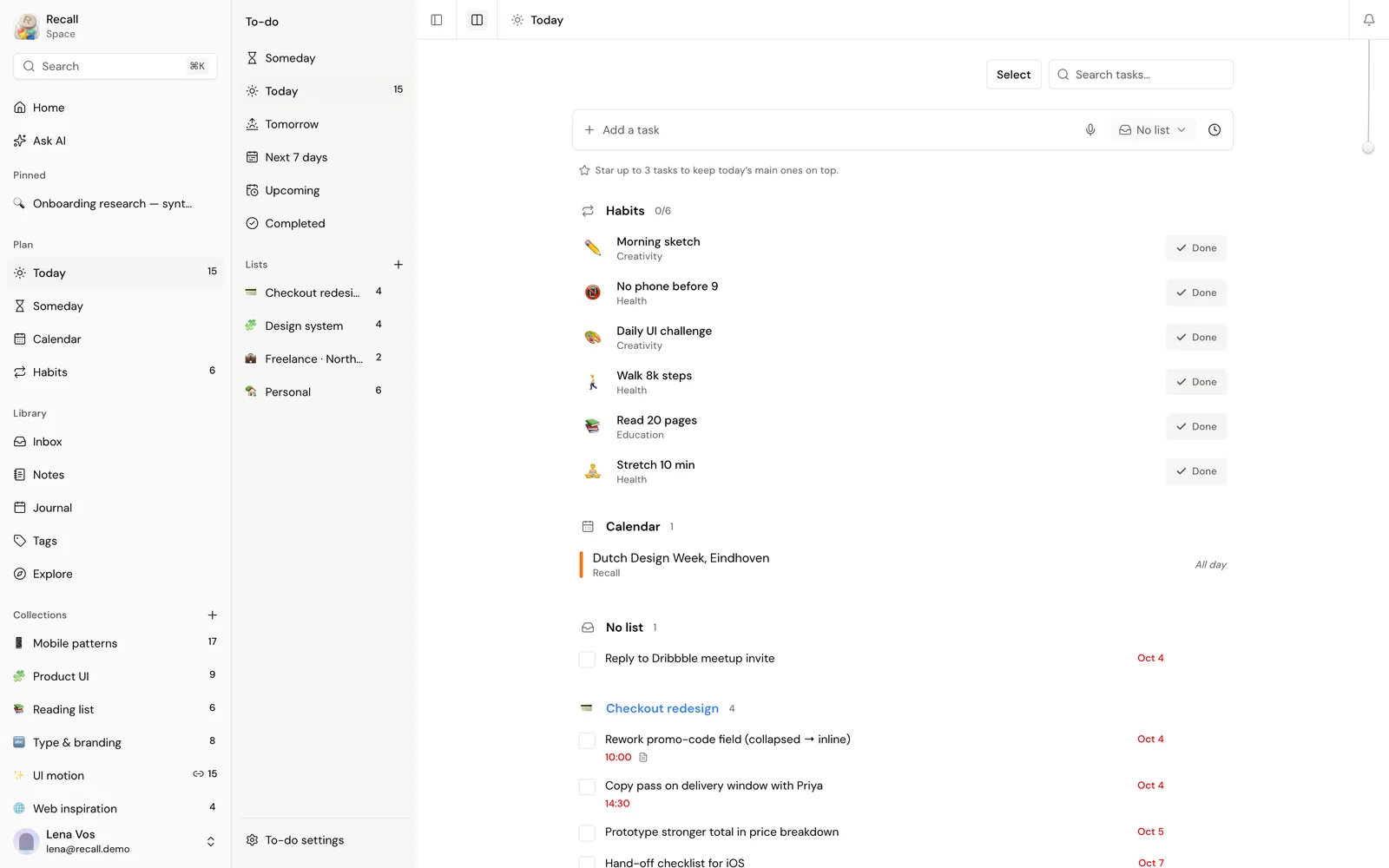
Tasks, habits and the calendar on one screen
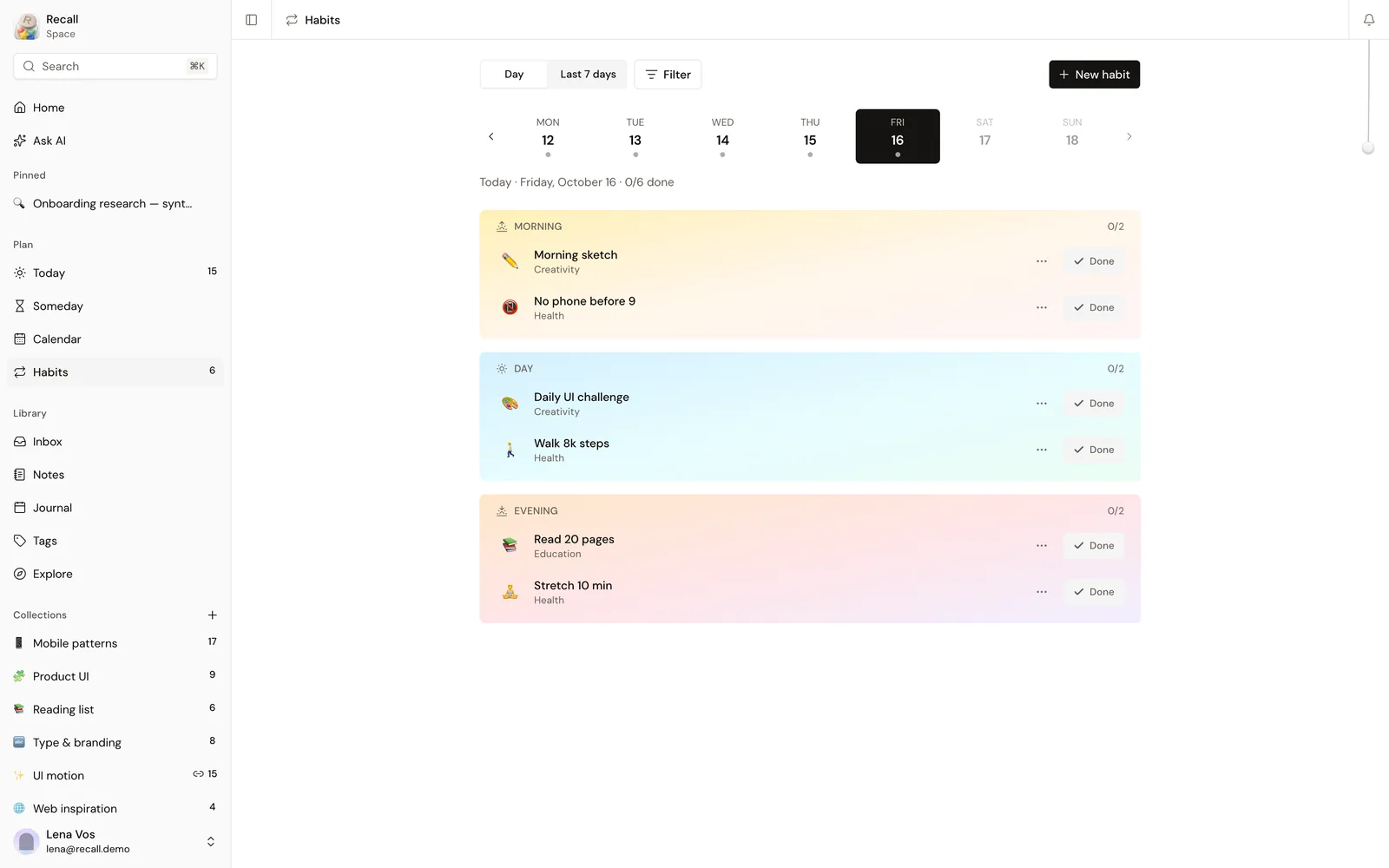
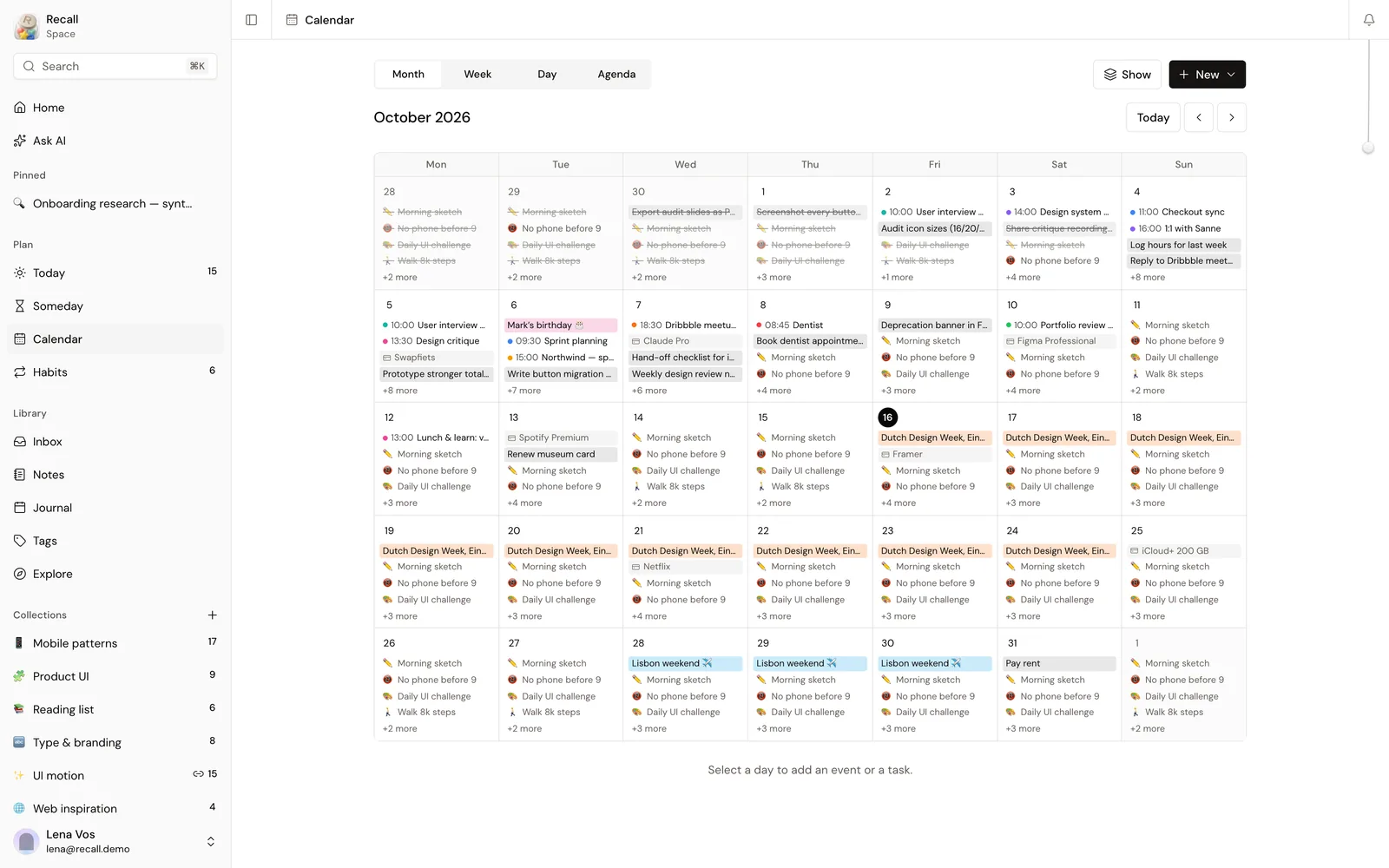
Today brings together the tasks that are due, the habits for the day and the events from the calendar. Lists, recurring tasks and a review before sleep keep everything else out of the way.
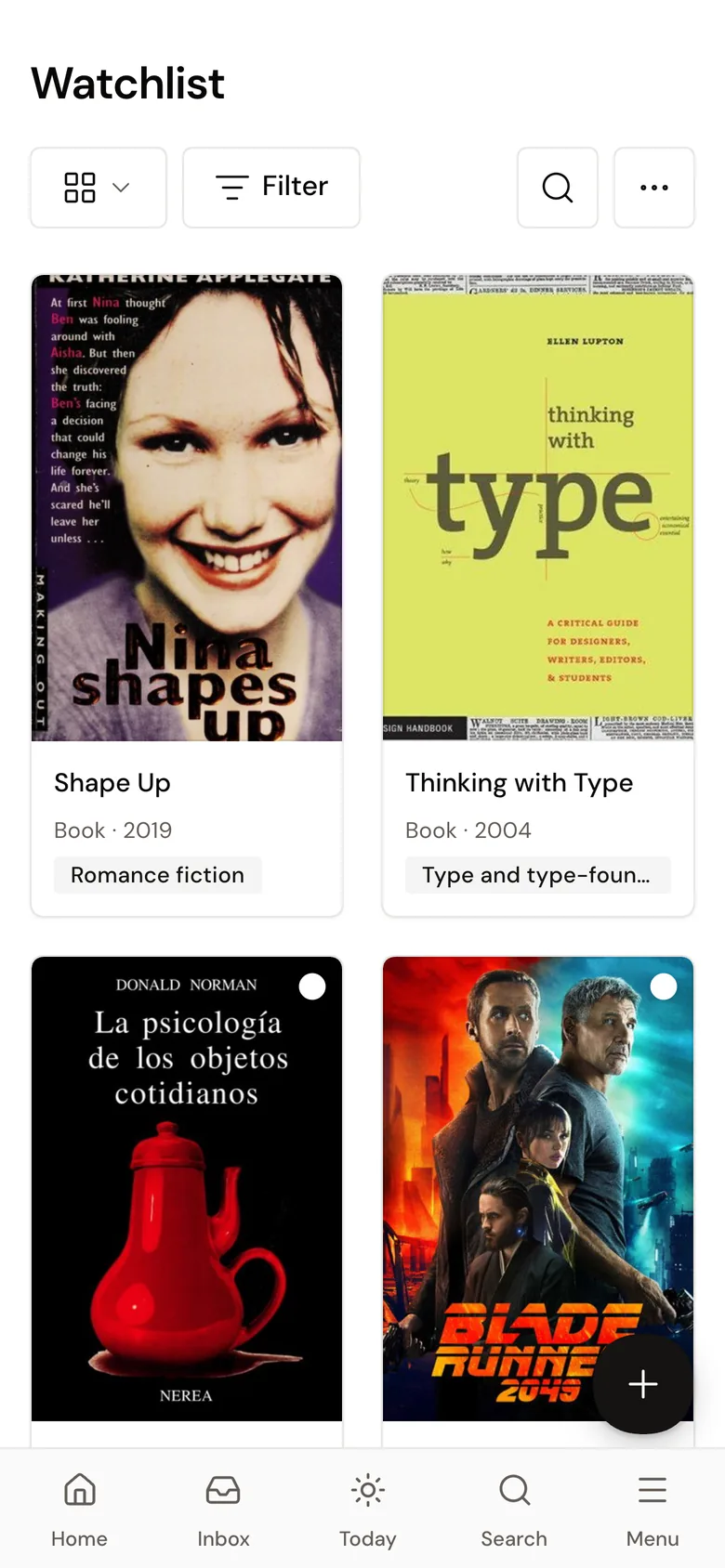
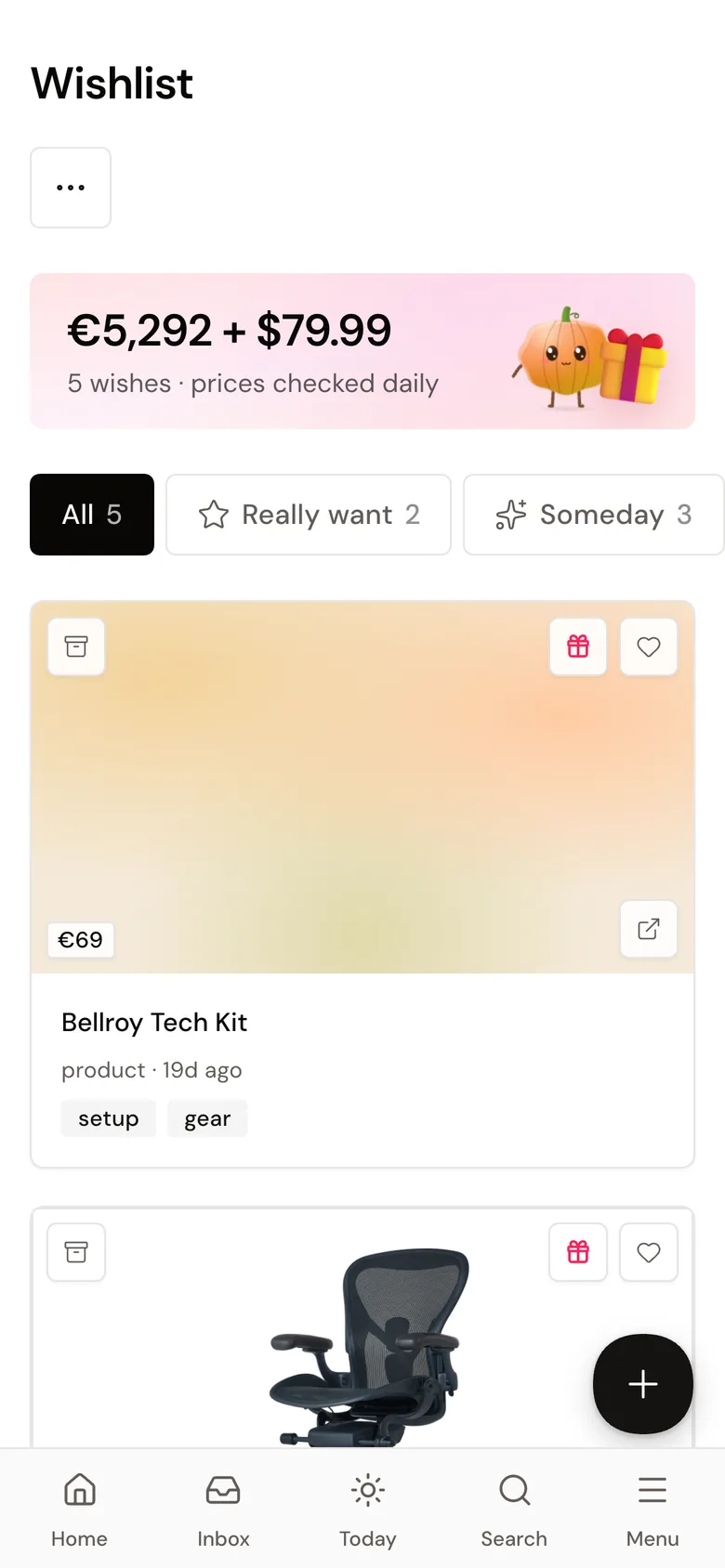
Watchlist
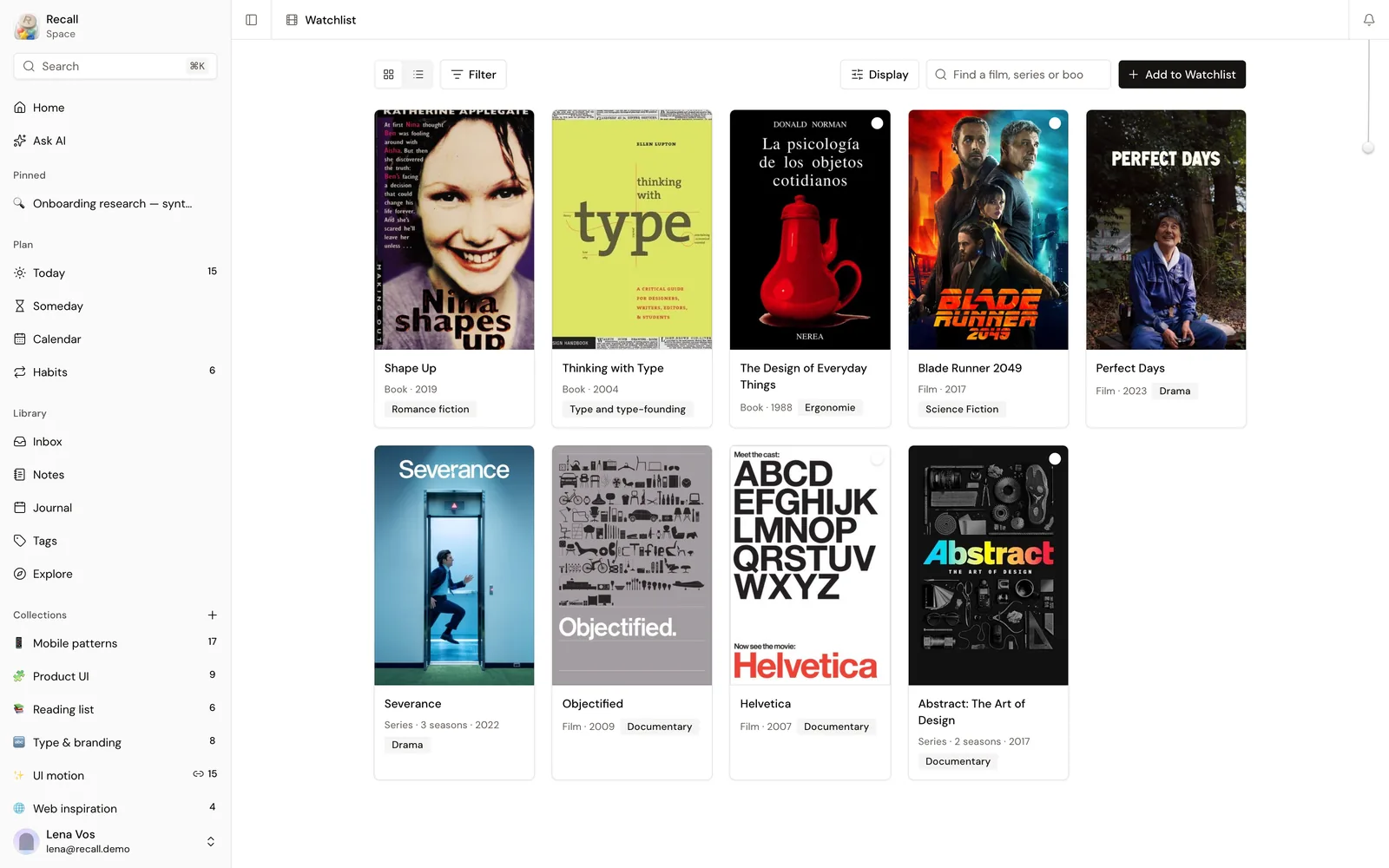
Films, series and books on one shelf
Add a title by name or link and Recall finds the cover, the year and the genre.
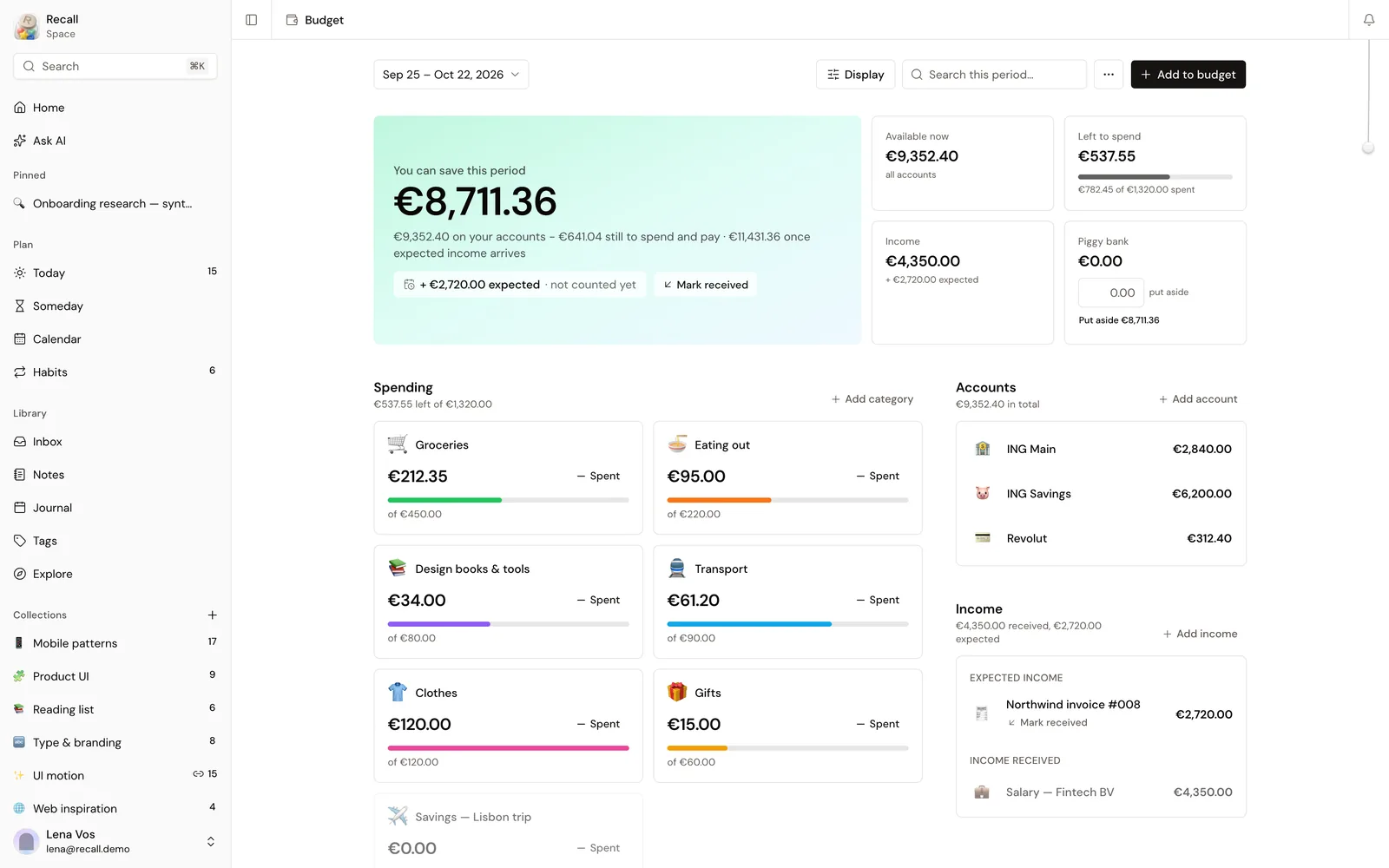
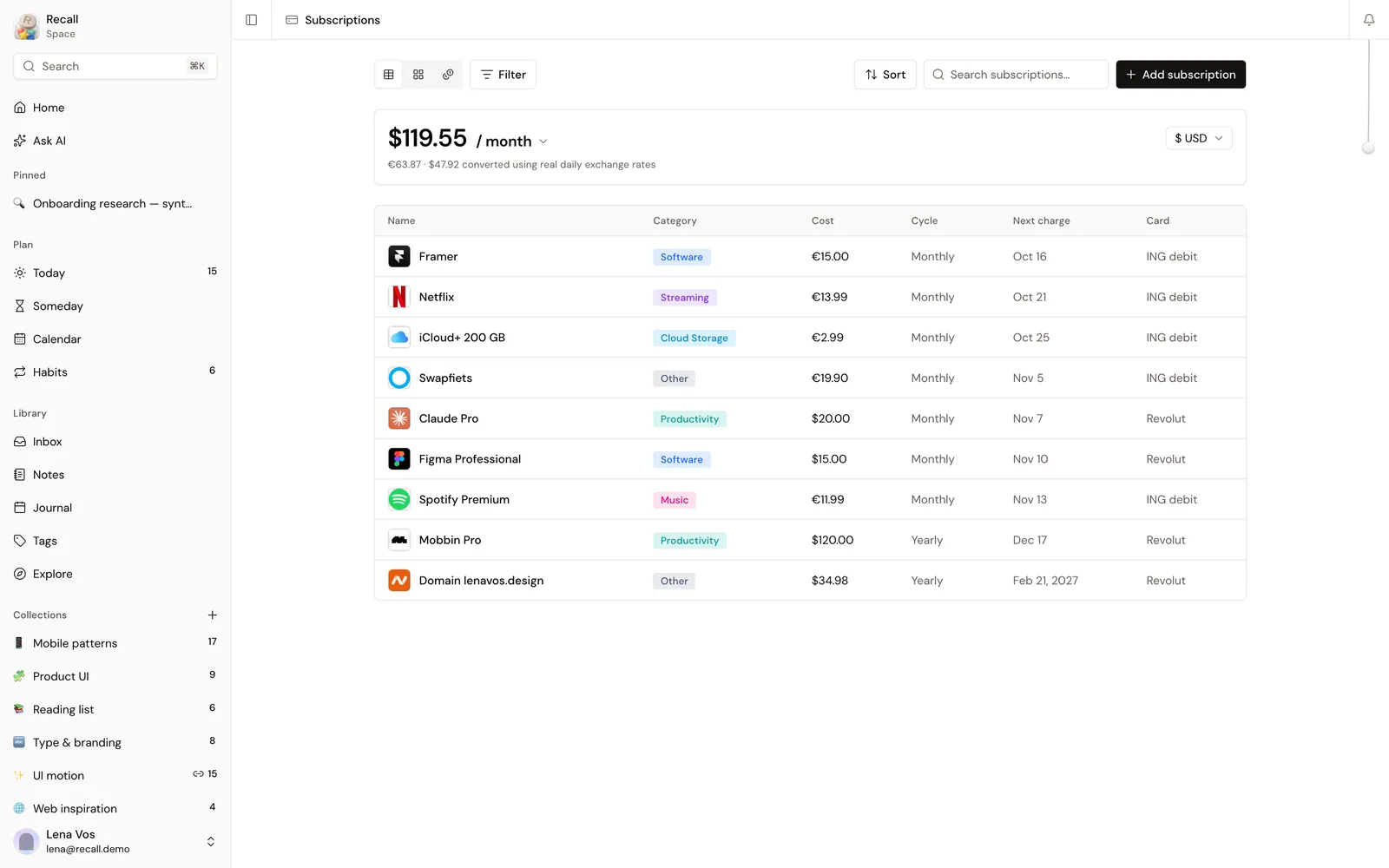
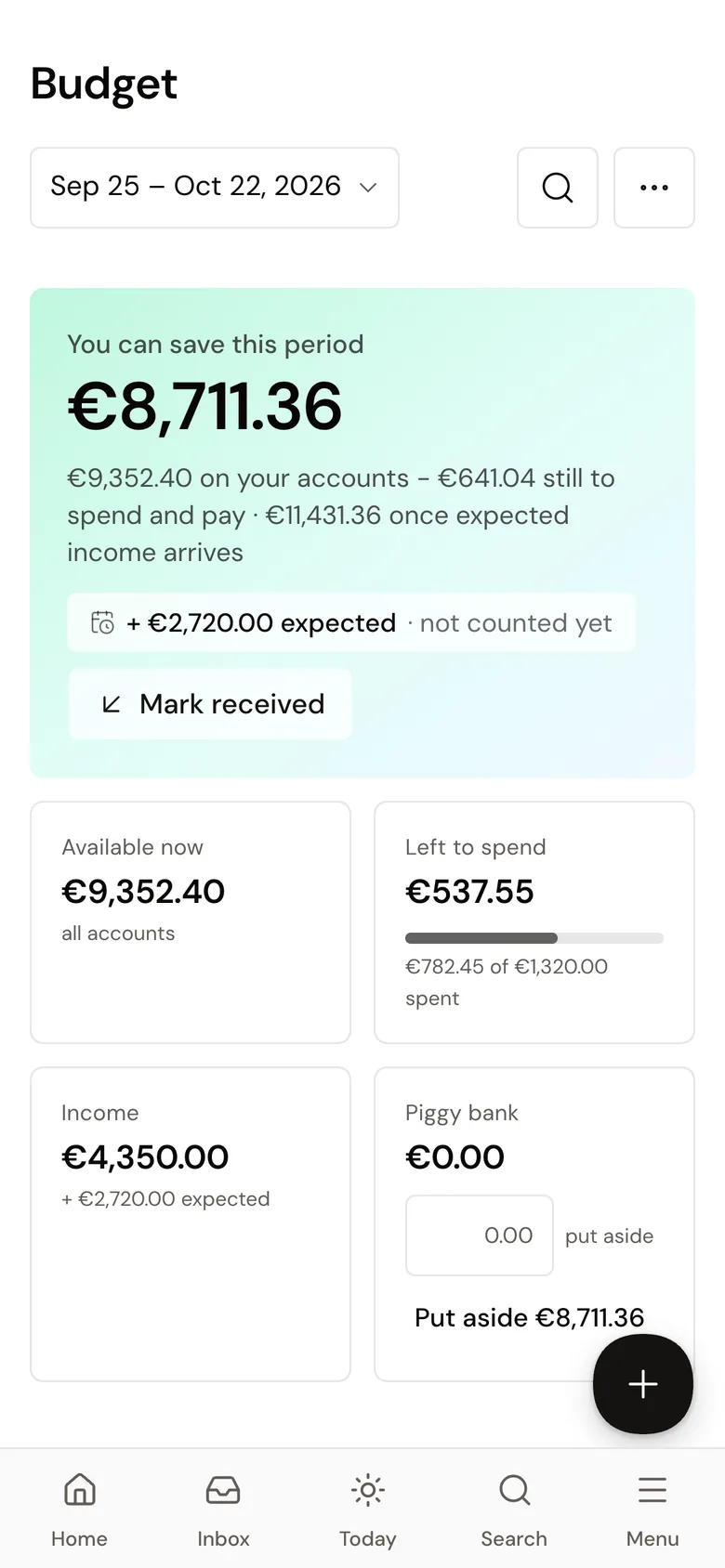
Money
Know where the month is going
A budget for each pay period, accounts, a piggy bank, and every subscription with its next charge date and the card it is on.
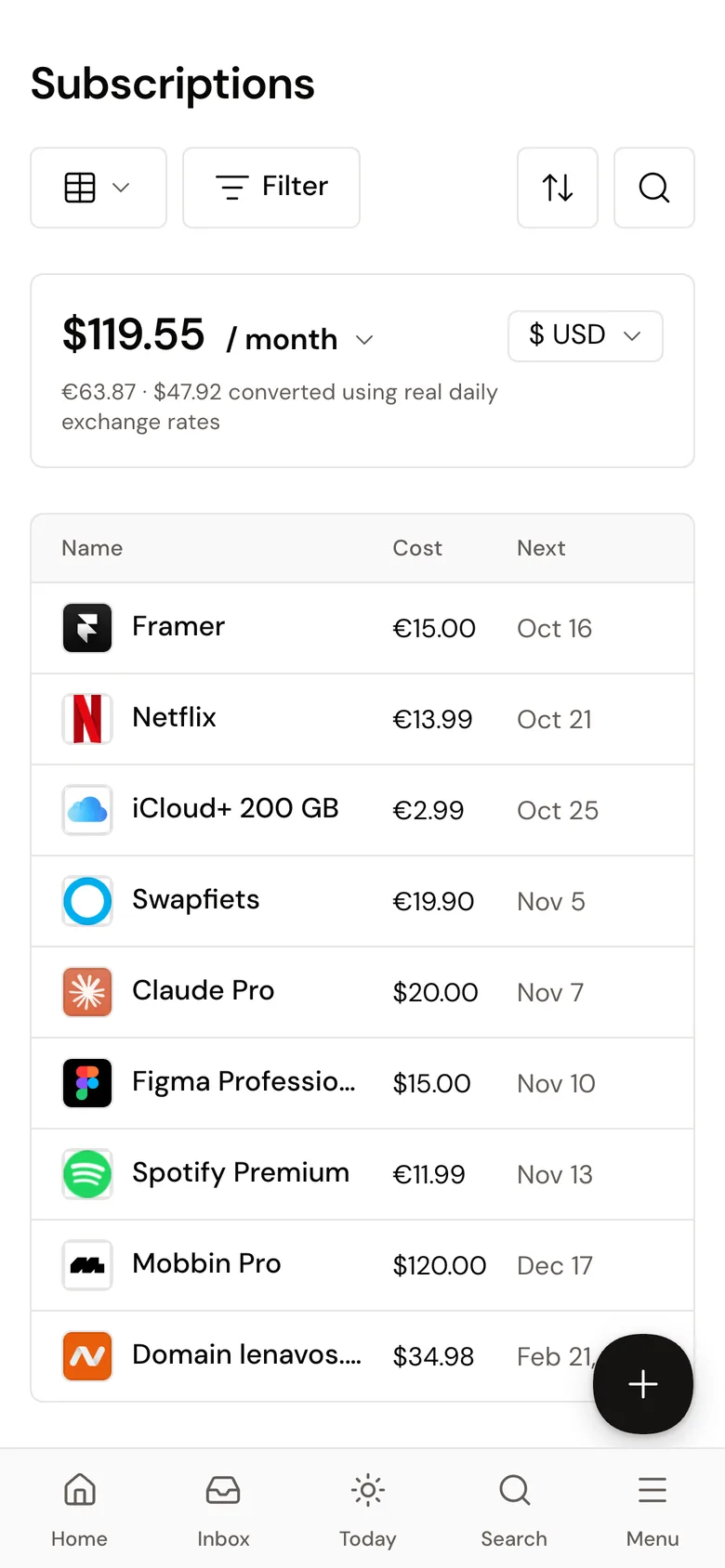
Beyond the browser
On a phone the web app works like a native one. On the Mac, a menu bar app keeps quick capture and widgets one click away, and a browser extension saves the page you are on. A connector lets Claude search the library and add to it from a chat.
- WebAny browser, installs on the phone’s home screen
- MacA menu bar app with quick capture and widgets
- BrowserAn extension that saves the current page
- ClaudeA connector to search and save from a chat
How I built it
After the wireframes I moved to code and kept designing there, with shadcn/ui as the base and my own design system on top: every component has a code, a frozen spec and a check that runs before each deploy.
- InterfaceReact, TypeScript, Tailwind, shadcn/ui
- ServerLaravel
- AIClaude for search, chat and writing
- AppsA Swift menu bar app for the Mac, a browser extension
- The spec, the flows and every screen
- A design system with a check before every deploy
- Frontend, backend, the Mac app and the extension
- Onboarding, help articles and video tutorials
Try Recall
Recall is in a private beta with a few friends. New accounts need an invite for now.
How I work
Work with me
I design products and I build them, for product teams and for businesses that need their own software.
Two ways to work with me
- For teams
A product designer who owns the design system and writes production code. No handoff in between.
- For businesses
Your own software, designed and built end to end. You get a live product and the code.
Not sure yet? Plan the first version
What a business gets
- A live product
On your own domain, ready for real users.
- The source code
And the accounts it runs on, in your name.
- A design system
So the next screen matches the last one.
- Docs and a walkthrough
So your team can run it day to day.
What I build
- ERP and operations tools
Projects, crews, stock and invoices in one place.
- CRM and client portals
Deals for your team, a status page for clients.
- AI agents and automations
They read, sort and answer inside your tools.
- Booking and admin systems
Schedules, payments and the back office.
How a build goes
- 01Map
Talk to the people who will use it. Agree on what the first version must do.
A scope and a clickable prototype
- 02Design
Every screen and every state, on one design system.
The full design, before any code
- 03Build
Regular demos on a live link, so you can change course cheaply.
Working software early
- 04Launch
Deploy, hand over, then fix what real use shows.
The product, the code and the docs
Questions
Do I also need a developer?
Not for the first version. I design and build it, and a developer can take it over later.
Who owns the code?
Usually you do. We agree on it before the build starts.
Can you improve a product we already have?
Yes. I start with a short audit of what’s there, then fix the parts that cost your team the most time.
How long does a first version take?
It depends on the scope. After the Map step you get a plan with dates, before any design starts.
Do you use AI?
Yes, where it saves time: research, drafts, code, and agents inside the products I build. I check every decision and every line that ships.
What do you build with?
Figma for design. React, TypeScript, Laravel and MySQL for the build, and the Claude API for AI features. My own apps run on the same stack.
What happens after launch?
I fix what real use shows, then hand over the code and the docs. Support after that is agreed per project.
Where are you based?
In Amsterdam. I work in English and I’m learning Dutch.
Have a product in mind?
Tell me a little about it. It takes two minutes, and I reply with questions, not a sales pitch.
How I work
Notes
Short texts on product design and on building software. Plain words, real examples.
-
Oct 2026 · 4 min readWhat a product designer does in 2026
Design files used to be the end of my job. Now I ship the product too. What changed, and what didn’t.
Read the note -
Oct 2026 · 4 min readBuild or buy: do you need your own software?
A simple way to decide, with a construction company as the example.
Read the note
Notes
What a product designer does in 2026
Design files used to be the end of my job. Now I ship the product too. What changed, and what didn’t.
For years my work ended with a Figma file and a handoff meeting. A few weeks later the build came back, and some of the small decisions were gone: the empty state, the error message, the spacing that made a long table easy to read. Nobody did it on purpose. A file just can’t carry everything.
Today I build what I design. I’m not a full time engineer, but the tools got good enough that a designer who knows some code can put a real product online. My two apps, Slovo and Recall, are live, and I use both every day.
What changed
Prototypes are real now. When I want to know if a flow works, I build it with real data in a day or two, and people click through the actual thing.
A design system lives in code. If the tokens and components only exist in Figma, the product drifts away from them within months, so I build them in both places at the same time.
AI does a lot of the typing. It drafts code, makes test data and helps me sort interview notes. I still decide what to build and how it should feel, and I check everything before it ships.
What stayed the same
The hard part was never the screens. It’s understanding who uses the product and what gets in their way. Someone checking hours on a phone on a building site in the rain needs something very different from an office manager doing invoices on a big screen.
Talking to those people, watching them work and writing the problem down before solving it takes as long as it always did. It matters even more now, because the build is fast and a wrong idea reaches users quickly too.
For teams that hire
When you look at a product designer’s portfolio this year, look for things that shipped. A designer who can own the flow, the design system and a working prototype saves a team weeks of back and forth. Engineers still build most of the product. They get fewer open questions and a better place to start from.
For me
Every project still starts with the same three things: users, goals, limits. I still sketch lots of rough options before I pick one. The last step is the part that changed. These days I hand over a link people can try, and the Figma file is one of the things behind it.
Notes
Build or buy: do you need your own software?
A simple way to decide, with a construction company as the example.
Most business problems aren’t new. Planning, invoices, customer lists and time sheets all have good existing tools. If a popular tool fits most of how you work, use it and adjust the rest of your process. It costs less than building, and you can start next week.
When existing tools stop fitting
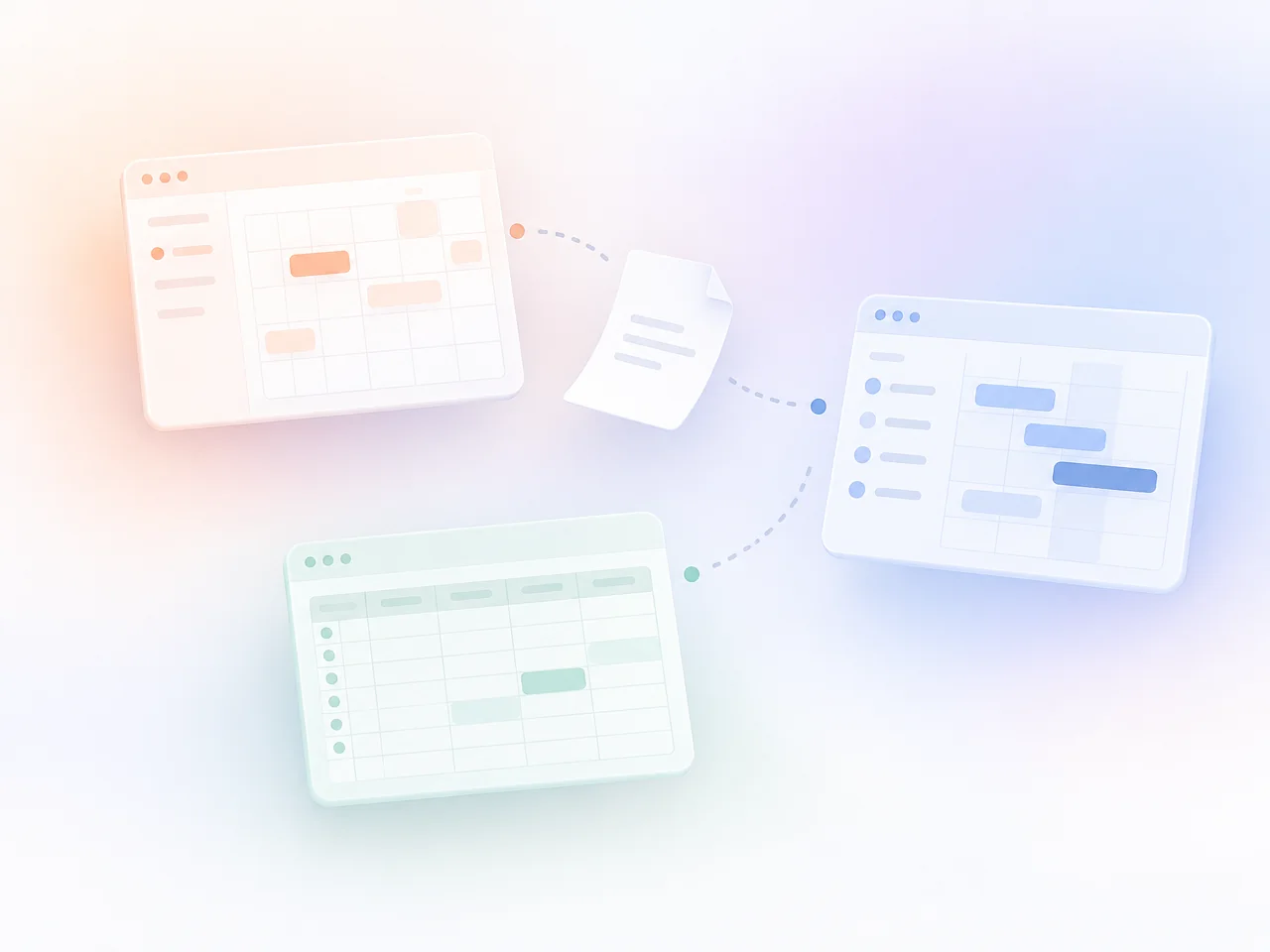
Take a construction company with 40 people. The office plans in one tool, tracks hours in another, keeps materials in a spreadsheet and handles everything else by email. Every Friday someone copies numbers from one place to another. Nobody planned it this way. It grew over the years.
A few signs that you’ve outgrown existing tools:
- People copy the same data between systems every week
- You pay for five tools and use a small part of each one
- The way you work is part of why clients choose you, and the tools force you to change it
- People on site avoid the app because it was made for the office
Two options in between
Before building, two cheaper steps are worth a try. The first is no code: a tool like Airtable or Notion, connected to your other tools with Zapier or Make. It suits a small team whose process still changes every month.
The second is an AI agent. If most of the work is reading and replying, like sorting emails, taking numbers from invoices or answering the same customer questions, an agent on top of your current tools can take it off people’s hands. Someone still checks the result before it goes out.
When your own software makes sense
Build when your process is part of what makes you better than others, many people use the tool every day, it has to connect several systems and you plan to use it for years. For the construction company that could be one app with projects, crews, hours and materials in one place, and a simple phone view for people on site.
The first version doesn’t need all of that. Start with the part that wastes the most hours each week, use it for a month, then decide what comes next.
Check it in two minutes
I made a small tool for this: seven questions and one answer. Sometimes the answer is to buy, and that’s fine. Try Build or buy
Get to know
Contact
Email is the fastest way to reach me. For a new project, the short brief helps me reply with the right questions.
I reply within two working days.
Get in touch
Five short steps: what it’s about, where it stands and when. You see everything before it’s sent.
Elsewhere
Resources
Free tools
Five small tools I use in my own work, free for anyone: two for designers, three for planning a product.
Design
- Contrast checkerTwo colours, WCAG AA and AAA. Since 2025 the European Accessibility Act makes this a legal question too.
- Colour tokensOne brand colour in, a full OKLCH scale and light and dark tokens out, for CSS, Tailwind and Figma.
Planning a product
- Scope plannerPick the kind of product, its users and modules. Get a first-version feature list and a brief to send.
- Build or buySeven questions, one honest answer: an off-the-shelf tool, no-code, an AI agent or your own software.
- Launch checklistAccessibility, privacy, backups, analytics, speed and the states nobody designs. Your progress stays in the browser.
Free tools
Contrast checker
Two colours in, the contrast ratio out, checked against WCAG AA and AAA for body and large text.
Free tools
Colour tokens
One brand colour in, a full scale and light and dark tokens out. Copy them as CSS, Tailwind or a tokens file for Figma.
Free tools
Scope planner
Pick what you’re building, who uses it and what it must do. You get a first version that fits, and a brief you can send to anyone.
Free tools
Build or buy
Seven questions about your business and the work. Sometimes the answer is that you don’t need your own software at all.
Free tools
Launch checklist
What to check before real people use your product. Tick things off as you go; your progress stays in this browser.